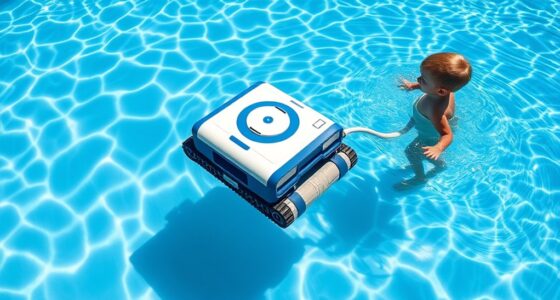
To extend the life of your cordless robotic pool cleaner’s battery, avoid deep discharges and recharge it when it hits around 20-30%. Keep the battery in a cool, dry place at about 50% charge during long breaks, and avoid overcharging or exposing it to extreme temperatures. Regularly clean the contacts and follow proper charging habits. Stay tuned for more tips to keep your cleaner performing at its best season after season.

Get the little things that make your day delivered free — and shop member deals
- Fast, free delivery on millions of items
- Access to Prime Big Deal Days deals on October 6–7
- Prime Video, Amazon Music and more included
Key Takeaways
- Recharge the battery when it reaches about 20-30% to prevent deep discharges and extend lifespan.
- Store the cleaner and battery in a cool, dry place at around 50% charge during long-term inactivity.
- Keep battery contacts and charging ports clean and free of dirt or corrosion.
- Avoid exposing the battery to extreme temperatures; maintain environment between 50°F and 77°F.
- Unplug the charger once the battery is fully charged to prevent overcharging and battery stress.

Cordless robotic pool cleaners rely heavily on their batteries to keep your pool sparkling, so proper battery care is essential for peak performance and longevity. Your battery’s lifespan depends largely on how well you maintain it and follow charging best practices. If you want your cleaner to work efficiently season after season, understanding how to maximize your battery’s health is key.
Proper battery care ensures your cordless robotic pool cleaner performs efficiently and lasts season after season.
First, it’s important to avoid letting the battery fully discharge frequently. Deep discharges can wear out the battery more quickly, reducing its overall lifespan. Instead, aim to recharge the cleaner when it still has around 20-30% of its power remaining. This practice helps preserve the battery’s capacity over time. Additionally, always use the charger provided by the manufacturer or one that’s compatible. Using incompatible chargers can lead to improper charging cycles, which can harm the battery and shorten its useful life.
Charging best practices involve not only when you charge but how you do it. For critical battery health, avoid leaving the cleaner plugged in continuously once it’s fully charged. Overcharging can cause stress on the battery, leading to decreased performance and a shorter lifespan. Once the battery reaches 100%, unplug it promptly. If you won’t be using the cleaner for an extended period, store the battery in a cool, dry place and keep it partially charged — around 50% is ideal. Storing a fully charged or completely drained battery for long stretches can accelerate capacity loss.
Temperature also plays a role in preserving your battery’s health. Keep your robotic cleaner and its battery in a cool environment, ideally between 50 and 77 degrees Fahrenheit. Excessive heat can cause batteries to degrade faster, while cold temperatures might temporarily reduce performance but are less damaging long-term. During off-season storage, make sure the battery is charged to the recommended level and check on it periodically. Avoid leaving it in direct sunlight or in a hot garage, as heat accelerates battery deterioration. Proper storage conditions, including avoiding extreme temperatures, can significantly extend your battery’s lifespan.
Additionally, regular maintenance is critical. Clean the battery contacts and ensure the charging port is free of dirt and corrosion. This ensures a good connection during charging, which is essential for battery health. Proper storage conditions and battery calibration can also help maintain accurate battery readings and prolong overall lifespan. Being mindful of battery cycle counts and avoiding excessive charging cycles can further enhance longevity. Proper care is the secret to maintaining peak performance season after season.
Furthermore, understanding the battery chemistry used in your cleaner can help tailor your maintenance practices for better longevity. By following these charging best practices and paying attention to how you handle your cordless robotic pool cleaner’s battery, you’ll extend its battery lifespan, keep your pool cleaner running smoothly, and get the most value from your investment. Proper care is the secret to maintaining peak performance season after season.
Frequently Asked Questions
How Long Does a Typical Battery Last Before Needing Replacement?
Your battery lifespan typically ranges from 2 to 3 years, depending on usage and maintenance. Most users find that replacement frequency varies, but generally, you should expect to replace the battery every 2 to 4 years. Proper care, like avoiding overcharging and storing it in a cool place, can extend its life. Keep an eye on performance; when cleaning efficiency drops, it might be time for a replacement.
Can I Use a Universal Charger for My Robotic Pool Cleaner?
Using a universal charger is like trying to fit a puzzle piece where it doesn’t belong. You shouldn’t assume universal chargers work for your robotic pool cleaner because of battery compatibility issues. Always check your device’s voltage and connector type before attempting to use a universal charger. Mismatched chargers can damage the battery or reduce its lifespan, so it’s best to stick with the original or manufacturer-approved chargers for safe, reliable charging.
What Signs Indicate the Battery Is Failing?
When checking if your battery is failing, look for signs like shorter cleaning cycles or inconsistent performance. Battery degradation often leads to reduced runtime, and charging indicators might flicker or stay on longer than usual. You may also notice the battery takes longer to charge or doesn’t hold a full charge. If these signs appear, it’s time to think about replacing the battery to make certain your robotic pool cleaner works efficiently.
Is It Safe to Leave the Battery Charging Overnight?
You might wonder if it’s safe to leave your pool cleaner charging overnight. Generally, modern chargers include safety features for overnight charging, preventing overcharge and potential hazards. However, it’s best to follow the manufacturer’s instructions to guarantee charging safety. If your device recommends unplugging after full charge, do so. Staying cautious helps protect your equipment and keeps your pool area safe while you enjoy your clean pool.
How Does Temperature Affect Battery Performance and Lifespan?
Think of your battery like a delicate plant, sensitive to its environment. Temperature effects can cause it to thrive or wither. When it gets too hot or cold, battery degradation accelerates, shortening lifespan and reducing performance. Ideal temperatures help maintain its vitality, ensuring your cordless robotic pool cleaner works efficiently longer. Keep it in a moderate climate to protect your investment and enjoy trouble-free cleaning sessions.
Conclusion
So, remember, taking good care of your cordless robotic pool cleaner’s battery is the easiest way to keep it running smoothly—yet most people ignore it until they’re stuck with a dead device. Ironically, a little effort now can save you from the hassle of replacing the entire cleaner later. So, don’t wait until it’s too late; show your battery some love and enjoy a worry-free swim all season long.
NFL season / tailgating Picks
team gear
As an affiliate, we earn on qualifying purchases.