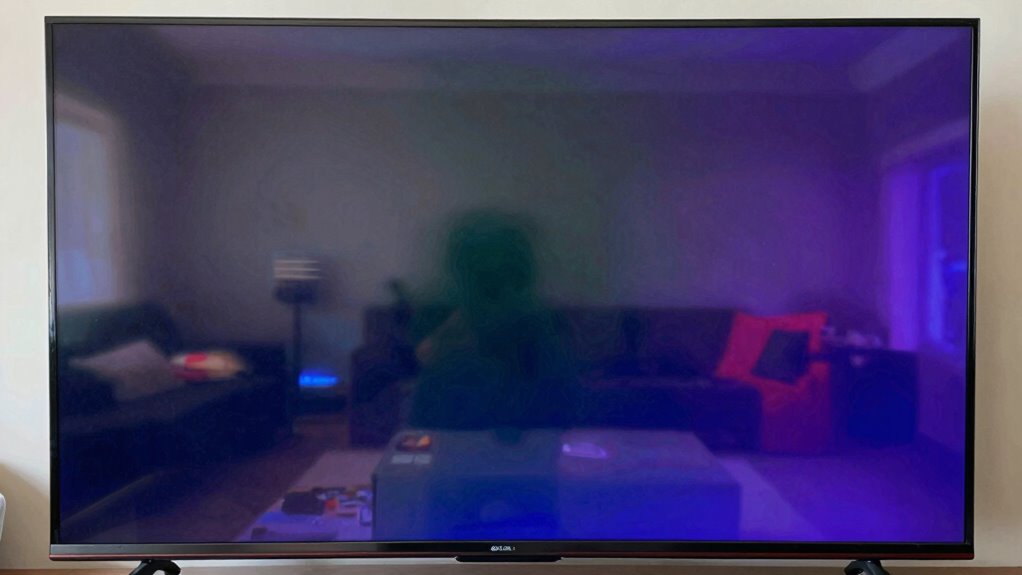

You might hear that OLED TVs are prone to burn-in, but that’s largely outdated. Modern models include software features and technologies like pixel shifting to prevent static images from causing damage. While static content like logos or HUDs can pose a higher risk, responsible usage and content variation greatly lower the chance of burn-in on OLED screens. If you want to understand how to enjoy OLEDs safely and maximize their benefits, there’s more to uncover.

Get the little things that make your day delivered free with Prime
- Fast, free delivery on millions of items
- Prime Video, Amazon Music and more included
- Member-only deals all year
Key Takeaways
- Burn-in is a real risk primarily for older OLED models with static images left on screen for extended periods.
- Modern OLED TVs have built-in features like pixel shifting and screen savers to prevent burn-in.
- LED LCD TVs do not suffer from burn-in but generally lack the deep blacks and vibrant colors of OLEDs.
- The energy efficiency advantage of OLEDs is significant during dark scenes, not necessarily related to burn-in.
- Responsible usage, content variation, and newer technology minimize burn-in concerns for OLED screens.
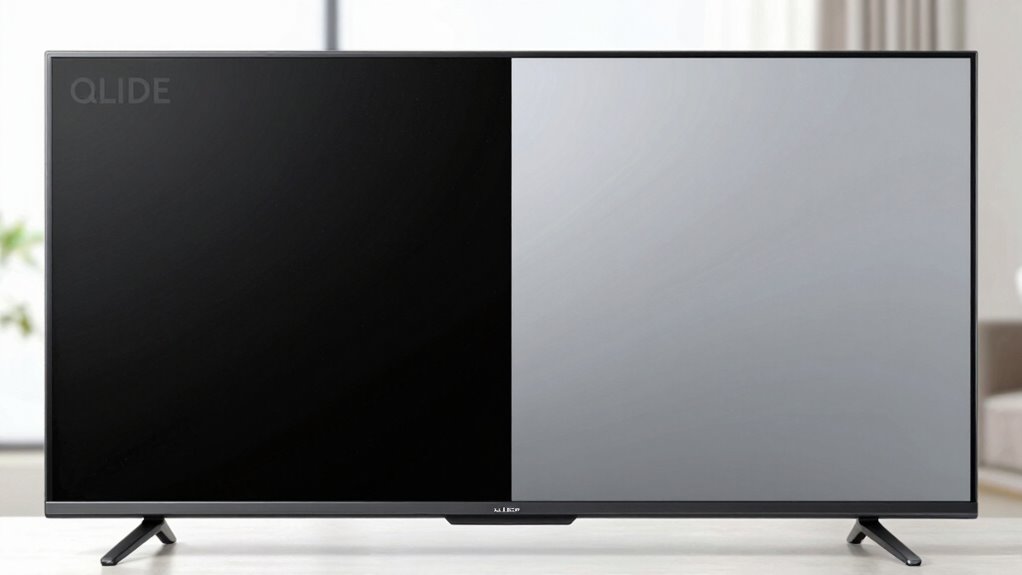
If you’re contemplating an OLED or LED TV, one common concern is burn-in, especially with OLED screens. Burn-in happens when static images stay on the screen for too long, causing a faint ghost image to linger even after you switch to other content. While this is a valid concern, it’s important to understand what’s real and what’s hype. Many people worry that OLEDs will suffer permanent damage quickly, but modern models have features designed to minimize this risk.
One of the key advantages of OLED technology is its superior color accuracy. Because each pixel emits its own light, OLEDs can produce deeper blacks and more vibrant colors than LEDs. This results in a richer viewing experience, especially for movies and games with dark scenes. However, this also means that static images—like logos, news tickers, or gaming HUDs—can pose a higher risk of burn-in if left onscreen for long periods. That said, manufacturers have integrated software solutions such as pixel shifting and screen savers to help prevent burn-in, making it less of a worry for everyday use.
Energy efficiency is another factor to evaluate. OLED screens tend to be more energy-efficient when displaying darker images because black pixels are turned off completely. This means if you mostly watch content with a lot of dark scenes, an OLED can save you energy over time. Conversely, LED TVs, especially those with LCD panels, use a backlight that stays on regardless of what’s on the screen, which can lead to higher power consumption.
Despite concerns, burn-in isn’t as prevalent as some claim, especially with newer models and responsible usage. You won’t need to worry about permanently damaging your OLED TV just because you leave a static image on for a while. Regularly changing content, avoiding prolonged static images, and taking advantage of built-in prevention features can keep your TV healthy for years. Additionally, understanding content variation can help reduce the risk of burn-in and extend your TV’s lifespan. Furthermore, being aware of content types that are more prone to cause burn-in can help inform your viewing habits. Also, the development of screen protection technologies continues to improve, making burn-in less of a concern for most users. In addition, utilizing automatic brightness adjustments can further reduce the likelihood of static images causing damage. It’s also helpful to be mindful of viewing habits and how they impact the longevity of your display. Meanwhile, the benefits—like better color accuracy, deeper blacks, and energy efficiency—make OLEDs appealing for those seeking top-tier picture quality.
In the end, the fear of burn-in often stems from outdated information or experiences with early models. Today’s OLED TVs are designed to handle typical viewing habits without issue. So, while it’s wise to be cautious, you can enjoy the stunning visuals and efficiency of OLEDs without undue worry about burn-in ruining your viewing experience.
OLED TV burn-in prevention software
As an affiliate, we earn on qualifying purchases.
As an affiliate, we earn on qualifying purchases.
Frequently Asked Questions
Can Burn-In Occur on Newer OLED Models?
Yes, burn-in can still occur on newer OLED models, but it’s less common thanks to improved screen longevity and advanced image retention prevention features. Manufacturers now incorporate technology to minimize static image persistence, reducing the risk of permanent burn-in. However, if you display static images for extended periods or leave them onscreen without variation, you still risk image retention. Proper usage and screen care help keep your OLED TV in top condition.
How Does Screen Brightness Affect Burn-In Risk?
Crank up your screen brightness, and you’re practically inviting burn-in disaster! When you set your OLED to high brightness levels, especially in poorly calibrated screens or dim ambient lighting, you accelerate pixel wear. To dodge this, always calibrate your screen properly and adjust brightness based on your environment. Lower brightness reduces the risk, letting your OLED stay vibrant and burn-in free, even during long viewing sessions.
Are There Specific Apps or Content Types More Prone to Burn-In?
You should be cautious with apps or content that display static logos or high contrast images for extended periods, as they’re more prone to burn-in. Games, news apps, or streaming services with persistent icons can be risky. To avoid issues, change your content frequently, enable screen savers, or use features that shift images slightly. This way, you reduce the chance of static logos causing permanent burn-in.
What Preventive Measures Can Extend OLED Lifespan?
To extend your OLED’s lifespan, you should regularly perform color calibration to prevent uneven wear. Use screen savers or enable auto-lock features when you’re not actively watching to avoid static images that can cause burn-in. Also, consider lowering screen brightness and avoiding prolonged display of static images. These steps help distribute pixel usage evenly, reducing the risk of burn-in and keeping your OLED display vibrant for longer.
Is Burn-In Reversible or Repairable After It Occurs?
Burn-in on OLED screens isn’t entirely reversible, but you can often reduce its appearance through image retention techniques and proper screen calibration. Running pixel refreshers, avoiding static images, and using screen savers can help minimize long-term damage. While some persistent burn-in may stay, these preventive measures and calibration adjustments can improve the display’s appearance and extend its lifespan, making the visual issue less noticeable over time.
Conclusion
Don’t dwell on the dread of display damage; data dismisses the doom of burn-in. While worries whisper warnings, modern technology tackles troubles head-on, making mindful use a must. OLED or LED, your choices can confidently continue without concern. Just remember, responsible use and regular breaks banish burn-in blights, bringing brightness back to your viewing. So, stay savvy, and let your screen’s story shine securely, free from fret or fear!
Fall Picks
fall essentials
As an affiliate, we earn on qualifying purchases.