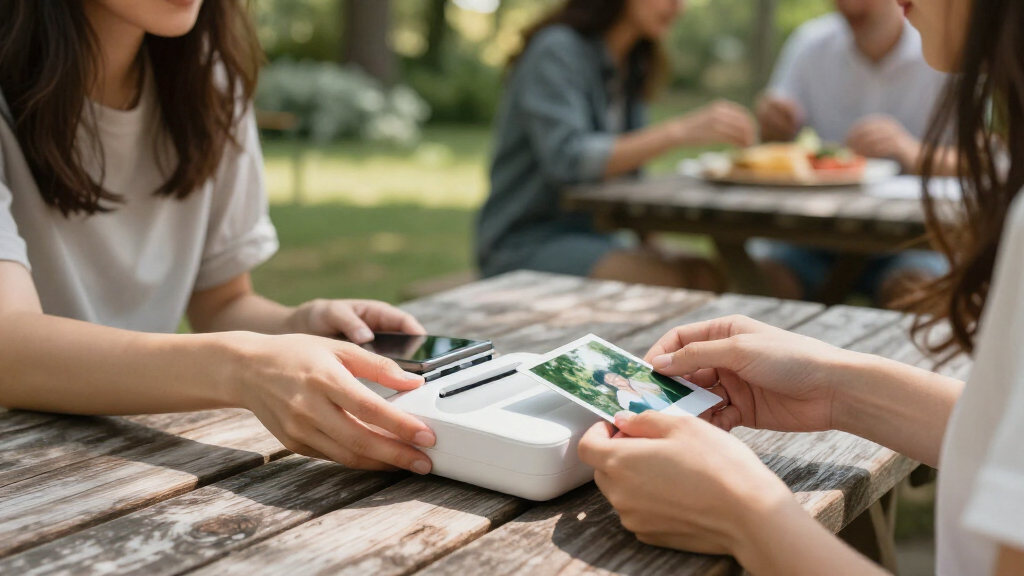

The Canon SELPHY CP1500 is my best overall instant photo printer for buyers who want larger prints and flexible wireless printing, while the Liene Amber M110 stands out for its included supplies and the KODAK Step for pocketable sticky-back prints. The main choice is between compact printers that make small prints on the go and larger dye-sublimation models that suit albums or frames. Paper type, phone compatibility, and the cost and availability of replacement supplies can matter as much as the printer itself. I compare all 15 options by their strengths, tradeoffs, and intended use below. Read on to find the printer that fits how you plan to print.

Get the little things that make your day delivered free with Prime
- Fast, free delivery on millions of items
- Prime Video, Amazon Music and more included
- Member-only deals all year
Key Takeaways
- The Canon SELPHY CP1500 is the most versatile fit in this lineup for people who want 4×6 prints and more than one way to connect.
- The Liene Amber M110 bundles useful supplies, which makes it a practical starting point for buyers who want to print a batch without sourcing paper and cartridges separately.
- KODAK Step and Canon Ivy 2 prioritize portability and small sticky-back prints; they suit casual sharing better than full-size photo albums.
- The three Nelko PP01 entries are color variants of one compact format, so choosing among them is mainly about appearance rather than a different printing role.
- Several 4×6 models use dye-sublimation printing, trading a larger printer and dedicated supplies for prints better suited to framing and albums.
| KODAK Step Instant Smartphone Photo Printer, Portable ZINK Wireless Printer, Black |  | Best for Pocketable Prints | Printing technology: ZINK zero-ink | Print size: 2 × 3 inches | Connectivity: Bluetooth and NFC | VIEW LATEST PRICE | See Our Full Breakdown |
| HP Sprocket Studio Plus 4×6 Wireless Instant Photo Printer |  | Best for 4 × 6 Keepsakes | Printer type: Dye sublimation | Maximum media size: 4 × 6 inches | Print resolution: 300 × 300 dpi color; 300 dpi B&W | VIEW LATEST PRICE | See Our Full Breakdown |
| Liene Amber M110 Bluetooth Photo Printer with 80 Sheets and 2 Cartridges |  | Best for Two Print Formats | Printer type: Thermal dye sublimation | Print sizes: 4 × 6 inches and 3 × 3 inches | Connectivity: Bluetooth and USB | VIEW LATEST PRICE | See Our Full Breakdown |
| KODAK Dock Plus 4×6 Photo Printer |  | Best for Phone-and-Print Sessions | Printer type: 4PASS dye sublimation | Print size: 4 × 6 inches | Print time: Approximately 55 seconds | VIEW LATEST PRICE | See Our Full Breakdown |
| Nelko PP01 Portable 2×3 Photo Printer, White |  | Best for Higher-Resolution Mini Prints | Printer type: Inkjet | Print size: 2 × 3 inches (52 × 90 mm) | Resolution: 600 × 600 DPI | VIEW LATEST PRICE | See Our Full Breakdown |
| Nelko PP01 Photo Printer, 2×3 Portable Photo Printer, Mini Printer, Pink |  | Best for Travel Journals | Printer type: Inkjet | Maximum print size: 2×3 inches | Resolution: 600 × 600 dpi | VIEW LATEST PRICE | See Our Full Breakdown |
| Nelko PP01 Portable 2×3-Inch Photo Printer, Purple |  | Best for Customizing Small Prints | Printer type: Inkjet | Print size: 2×3 inches | Resolution: 600 × 600 dpi | VIEW LATEST PRICE | See Our Full Breakdown |
| Liene M100 4×6-Inch Dye-Sublimation Photo Printer |  | Best for Standard 4×6 Prints | Printer type: Dye sublimation | Maximum media size: 4×6 inches | Resolution: 300 × 300 dpi | VIEW LATEST PRICE | See Our Full Breakdown |
| Canon Ivy 2 Mini Photo Printer – Sticky-Back Prints for iOS & Android |  | Best Ink-Free Pocket Pick | Printer type: ZINK technology | Print size: 2×3 inches | Resolution: 313 × 512 dpi | VIEW LATEST PRICE | See Our Full Breakdown |
| Canon SELPHY CP1500 Wireless Compact Photo Printer, Black |  | Best for Flexible 4×6 Printing | Printer type: Dye sublimation | Maximum media size: 4×6 inches | Resolution: 300 × 300 dpi | VIEW LATEST PRICE | See Our Full Breakdown |
| Liene M100 4×6 Photo Printer |  | Best for Full-Size Prints | Printer type: Thermal dye sublimation | Print size: 4 x 6 inches | Print resolution: 300 x 300 dpi | VIEW LATEST PRICE | See Our Full Breakdown |
| KODAK Mini 2 Retro Portable 2×3 Photo Printer, White |  | Best for Pocket Keepsakes | Printer type: Dye sublimation | Print size: 2.1 x 3.4 inches | Print resolution: 291 x 300 | VIEW LATEST PRICE | See Our Full Breakdown |
| KODAK Step Instant Smartphone Photo Printer, White |  | Best for Cartridge-Free Stickers | Printer technology: ZINK zero-ink | Print size: 2 x 3 inches | Connectivity: Bluetooth and NFC | VIEW LATEST PRICE | See Our Full Breakdown |
| Canon Ivy 2 Mini Photo Printer – Blush Pink | 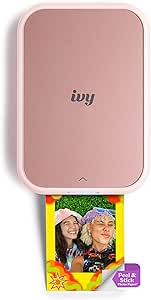 | Best for Sharp Mini Prints | Weight: 8.8 oz | Dimensions: 4.69 x 0.79 x 3.29 inches | Connectivity: Bluetooth 5.0 and USB | VIEW LATEST PRICE | See Our Full Breakdown |
| HP Sprocket Portable Photo Printer (2nd Edition), Luna Pearl |  | Best for Shared Phone Printing | Printer technology: ZINK zero-ink | Print size: 2 x 3 inches | Connectivity: Bluetooth 5.0 | VIEW LATEST PRICE | See Our Full Breakdown |
| instant photo printer | Connectivity | Printer type | Resolution | Print size |
|---|---|---|---|---|
| KODAK Step Instant Smartphone | Bluetooth and NFC | — | — | 2 × 3 inches |
| HP Sprocket Studio Plus 4×6 Wi | Wi-Fi | Dye sublimation | — | — |
| Liene Amber M110 Bluetooth Pho | Bluetooth and USB | Thermal dye sublimation | 300 × 300 dpi | — |
| KODAK Dock Plus 4×6 Photo Prin | Bluetooth, docking, and USB Type-C | 4PASS dye sublimation | 300 | 4 × 6 inches |
| Nelko PP01 Portable 2×3 Photo | Bluetooth | Inkjet | 600 × 600 DPI | 2 × 3 inches (52 × 90 mm) |
| Nelko PP01 Photo Printer | Bluetooth | Inkjet | 600 × 600 dpi | — |
| Nelko PP01 Portable 2×3-Inch P | Bluetooth | Inkjet | 600 × 600 dpi | 2×3 inches |
| Liene M100 4×6-Inch Dye-Sublim | Wi-Fi, USB Type-C | Dye sublimation | 300 × 300 dpi | — |
| Canon Ivy 2 Mini Photo Printer | Bluetooth 5.0, USB-C | ZINK technology | 313 × 512 dpi | 2×3 inches |
| Canon SELPHY CP1500 Wireless C | Wi-Fi, USB 2.0, memory card | Dye sublimation | 300 × 300 dpi | — |
| Liene M100 4×6 Photo Printer | Built-in Wi-Fi hotspot; supports up to 5 devices | Thermal dye sublimation | — | 4 x 6 inches |
| KODAK Mini 2 Retro Portable 2× | Bluetooth | Dye sublimation | — | 2.1 x 3.4 inches |
| KODAK Step Instant Smartphone | Bluetooth and NFC | — | 300 x 300 dpi | 2 x 3 inches |
| Canon Ivy 2 Mini Photo Printer | Bluetooth 5.0 and USB | — | 600 x 600 dpi | 2 x 3 inches, peel and stick |
| HP Sprocket Portable Photo Pri | Bluetooth 5.0 | — | 313 x 400 dpi | 2 x 3 inches |
More Details on Our Top Picks
KODAK Step Instant Smartphone Photo Printer, Portable ZINK Wireless Printer, Black
The KODAK Step is built for small, spontaneous prints: its 2 × 3-inch adhesive-backed photos can go straight into a journal, onto a card, or into a scrapbook. ZINK paper means there are no ink cartridges to carry or replace, and Bluetooth or NFC pairing keeps printing tied to a phone. Compared with the HP Sprocket Studio Plus, the Step is much lighter and easier to tuck into a bag, but its prints are half the size of that model’s 4 × 6 output. Its 10-sheet capacity also means frequent reloads, and a charge is specified for up to 25 prints. I’d choose it for casual keepsakes and portability; shoppers who want larger photos or longer print sessions should look at a 4 × 6 printer instead.
Pros:- Compact 0.07 kg body is easy to carry
- ZINK printing avoids separate ink cartridges
- Adhesive-backed prints suit scrapbooks and labels
- KODAK app includes photo editing tools
Cons:- Prints only 2 × 3-inch photos
- 10-sheet capacity and up to 25 prints per charge limit longer sessions
Best for: Journalers and travelers who want lightweight, adhesive-backed snapshots from a phone
Not ideal for: People who want standard 4 × 6 prints or to print many photos without reloading
- Printing technology:ZINK zero-ink
- Print size:2 × 3 inches
- Connectivity:Bluetooth and NFC
- Print resolution:300 dpi
- Battery:Rechargeable lithium-ion
- Prints per charge:Up to 25
- Maximum sheet capacity:10 sheets
- Weight:0.07 kg
Our verdict“Choose the KODAK Step for portable, cartridge-free snapshots; choose the HP Sprocket Studio Plus if larger 4 × 6 prints matter more.”
HP Sprocket Studio Plus 4×6 Wireless Instant Photo Printer
The HP Sprocket Studio Plus makes phone printing feel closer to a home photo workflow, with dye-sublimation output on standard 4 × 6-inch paper. Its waterproof, tear-resistant prints suit albums and display, while the app adds stickers, frames, and filters for quick personalization. Compared with the pocket-size KODAK Step, it gives you photos large enough for frames, though it is less convenient for carrying around and needs Wi-Fi plus paper and ink cartridges. The package includes 118 sheets and three cartridges, but the printer itself holds only 10 sheets at a time, so batches require reloading. I’d favor it for people making tangible copies of phone photos; anyone prioritizing compactness or cartridge-free printing should consider a mini ZINK model.
Pros:- Produces larger 4 × 6-inch photos than mini printers
- Dye-sublimation prints are described as waterproof and smudge-proof
- Wi-Fi smartphone printing with app editing tools
- Package includes photo paper and three ink cartridges
Cons:- 10-sheet capacity requires reloading during larger batches
- Replacement cartridges are a continuing supply requirement
- Limited to 4 × 6-inch output
Best for: Families and phone photographers who want durable 4 × 6 prints for albums or frames
Not ideal for: Travelers seeking pocketable printing or buyers who want to avoid ink cartridges and frequent reloading
- Printer type:Dye sublimation
- Maximum media size:4 × 6 inches
- Print resolution:300 × 300 dpi color; 300 dpi B&W
- Connectivity:Wi-Fi
- Compatible devices:iOS and Android smartphones
- Sheet capacity:10 sheets
- Included supplies:118 sheets of photo paper and three ink cartridges
- Weight:16 ounces
Our verdict“Pick the HP Sprocket Studio Plus for durable, album-ready 4 × 6 prints, while the KODAK Step is easier to carry for small snapshots.”
Liene Amber M110 Bluetooth Photo Printer with 80 Sheets and 2 Cartridges
The Liene Amber M110 stands apart by accepting both 4 × 6 photo paper and 3 × 3 sticker paper, giving phone photographers a choice between album prints and square stickers. Its laminated dye-sublimation output is designed to resist water, scratches, fingerprints, and fading, while the app adds editing and ID or visa photo layouts. Compared with the HP Sprocket Studio Plus, the M110 offers a second print format and Bluetooth connectivity, but it weighs 2.9 pounds and relies on Liene-compatible cartridges. The supplied paper spans both sizes, though the maximum capacity is listed as 20 sheets, so the included supply does not mean the printer can hold a large batch. I’d choose it when format flexibility matters more than pocketable portability.
Pros:- Supports both 4 × 6 photo paper and 3 × 3 sticker paper
- Laminated prints resist water, scratches, fingerprints, and fading
- App supports editing and ID or visa photo layouts
- Includes paper for both supported sizes
Cons:- At 2.9 pounds, it is heavier than pocket-sized options such as the KODAK Step
- Cartridges are limited to compatible Liene formats
- 20-sheet maximum capacity can interrupt larger print batches
Best for: Phone photographers who want both standard 4 × 6 prints and square sticker prints
Not ideal for: Travelers seeking a truly lightweight printer or buyers who want broadly interchangeable cartridges
- Printer type:Thermal dye sublimation
- Print sizes:4 × 6 inches and 3 × 3 inches
- Connectivity:Bluetooth and USB
- Resolution:300 × 300 dpi
- Included paper:60 sheets of 4 × 6 paper and 20 sheets of 3 × 3 sticker paper
- Included cartridges:2
- Maximum sheet capacity:20 sheets
- Weight:2.9 pounds
Our verdict“Choose the Liene Amber M110 if you want both rectangular keepsakes and square stickers from one printer.”
KODAK Dock Plus 4×6 Photo Printer
The KODAK Dock Plus is the lineup’s clearest fit for printing a batch while keeping a phone close at hand: its dock charges a connected device, and the tray holds up to 50 sheets, more than the HP Sprocket Studio Plus or Liene Amber M110. Its 4PASS process produces borderless 4 × 6 prints with a protective finish designed to resist water, fingerprints, and fading. At about 55 seconds per print, it favors deliberate keepsake printing over instant pocket snapshots, and it needs a power outlet to operate. Bluetooth adds wireless convenience, while docking and USB-C provide other connection options. I’d pick it for a home table or family photo session; the KODAK Step is a better match if carrying a printer matters more than print size or capacity.
Pros:- 50-sheet capacity reduces reloading compared with the HP Sprocket Studio Plus
- Borderless 4 × 6 output suits albums and frames
- Dock can charge a connected phone during printing
- Protective finish is designed to resist water, fingerprints, and fading
Cons:- Requires a power outlet for operation
- Prints only 4 × 6-inch photos
- Approximately 55 seconds per print is slower than quick pocket-snapshot expectations
Best for: Households printing batches of phone photos at home while charging a connected phone
Not ideal for: Travelers who need battery-powered printing or people who prefer small adhesive snapshots
- Printer type:4PASS dye sublimation
- Print size:4 × 6 inches
- Print time:Approximately 55 seconds
- Connectivity:Bluetooth, docking, and USB Type-C
- Compatible devices:iOS and Android smartphones and tablets
- Sheet capacity:50 sheets
- Resolution:300
- Dimensions:4.5 × 8.5 × 2 inches (D × W × H)
Our verdict“Choose the Dock Plus for powered home printing in larger batches, especially if charging your phone at the same time is useful.”
Nelko PP01 Portable 2×3 Photo Printer, White
The Nelko PP01 pairs pocket-friendly 2 × 3-inch adhesive prints with a listed 600 × 600 DPI resolution, making it a distinct small-format option alongside the KODAK Step. Its Bluetooth link and Nelko app support edits, collages, filters, and stickers, while a 30-sheet capacity holds more paper than the Step’s 10-sheet tray. The tradeoff is a cartridge-based inkjet system: you need compatible Nelko paper and ink, rather than the Step’s cartridge-free ZINK paper. The adapter is also not included, and the listed print speed is one page per minute, so it is better suited to occasional keepsakes than fast batches. I’d choose it for detailed-looking mini prints and app customization, provided the dedicated supplies fit your routine.
Pros:- Listed 600 × 600 DPI resolution for 2 × 3-inch prints
- 30-sheet capacity exceeds the KODAK Step’s 10-sheet capacity
- Adhesive-backed glossy paper works for journals and collages
- App includes editing, filters, frames, and stickers
Cons:- Requires compatible Nelko paper and ink cartridges
- Power adapter is not included
- Limited to 2 × 3-inch output at a listed speed of one page per minute
Best for: Scrapbookers and students who want app-customized 2 × 3 adhesive photos and a larger paper load
Not ideal for: Buyers who want cartridge-free supplies, larger prints, or an included power adapter
- Printer type:Inkjet
- Print size:2 × 3 inches (52 × 90 mm)
- Resolution:600 × 600 DPI
- Connectivity:Bluetooth
- Compatible devices:iOS and Android smartphones
- Maximum sheet capacity:30 sheets
- Print speed:1 page per minute
- Charging:USB cable included; adapter not included
Our verdict“Choose the Nelko PP01 for customizable, adhesive mini prints if you accept its dedicated ink and paper supplies.”
Nelko PP01 Photo Printer, 2×3 Portable Photo Printer, Mini Printer, Pink
The Nelko PP01 suits people who want to add phone photos to a journal or scrapbook while they are out. Its 2×3-inch sticky-back prints can be placed without a separate adhesive, and the Bluetooth app adds editing tools, filters, and stickers before printing. At 308 g, it is easy to carry; the larger Liene M100 is a better fit when you want standard 4×6 prints for framing or sharing. The Nelko’s tradeoff is that it only handles its small sticky-backed format, so it cannot cover the same range of photo uses. The supplied description also says a charging adapter is not included, so check what you already have before planning to take it on a trip.
Pros:- Light 308 g body is convenient to carry
- Sticky-backed 2×3 prints suit journals, crafts, and labels
- Bluetooth printing works with iOS and Android through the app
- 600 × 600 dpi resolution and app editing tools support customized color prints
Cons:- Prints are limited to 2×3-inch sticky-backed paper
- Charging adapter is not included
- The listed print speed figures do not establish a clear photo-per-minute rate
Best for: Travel journal keepers and scrapbookers who want small adhesive photos straight from an iOS or Android phone
Not ideal for: People who want 4×6 prints, larger photo displays, or a printer ready to charge without sourcing an adapter
- Printer type:Inkjet
- Maximum print size:2×3 inches
- Resolution:600 × 600 dpi
- Connectivity:Bluetooth
- Compatibility:iOS and Android
- Weight:308 g
- Dimensions:4.2 × 1.69 × 5.04 inches
- Print media:Glossy sticky-back photo paper
Our verdict“Choose the Nelko PP01 if portable sticky-back prints matter more than the larger format offered by the Liene M100.”
Nelko PP01 Portable 2×3-Inch Photo Printer, Purple
This purple Nelko PP01 has the same pocketable 2×3-inch format as the pink Nelko, with an app geared toward editing, collages, and personalization. That makes it a natural pick for phone photos that need cropping or arranging before they go into a craft project. It connects over Bluetooth to iOS and Android, and the listed 10-sheet capacity favors short batches over printing a stack at once. Compared with the Canon Ivy 2, which uses ink-free ZINK technology, this Nelko is an inkjet model and its data lists four ink colors. It also comes with a USB charging cable, though the power adapter is absent. A one-page-per-minute print speed makes it a poor match for anyone expecting quick batches.
Pros:- Compact 308 g design fits travel and craft use
- App supports editing, collage, and customization
- Bluetooth compatibility with iOS and Android
- USB charging cable is included
Cons:- Power adapter is not included
- Listed speed is one page per minute
- Limited to 2×3-inch glossy sticky-backed paper with a 10-sheet capacity
Best for: Phone photographers who enjoy arranging collages and customizing small adhesive prints for crafts
Not ideal for: People printing many photos at once or anyone who needs an included power adapter
- Printer type:Inkjet
- Print size:2×3 inches
- Resolution:600 × 600 dpi
- Connectivity:Bluetooth
- Compatibility:iOS and Android
- Weight:308 g
- Paper capacity:10 sheets
- Included accessory:USB charging cable
Our verdict“Pick the purple Nelko for app-led customization of small photos, while the Canon Ivy 2 is the ink-free alternative in this size class.”
Liene M100 4×6-Inch Dye-Sublimation Photo Printer
The Liene M100 moves this roundup beyond wallet-sized snapshots: it prints 4×6-inch dye-sublimation photos from phones and computers, making it the more practical choice for prints to frame or hand out. Its app offers basic image adjustments and ID or visa photo layouts, while the included 100 sheets and three cartridges give buyers supplies for a substantial first run. In contrast, the Canon Ivy 2 is much smaller and makes adhesive 2×3 prints for decorating notebooks, not standard photo displays. The M100’s larger format comes with narrower supply flexibility: it uses proprietary Liene cartridges, and its 20-sheet capacity means paper must be replenished during larger batches. The product data also notes print-head cleaning may be needed if smudges appear.
Pros:- Prints standard 4×6-inch color photos
- Includes 100 sheets and three color cartridges
- Wi-Fi and USB Type-C support printing from multiple device types
- App includes photo adjustments and ID or visa layouts
Cons:- Requires proprietary Liene cartridges
- Paper capacity is 20 sheets, so larger batches need reloading
- Print head may need cleaning if smudges develop
Best for: Families and phone photographers who want standard 4×6 prints for albums, frames, or sharing
Not ideal for: Travelers who need a pocket printer, or buyers who want widely interchangeable consumables
- Printer type:Dye sublimation
- Maximum media size:4×6 inches
- Resolution:300 × 300 dpi
- Connectivity:Wi-Fi, USB Type-C
- Compatible devices:Laptops, PCs, smartphones
- Paper capacity:20 sheets
- Included paper:100 sheets
- Included cartridges:3
Our verdict“Choose the Liene M100 when full-size 4×6 photos matter more than the Canon Ivy 2’s pocketable sticky-back format.”
Canon Ivy 2 Mini Photo Printer – Sticky-Back Prints for iOS & Android
The Canon Ivy 2 is the simplest fit here for buyers who want pocketable prints without carrying ink cartridges. Its ZINK technology produces glossy 2×3-inch peel-and-stick photos from a phone over Bluetooth 5.0, so the prints work well for decorating notebooks or sharing on the spot. It is lighter at 145 g than either Nelko PP01, both listed at 308 g, but offers a lower 313 × 512 dpi resolution than their 600 × 600 dpi spec. Printing can take up to 50 seconds per photo, and the 10-sheet cartridge capacity keeps it better suited to small bursts than a group event. For full-size photos, the Canon SELPHY CP1500 handles up to 4×6 inches instead.
Pros:- ZINK printing needs no ink cartridges
- 145 g pocket-sized design is lighter than the Nelko PP01 models
- Peel-and-stick 2×3-inch prints suit notebooks and crafts
- Bluetooth 5.0 connects to compatible iOS and Android devices
Cons:- Print speed is up to 50 seconds per photo
- Capacity is limited to 10 sheets per cartridge
- Resolution is 313 × 512 dpi
Best for: Travelers and casual phone photographers who want lightweight, ink-free adhesive prints in small batches
Not ideal for: People who want larger prints, high-volume sessions, or the higher listed resolution of the Nelko PP01
- Printer type:ZINK technology
- Print size:2×3 inches
- Resolution:313 × 512 dpi
- Connectivity:Bluetooth 5.0, USB-C
- Weight:145 g
- Print speed:Up to 50 seconds per photo
- Print media:Glossy peel-and-stick photo paper
- Warranty:Limited 1-year
Our verdict“Choose the Ivy 2 for the lightest ink-free sticky prints, and the Canon SELPHY CP1500 if you need 4×6 photos.”
Canon SELPHY CP1500 Wireless Compact Photo Printer, Black
The Canon SELPHY CP1500 is the most flexible 4×6 option in this group for people printing from more than a phone. It accepts images from smartphones, computers, cameras, memory cards, and USB drives, while the 3.5-inch display lets you view and edit photos at the printer. Its dye-sublimation output is designed to be water-resistant and last up to 100 years, a different priority from the pocketable Canon Ivy 2, which makes small adhesive snapshots. The CP1500 is still portable at 1.58 kg, but it is not pocket-sized, and printing away from an outlet requires an optional battery pack. Its 10-sheet output capacity also favors modest sessions rather than uninterrupted large batches.
Pros:- Accepts photos from smartphones, PCs, cameras, memory cards, and USB drives
- Built-in 3.5-inch LCD supports viewing and editing
- Dye-sublimation prints are described as water-resistant and designed to last up to 100 years
- Supports Wi-Fi and USB 2.0 connectivity
Cons:- Optional battery pack is needed for printing away from a power source
- Maximum media size is 4×6 inches
- 10-sheet output capacity can interrupt longer print sessions
Best for: Households and hobby photographers printing 4×6 photos from phones, cameras, cards, or USB drives
Not ideal for: Buyers seeking a truly pocketable printer, included battery-powered operation, or prints larger than 4×6 inches
- Printer type:Dye sublimation
- Maximum media size:4×6 inches
- Resolution:300 × 300 dpi
- Connectivity:Wi-Fi, USB 2.0, memory card
- Display:3.5-inch LCD
- Weight:1.58 kg
- Output sheet capacity:10 sheets
- Supported media:Glossy photo paper, labels
Our verdict“Choose the SELPHY CP1500 for flexible 4×6 printing from several sources, while the Ivy 2 is the better carry-anywhere option.”
Liene M100 4×6 Photo Printer
For buyers who want prints closer to traditional photo-lab size, the Liene M100 is a stronger fit than the pocket printers in this group. Its 4 x 6-inch dye-sublimation prints give family photos and travel shots more room to display, with a protective finish designed to resist water, scratches, and fading. The built-in Wi-Fi hotspot also lets up to five devices connect directly, so a household can print without relying on its home network. Compared with the smaller KODAK Mini 2 Retro, the M100 is better for keepsake prints but less convenient to carry. Its 20-sheet capacity limits longer batches, and duplex printing requires manual handling. Choose it for larger prints and shared use; skip it if pocket portability matters most.
Pros:- Prints 4 x 6-inch photos rather than the smaller snapshots made by pocket printers
- Protective finish is designed to resist water, scratches, and fading
- Built-in Wi-Fi hotspot supports direct connection without a home network
- Can connect up to five devices and works with phones and computers
Cons:- Holds up to 20 sheets, limiting longer print sessions
- Duplex printing requires manual handling
- Larger than the compact 2 x 3-inch printers in this roundup
Best for: Households that want shareable 4 x 6-inch prints and direct printing from several phones or computers
Not ideal for: Travelers who want a pocket-sized printer or buyers who need to print large batches without reloading
- Printer type:Thermal dye sublimation
- Print size:4 x 6 inches
- Print resolution:300 x 300 dpi
- Weight:2.2 pounds
- Dimensions:7.48 x 9.88 x 7.48 inches
- Connectivity:Built-in Wi-Fi hotspot; supports up to 5 devices
- Compatible devices:iOS, Android, Windows, laptops, PCs, and smartphones
- Included supplies:20 sheets of photo paper and 1 cartridge
Our verdict“Pick the Liene M100 if you want protected 4 x 6-inch prints and multi-device access more than pocket portability.”
KODAK Mini 2 Retro Portable 2×3 Photo Printer, White
The KODAK Mini 2 Retro is for turning phone photos into small keepsakes that fit in a wallet, journal, or travel album. Its 2.1 x 3.4-inch dye-sublimation prints are larger than the 2 x 3-inch stickers from the KODAK Step and Canon Ivy 2, though still far smaller than the Liene M100’s 4 x 6-inch output. The 4PASS process adds a protective laminate, which suits prints that may be handled or carried around. A bundle with 38 sheets and four cartridges gives buyers supplies to start printing right away. The tradeoff is that printing depends on a compatible iOS or Android phone and the companion app, while Bluetooth offers less flexibility than the M100’s Wi-Fi support for computers and multiple devices.
Pros:- Prints slightly larger photos than the 2 x 3-inch KODAK Step and Canon Ivy 2
- 4PASS dye sublimation adds a laminate designed to resist fingerprints, water, and fading
- Bundle includes 38 sheets of photo paper and four cartridges
- Compact body is easy to carry
Cons:- Prints remain small compared with 4 x 6-inch options such as the Liene M100
- Requires a compatible iOS or Android phone and the KODAK app
- Bluetooth connection is limited to smartphone printing
Best for: Phone photographers who want small laminated prints for wallets, travel journals, or scrapbooks
Not ideal for: Buyers who need larger display photos, computer compatibility, or a printer that works without a companion app
- Printer type:Dye sublimation
- Print size:2.1 x 3.4 inches
- Print resolution:291 x 300
- Connectivity:Bluetooth
- Compatible devices:iOS and Android smartphones
- Weight:255 g
- Dimensions:3 x 5 x 1 inches
- Included supplies:38 sheets of photo paper and 4 cartridges
Our verdict“Choose the KODAK Mini 2 Retro for portable, laminated keepsakes with a little more print area than typical 2 x 3-inch models.”
KODAK Step Instant Smartphone Photo Printer, White
The KODAK Step suits anyone who wants to print small photos as they decorate a notebook, label a keepsake, or share a snapshot. Its ZINK paper prints without ink cartridges, and the peel-and-stick backing makes them more immediately useful for crafts than the loose prints from the KODAK Mini 2 Retro. Bluetooth and NFC connect it to iOS or Android phones, while the app adds filters, borders, stickers, and collage tools. The cost of that convenience is print size: its 2 x 3-inch output is much smaller than the Liene M100’s 4 x 6-inch photos. Battery life also sets a limit on outings, with up to 25 prints per charge. Pick the Step for portable sticker-style snapshots, not full-size prints or extended sessions away from charging.
Pros:- ZINK technology prints without ink cartridges
- Peel-and-stick prints work well for journals, crafts, and labels
- App offers filters, stickers, borders, and collage tools
- Bluetooth and NFC provide phone connection options
Cons:- Prints are limited to 2 x 3 inches, far smaller than the Liene M100’s 4 x 6 output
- Prints up to 25 photos per charge
- Requires an iOS or Android smartphone
Best for: Teens, scrapbookers, and phone users who want portable peel-and-stick snapshots without cartridges
Not ideal for: Buyers who want larger photos or expect to print many pictures during a long outing
- Printer technology:ZINK zero-ink
- Print size:2 x 3 inches
- Connectivity:Bluetooth and NFC
- Compatible devices:iOS and Android smartphones
- Output:Color
- Resolution:300 x 300 dpi
- Battery:Rechargeable lithium-ion
- Prints per charge:Up to 25
Our verdict“Choose the KODAK Step for cartridge-free sticker snapshots and app-based customization in a portable format.”
Canon Ivy 2 Mini Photo Printer – Blush Pink
The Canon Ivy 2 is a compact pick for smartphone owners who want small sticky-back photos and value the listed 600 x 600 dpi resolution. Like the KODAK Step, it uses ZINK paper, so there are no ink cartridges to replace; its 2 x 3-inch format is suited to journals and surfaces rather than framed photo displays. Bluetooth 5.0 connects it to iOS and Android phones, and the peel-and-stick backing makes prints easy to place. The main limitation is power: unlike the rechargeable KODAK Step, the Ivy 2 requires external power over USB and has no built-in battery. It also holds just 10 sheets, so frequent printing means reloading. Pick it for a compact setup near a power source, not all-day mobile printing.
Pros:- Listed resolution of 600 x 600 dpi
- ZINK media avoids ink cartridge replacement
- Bluetooth 5.0 pairs with iOS and Android smartphones
- Peel-and-stick backing makes prints easy to place
Cons:- Requires external USB power and has no built-in battery, unlike the KODAK Step
- 10-sheet capacity means frequent reloading
- 2 x 3-inch prints are too small for buyers seeking traditional photo size
Best for: iOS and Android users who want small, sticky-back prints with a compact printer for home, school, or office use
Not ideal for: Travelers who need battery-powered printing or anyone who wants to print more than a few photos before reloading
- Weight:8.8 oz
- Dimensions:4.69 x 0.79 x 3.29 inches
- Connectivity:Bluetooth 5.0 and USB
- Print size:2 x 3 inches, peel and stick
- Media type:ZINK photo paper
- Resolution:600 x 600 dpi
- Maximum sheet capacity:10 sheets
- Power:External USB power; no built-in battery
Our verdict“Pick the Canon Ivy 2 for compact, sticky-back phone prints near a power source, and skip it for mobile sessions away from charging.”
HP Sprocket Portable Photo Printer (2nd Edition), Luna Pearl
The HP Sprocket (2nd Edition) is geared toward groups who want to send phone photos to one small printer and turn them into pocketable stickers. Its Bluetooth 5.0 multi-device connection gives it a sharing advantage over the Canon Ivy 2, which is also a 2 x 3-inch ZINK printer. The HP app adds editing, sharing, and augmented reality features, giving social users more ways to customize images before printing. Its ZINK prints are peel-and-stick and described as smudge-proof, but the 2 x 3-inch size is a poor match for anyone expecting traditional photo prints. Capacity is another constraint: the printer holds 10 sheets, and the included paper supply is only a starter pack. Choose it for casual group sharing, while the Liene M100 better fits larger keepsakes.
Pros:- Bluetooth 5.0 supports connections from multiple devices
- Peel-and-stick ZINK prints are described as smudge-proof
- HP app includes customization, sharing, and augmented reality features
- Pocket-sized dimensions make it easy to carry
Cons:- 2 x 3-inch output is much smaller than the Liene M100’s 4 x 6-inch prints
- Paper capacity is 10 sheets and the included supply is limited to 10 sheets
- Designed for smartphone use and requires the HP Sprocket app
Best for: Friends and families who want to share a small Bluetooth printer and customize phone photos in the HP app
Not ideal for: Buyers who want 4 x 6-inch prints, larger paper capacity, or compatibility beyond smartphones
- Printer technology:ZINK zero-ink
- Print size:2 x 3 inches
- Connectivity:Bluetooth 5.0
- Paper capacity:10 sheets
- Dimensions:3.15 x 4.63 x 0.98 inches
- Resolution:313 x 400 dpi
- Compatible operating systems:Android 5 and above; iOS 10 and above
- Warranty:One-year limited hardware warranty
Our verdict“Choose the HP Sprocket if several phone users want to share a pocket printer and make customized sticker photos.”
How We Picked
I ranked these instant photo printers by how well each serves a clear printing need: pocketable prints, larger 4×6 photos, or flexible home and event use. I weighed print format and process, phone and device connections, setup simplicity, portability, and the practical burden of carrying or replacing paper and cartridges. Bundle contents count as a convenience, but they do not outweigh a printer’s lasting fit for the buyer.
The order favors models with a broader use case and a clear advantage over alternatives in this group. The Canon SELPHY CP1500 leads for its larger format and connectivity options; the Liene Amber M110 follows for its ready-to-print bundle. Compact ZINK and mini printers rank lower for buyers who need larger prints, while duplicate models and color variants are grouped by their shared capabilities rather than treated as distinct performance choices. Each pick still has a tradeoff, so the best fit depends on what and where you print.
Factors to Consider When Choosing Instant Photo Printers
Before choosing, decide what your prints need to do after they leave the printer. A small adhesive photo for a journal, a 4×6 print for a frame, and a stack of party favors call for different formats and routines. These broader factors can help you avoid buying a printer that fits your phone but not your printing habits.
Choose the print size for its destination
Start with where the finished photos will go: a phone case, scrapbook, album, or frame. Mini printers make prints that are easy to carry and share, but their small image area can feel limiting for group shots or display. A 4×6 printer takes more space and usually calls for a tabletop, yet its output fits common frames and albums. A frequent mistake is choosing by printer size alone and only later realizing the print itself is too small. If you want both pocket prints and framed photos, decide which format you will use most before paying for a device. A single printer may not satisfy both jobs equally well.
Match the printing process to your priorities
These printers use different approaches, including ZINK paper and dye-sublimation systems, and those differences affect the supplies you need. ZINK models are convenient for compact, cartridge-free printing, while dye-sublimation printers use dedicated paper and ribbon or cartridge supplies. Do not assume that one process automatically delivers the right result for every photo or use case. Check which supplies the exact printer requires and whether you can readily buy the matching type where you live. Buyers sometimes compare only the device and overlook the ongoing routine of keeping the right paper or cartridge on hand. A printer that is simple to restock is often easier to use regularly.
Check phone support and connection habits
Most of these picks are designed around smartphone printing, but supported devices, apps, and connection methods can differ. Confirm that the app works with your phone and operating system before choosing, especially if you use an older device or share the printer with family. Consider whether you want to print directly from a phone, connect wirelessly at home, or use another supported input method. Bluetooth pairing may suit one phone at a time, while broader wireless options can be more convenient at gatherings. A printer’s connection choices matter most when several people will send photos or when the printer stays in one place. Check the manufacturer’s compatibility details for the specific model and app.
Plan for portability beyond the printer’s size
A compact body helps, but portable printing also depends on power, supplies, and how many prints you want to make away from home. Think through whether you will carry paper, cartridges, cables, or a charger alongside the printer. A pocket-sized model can be a good companion for travel or journaling, while a 4×6 unit is more naturally suited to a desk or event table. Buyers often focus on dimensions and forget to account for the complete printing kit. If you print on trips, check the power arrangements and how supplies are packed and protected. For occasional use at home, portability may matter less than print size and connection options.
Compare starter bundles with long-term supply needs
A bundle with paper and cartridges can get you printing sooner and help you learn how quickly you use supplies. It does not, by itself, tell you how convenient the printer will be to maintain over time. Before choosing, look up the exact refill format and confirm that it is available in the quantity you would realistically use. A larger starter bundle can be helpful for a party or a first batch, but it may be unnecessary for someone who prints only now and then. Avoid assuming that supplies for printers from the same brand are interchangeable. Match the bundle to your near-term plans, then judge the printer by its ongoing supply requirements.
Think about the people and moments you print for
For solo journaling or travel, compact adhesive prints can make sharing quick and spontaneous. For family albums, framed photos, or event tables, a larger format may be more useful even if the printer is less portable. If several people will print from their phones, app setup and connection sharing deserve attention before the day you need the printer. A common misstep is buying for a special event without checking whether the printer can handle the desired format and supply quantity. Consider how often you will print after that event, too. The right choice should fit your regular routine as well as the occasional burst of printing.
Frequently Asked Questions
Should I choose a mini printer or a 4×6 instant photo printer?
Choose a mini printer if you want small prints for a journal, card, or casual sharing and value carrying the device with you. A 4×6 model is a better match for albums and frames, but it takes more room and uses its own supply format. Compare the intended destination of your photos before comparing printer size. If most prints will be displayed, a tiny print can be disappointing even when the printer is convenient. If portability is the priority, the larger format may see less use.
Are the Nelko PP01 white, pink, and purple models different printers?
The listed Nelko PP01 options share the same compact 2×3-inch printer identity, with the entries distinguished by color. The lineup does not indicate a different print format or role for each color variant. Choose based on the finish you prefer, then confirm the exact listing includes the supplies or accessories you expect. If you need a materially different printing experience, compare the PP01 with a 4×6 model or a printer using another paper system. A color change alone is not a reason to expect different output capabilities.
What should I check before buying replacement paper or cartridges?
Check the exact model number and the manufacturer’s specified paper and cartridge type before ordering supplies. Similar-looking printers, including products from the same brand, may not share consumables. Consider whether refills are sold in a quantity that suits how often you print and whether you can store them properly. A starter bundle helps with initial use but does not establish that future refills will be convenient for you. Checking supply compatibility early can prevent a printer from sitting unused after its first batch.
Which type is easier to bring to a party or on a trip?
Compact models such as the KODAK Step, Canon Ivy 2, and Nelko PP01 are easier to pack when small prints meet your needs. For a party where guests may want larger photos, a 4×6 printer can be more useful at a table, though the printer and its supplies take more space. Include power accessories and refill supplies in your packing plan rather than judging portability by the device alone. Check how the printer connects to multiple phones if guests will send pictures. The best travel choice depends on both the print format and the number of photos you expect to make.
Is a printer with included paper and cartridges a better first purchase?
A bundle can reduce setup friction because you can begin printing without first finding compatible supplies. That makes the Liene Amber M110 appealing for someone who wants to start with a batch of 4×6 photos. Still, bundle contents only cover an initial period of use, so check what the printer needs for refills. If you are unsure whether you prefer large or mini prints, decide on the format before treating included supplies as the deciding factor. A convenient bundle cannot make an unsuitable print size a better fit.
Conclusion
For the best overall fit, choose the Canon SELPHY CP1500 if you want 4×6 prints and flexible connectivity. The Liene Amber M110 is my value oriented pick for a buyer who wants a useful starter bundle, while the HP Sprocket Studio Plus is another 4×6 option to compare for home printing. Beginners who want a small, straightforward phone printer can look at the KODAK Step; those who prefer adhesive mini prints should compare it with the Canon Ivy 2. For pocket portability, choose a mini model such as the Nelko PP01, and for albums or frames prioritize a 4×6 dye-sublimation printer such as the Liene M100. Match the supply system and print size to your routine, and the choice becomes much clearer.
NFL season / tailgating Picks
team gear
As an affiliate, we earn on qualifying purchases.