
If you’re looking for the best multi-room Wi-Fi mesh systems, I recommend considering options like the TP-Link Deco BE25 with Wi-Fi 7, NETGEAR Orbi 370, or the Deco BE63 for extensive coverage and speed. These setups support dozens of devices, are easy to manage, and offer wired backhaul for stability. For homes needing reliable, seamless connectivity, there’s plenty of options. Keep going to find out which system fits your needs perfectly.
Key Takeaways
- Top mesh systems support Wi-Fi 7 for ultra-fast, low-latency home connectivity.
- Coverage ranges up to 7,600 sq. ft. with scalable nodes for large homes.
- Easy setup and management via mobile apps with built-in security features.
- Wired backhaul options ensure stable, high-performance connections across multiple rooms.
- Compatibility with smart home devices and voice assistants enhances seamless user experience.
TP-Link Deco BE25 Dual-Band WiFi 7 Mesh System (3-Pack)
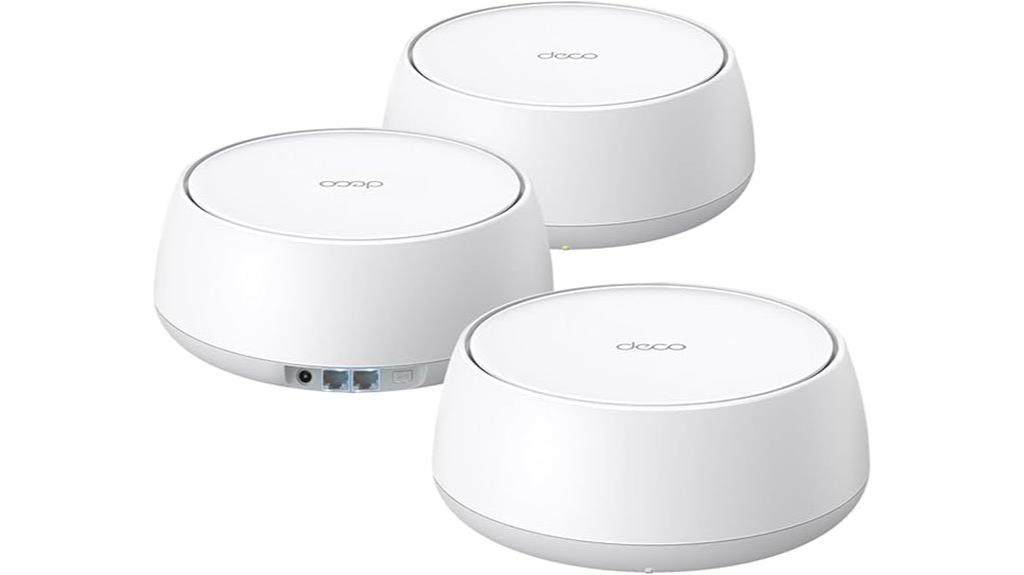
If you’re looking for a mesh system that can handle heavy internet usage across a large home, the TP-Link Deco BE25 Dual-Band WiFi 7 Mesh System (3-Pack) is an excellent choice. It offers reliable coverage up to 6,600 sq. ft. with four high-gain antennas and supports over 150 devices. Thanks to Wi-Fi 7 technology, it delivers speeds up to 5 Gbps on both bands, ensuring smooth streaming, gaming, and smart home connectivity. Its multi-link operation and AI-driven self-learning optimize performance, while wired backhaul options keep connections stable. Plus, its seamless AI-Roaming creates a unified network, making device switching effortless across your entire home.
Best For: users seeking a high-performance, large-area mesh Wi-Fi system capable of supporting heavy internet usage, smart devices, and seamless connectivity throughout a sizable home.
Pros:
- Supports Wi-Fi 7 technology with speeds up to 5 Gbps on both bands for fast, reliable connections
- Covers up to 6,600 sq. ft. with four high-gain antennas, ideal for large homes
- Features multi-link operation and AI-driven self-learning for optimized performance and stability
Cons:
- Premium price point compared to older Wi-Fi systems
- Requires compatible internet plans to fully utilize multi-gig wired backhaul features
- May be overly advanced for users with minimal internet needs or smaller spaces
TP-Link Deco X55 AX3000 WiFi 6 Mesh System (3-Pack)

The TP-Link Deco X55 AX3000 WiFi 6 Mesh System (3-Pack) stands out as an excellent choice for large households and those with demanding internet needs, thanks to its extensive coverage of up to 6,500 square feet and support for up to 150 devices. It replaces traditional routers and extenders, offering seamless whole-home WiFi with fast speeds of up to 2402 Mbps. The system supports Ethernet backhaul, has three Gigabit ports per unit, and uses AI-driven mesh technology for optimized performance. Easy setup via the Deco app and reliable security features make it a practical, high-performance solution for ensuring stable, fast connectivity across large or outdoor spaces.
Best For: large households or outdoor spaces needing extensive, reliable WiFi coverage with support for many devices and high-speed internet.
Pros:
- Covers up to 6,500 sq.ft. with seamless whole-home WiFi
- Supports up to 150 connected devices, ideal for busy households
- Easy setup via the Deco app with AI-driven mesh optimization
Cons:
- Performance can decrease over long wireless distances without wired backhaul
- Occasional disconnects or red status lights may require troubleshooting
- Requires proper outdoor mounting and clear line-of-sight for outdoor coverage
NETGEAR Orbi 370 Series WiFi 7 Mesh System (RBE373)

The NETGEAR Orbi 370 Series WiFi 7 Mesh System (RBE373) stands out as an ideal choice for those seeking ultra-fast, reliable internet coverage across large homes. It includes a router and two extenders, supporting WiFi 7 with speeds up to 5 Gbps, which is 1.7 times faster than WiFi 6. Covering up to 6,000 sq. ft. and supporting 70 devices, it delivers seamless 360° coverage. Its sleek design, high-performance antennas, and 2.5 Gbps Ethernet port make setup easy and efficient. Plus, built-in security features like NETGEAR Armor provide advanced protection, ensuring safe, fast internet for all your connected devices.
Best For: households requiring ultra-fast, reliable WiFi coverage across large areas with multiple devices and advanced security needs.
Pros:
- Supports WiFi 7 with speeds up to 5 Gbps, offering faster performance than WiFi 6.
- Covers up to 6,000 sq. ft. and supports 70 devices simultaneously for seamless connectivity.
- Includes built-in security features like NETGEAR Armor and automatic firmware updates for enhanced safety.
Cons:
- May be pricier compared to older WiFi systems due to advanced features.
- Larger size of units might require more space for optimal placement.
- Availability and pricing are subject to change, and some users might find setup complex initially.
TP-Link Deco S4 Mesh WiFi System (3-Pack)

For those seeking reliable, extensive Wi-Fi coverage without complicated setup, the TP-Link Deco S4 Mesh WiFi System (3-Pack) stands out as an excellent choice. Covering up to 5,500 square feet, it replaces traditional routers and extenders with Deco Mesh technology, providing fast speeds and strong signals throughout your home. The system supports up to 100 devices and offers speeds over 400 Mbps at close range, even through thick walls. Setup is simple via the Deco app, and it integrates with Alexa for voice control. Its reliable coverage and easy management make it ideal for large homes, with minimal dead zones and seamless roaming.
Best For: homeowners and large households seeking reliable, seamless Wi-Fi coverage over extensive areas without complicated setup.
Pros:
- Easy setup and management via the Deco app, suitable for non-technical users
- Extensive coverage up to 5,500 sq ft with strong, stable signals even through dense walls
- Supports up to 100 devices with fast speeds exceeding 400 Mbps at close range
Cons:
- Limited advanced settings and detailed network insights for experienced users
- Firmware updates may require manual intervention due to app update issues
- Lacks some enterprise or high-end router features, potentially limiting customization
TP-Link Deco BE63 Tri-Band WiFi 7 Mesh System (3-Pack)
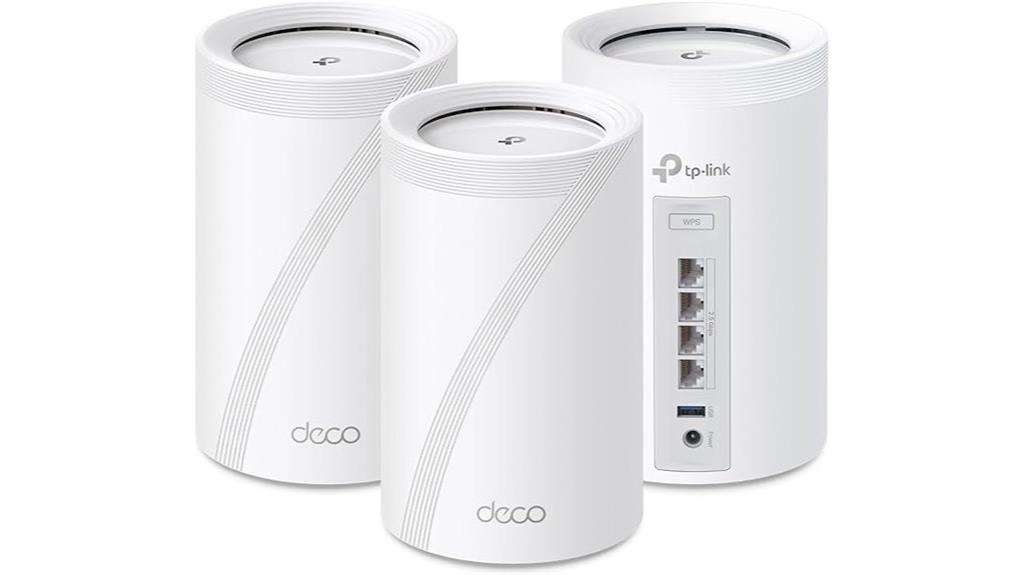
If you need a high-performance mesh system capable of supporting large homes and multiple devices, the TP-Link Deco BE63 Tri-Band WiFi 7 Mesh System is an excellent choice. It features cutting-edge Wi-Fi 7 technology, including Multi-Link Operation, Multi-RUs, and broad channels, delivering speeds up to 5188 Mbps on 6GHz. Covering up to 7,600 sq.ft. and supporting over 200 devices, it ensures seamless connectivity. With four 2.5G ports, dual wireless and wired backhaul, and AI-driven roaming, it provides reliable, fast coverage throughout your home. Easy to set up via the Deco App and compatible with Alexa and Google Assistant, it’s built for demanding households.
Best For: households requiring extensive, high-speed WiFi coverage with support for multiple devices and smart home integration.
Pros:
- Supports ultra-fast Wi-Fi 7 speeds up to 5188 Mbps on 6GHz, ensuring smooth streaming and gaming.
- Covers large areas up to 7,600 sq.ft. and supports over 200 devices simultaneously.
- Easy setup and management via the Deco App, with compatibility for Alexa and Google Assistant.
Cons:
- Higher price point compared to older Wi-Fi systems or less advanced models.
- Requires compatible internet service plans to fully utilize multi-gig capabilities.
- May be overkill for small homes or users with minimal device requirements.
Linksys Multi-gig Mesh WiFi 6 System (3-Pack)

With its multi-gigabit speeds and seamless coverage up to 5,000 square feet, the Linksys Multi-gig Mesh WiFi 6 System (3-Pack) is perfect for large households or busy environments that need reliable, high-speed internet across every room. It supports over 100 devices simultaneously, ensuring smooth streaming, gaming, and browsing. The system features a multi-gigabit port for future upgrades and offers easy setup without an app. Its sleek design blends effortlessly into home decor, while built-in security and privacy features keep your network safe. Overall, it combines affordability with top-tier performance, making it a solid choice for all-encompassing home coverage.
Best For: households or small businesses that require reliable, high-speed WiFi coverage across large areas with multiple connected devices.
Pros:
- Seamless whole-home coverage up to 5,000 sq ft with expandable mesh architecture
- Supports over 100 devices simultaneously for busy environments
- Easy setup without the need for an app, plus built-in security features
Cons:
- Customer rating of 4.0 out of 5 stars suggests some users may experience issues
- Limited information on advanced customization or parental controls
- Slightly higher price point compared to traditional routers, though justified by features
TP-Link Deco XE75 AXE5400 Tri-Band WiFi 6E Mesh System
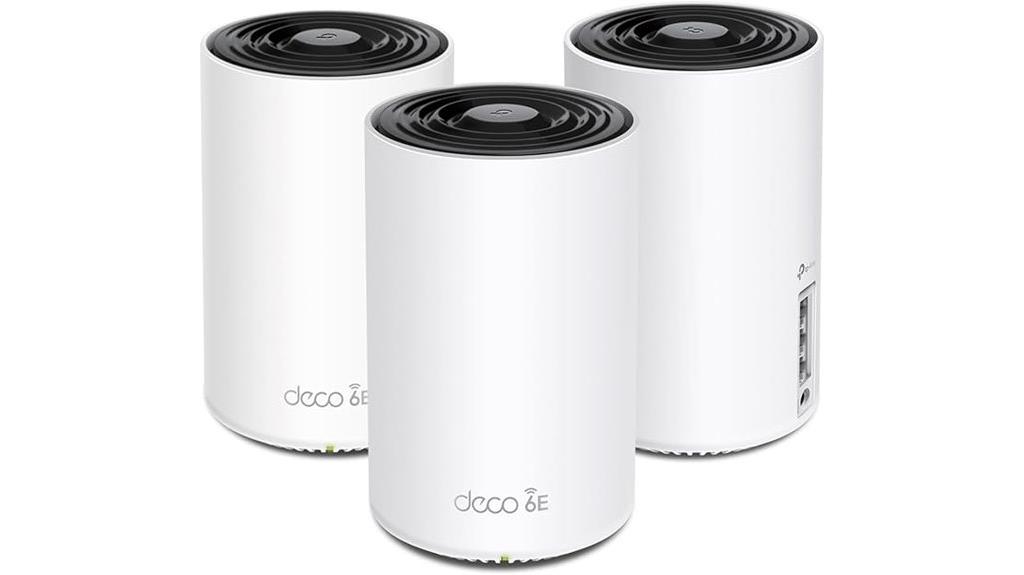
The TP-Link Deco XE75 AXE5400 Tri-Band WiFi 6E Mesh System stands out as an ideal choice for large households or busy environments that demand seamless, high-speed connectivity across extensive spaces. Covering up to 7,200 sq.ft with a 3-pack, it replaces traditional routers and extenders, offering true tri-band speeds up to 5,400 Mbps and supporting over 200 devices. Its WiFi 6E technology introduces a new 6 GHz band, reducing interference and boosting performance. Easy to set up via the Deco app, it features AI-driven management, robust security with TP-Link HomeShield, and voice control compatibility, making it a versatile, reliable mesh solution.
Best For: households or busy environments requiring extensive, high-speed WiFi coverage with seamless connectivity for multiple devices.
Pros:
- Covers up to 7,200 sq.ft with a 3-pack, ideal for large homes or offices
- Supports WiFi 6E tri-band speeds up to 5,400 Mbps, ensuring fast, reliable connections
- Easy setup with the Deco app and AI-driven mesh management for a smart, user-friendly experience
Cons:
- Requires a modem for most ISPs, adding an extra setup step
- Slightly heavier and larger than traditional routers, which may be less discreet
- Premium features like TP-Link HomeShield may require subscription for full access
TP-Link Deco BE23 Dual-Band WiFi 7 Mesh System (2-Pack)

Anyone seeking a future-proof mesh system that supports blazing-fast Wi-Fi 7 speeds will find the TP-Link Deco BE23 Dual-Band Mesh System ideal, especially for large homes or those with multiple connected devices. It delivers up to 3.6 Gbps across a 4,500 sq. ft. area with just two units, ensuring smooth streaming, gaming, and smart home connectivity. Featuring dual-band Wi-Fi 7, four high-gain antennas, and advanced features like beamforming and OFDMA, it offers reliable signals everywhere. With two 2.5 Gbps wired ports per unit, robust security, VPN support, and easy setup via the Deco app, this system is a powerful choice for seamless, high-speed whole-home coverage.
Best For: those seeking a future-proof, high-speed mesh Wi-Fi system capable of supporting large homes and multiple devices with seamless coverage and advanced security features.
Pros:
- Supports Wi-Fi 7 technology delivering speeds up to 3.6 Gbps, ideal for streaming, gaming, and smart home devices.
- Extensive coverage of up to 4,500 sq. ft. with just two units, ensuring reliable signals throughout large homes.
- Equipped with high-gain antennas, advanced features like beamforming and OFDMA, and robust security including WPA3, VPN, and TP-Link HomeShield.
Cons:
- The system’s advanced features may require a learning curve for some users.
- Higher price point compared to traditional Wi-Fi 6 mesh systems.
- Limited number of units in the 2-pack, which may not be sufficient for extremely large properties or complex setups.
Amazon eero 6 Mesh Wi-Fi System (3-Pack)
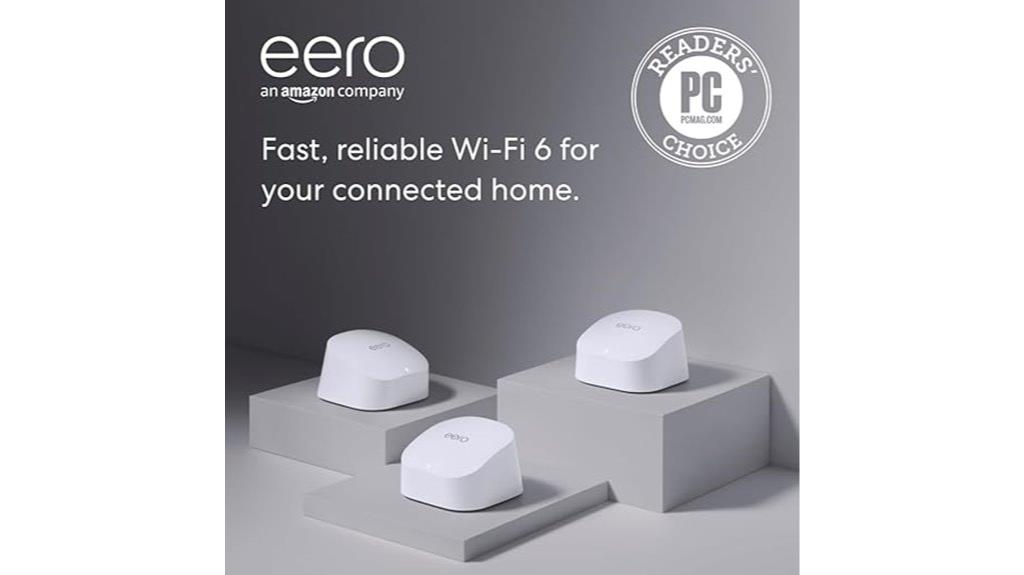
If you’re looking for a reliable mesh Wi-Fi system that can easily support multiple devices across a large home, the Amazon eero 6 Mesh Wi-Fi System (3-Pack) stands out as a solid choice. It covers up to 4,500 square feet and supports over 75 devices simultaneously, thanks to Wi-Fi 6 dual-band technology. The system includes one router and two extenders, providing seamless coverage and reducing dead spots. Setup is quick via the app, with automatic configuration. Built-in security features like WPA3 and Zigbee support make it a smart home hub, while wired ports add flexibility. Overall, it’s simple, effective, and designed for whole-home connectivity.
Best For: households seeking a reliable, easy-to-expand mesh Wi-Fi system that supports numerous devices and smart home integration across a large home.
Pros:
- Supports over 75 devices simultaneously with Wi-Fi 6 dual-band technology for fast, reliable connections
- Covers up to 4,500 sq ft, reducing dead spots and ensuring whole-home coverage
- Includes built-in Zigbee support and wired ports for smart home and flexible connections
Cons:
- Setup can be challenging without physical instructions, relying heavily on the app and online resources
- No phone support available, which may delay troubleshooting and customer service responses
- Requires ongoing subscription services for some advanced security features, adding to overall cost
Linksys Velop Mesh WiFi System
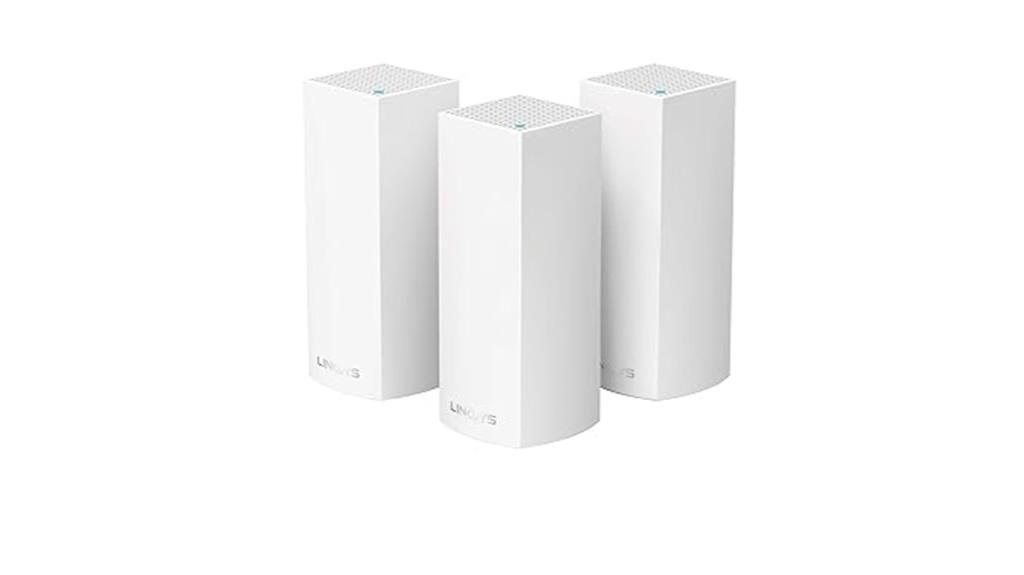
For large multi-story homes with many devices, the Linksys Velop Mesh WiFi System offers reliable, seamless coverage up to 6,000 square feet with just a 3-pack setup. Each node extends Wi-Fi by around 2,000 square feet, supporting over 60 devices for activities like 4K streaming and gaming. Its tri-band connectivity ensures fast, consistent speeds everywhere, without needing range extenders. Easy to set up via the Linksys App, it also supports Ethernet connections and smart home features like Apple HomeKit and Alexa. With a strong reputation, a 4.2-star rating, and an extended warranty, it’s a solid choice for whole-home Wi-Fi.
Best For: large multi-story homes with many devices requiring reliable, seamless Wi-Fi coverage for activities like streaming, gaming, and smart home integration.
Pros:
- Covers up to 6,000 sq. ft. with a 3-pack setup, ideal for large homes
- Supports over 60 devices with fast, consistent tri-band Wi-Fi speeds
- Easy setup via the Linksys App and compatibility with Apple HomeKit and Alexa
Cons:
- Higher price point compared to traditional routers or extenders
- Requires a compatible mobile device for setup and management
- Limited to 3 nodes in the standard package, which may need expansion for extremely large properties
Amazon eero 6+ Mesh WiFi System (3-Pack)

The Amazon eero 6+ Mesh WiFi System (3-Pack) stands out for its reliable coverage of up to 4,500 square feet and support for over 75 devices, making it an ideal choice for large households or busy smart homes. It features Wi-Fi 6 dual-band technology with speeds up to AX3000, ensuring fast, lag-free streaming and working. The system includes wired Ethernet ports for added stability and supports Zigbee and Thread smart home devices through its built-in hub. Setup is simple via the eero app, and TrueMesh technology helps minimize dead spots. Overall, it offers a robust, expandable, and secure mesh network for seamless whole-home connectivity.
Best For: households or smart homes that require extensive coverage, support for numerous devices, and reliable, fast Wi-Fi throughout large or multi-floor spaces.
Pros:
- Supports internet plans up to a gigabit with coverage up to 4,500 sq ft for large homes
- Handles over 75 devices simultaneously with Wi-Fi 6 dual-band technology
- Easy setup and management via the user-friendly eero app with automatic security updates
Cons:
- Performance can depend heavily on proper placement and wired connections for optimal speed
- No built-in subscription required for basic Wi-Fi, but advanced security features require a monthly plan
- Initial speed tests may be lower than expected, requiring troubleshooting and adjustments
Tenda AX3000 WiFi 6 Mesh System Nova MX12
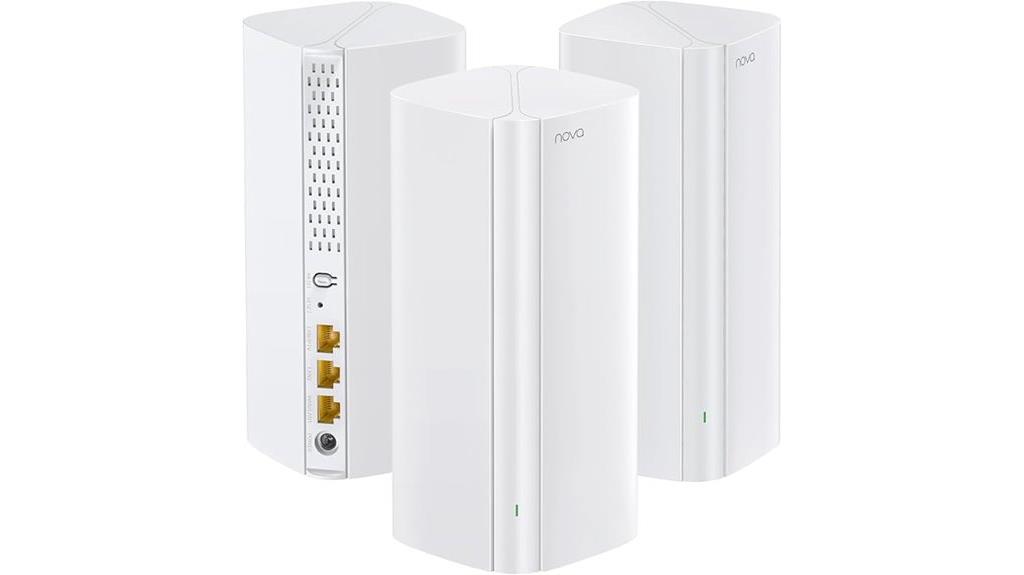
Anyone seeking a reliable, high-performance mesh system for large homes will find the Tenda AX3000 WiFi 6 Mesh System Nova MX12 an excellent choice, thanks to its extensive coverage and fast speeds. With a 3-pack setup, it covers up to 7,000 sq.ft., eliminating dead zones and ensuring seamless roaming. Powered by a 1.7 GHz Quad-Core CPU, it supports Wi-Fi 6 with speeds up to 2976 Mbps, accommodating over 160 devices without lag. Easy to set up and manage via the Tenda app or web GUI, it offers scalable, user-friendly home networking ideal for busy households. Customer ratings reflect its reliability and performance.
Best For: households and large homes seeking a reliable, high-speed mesh Wi-Fi system to eliminate dead zones and support multiple devices simultaneously.
Pros:
- Covers up to 7,000 sq.ft. with a 3-pack setup for extensive home coverage
- Supports Wi-Fi 6 with speeds up to 2976 Mbps, suitable for high-demand devices
- Easy to set up and manage via Tenda app or web GUI, with simple mesh expansion
Cons:
- Customer ratings, while generally positive, indicate some users may experience setup or connectivity issues
- Larger package may be more expensive compared to traditional routers or smaller systems
- Limited detailed specifications on advanced security features or parental controls
TP-Link Deco S4 Whole Home Mesh WiFi System (2-Pack)
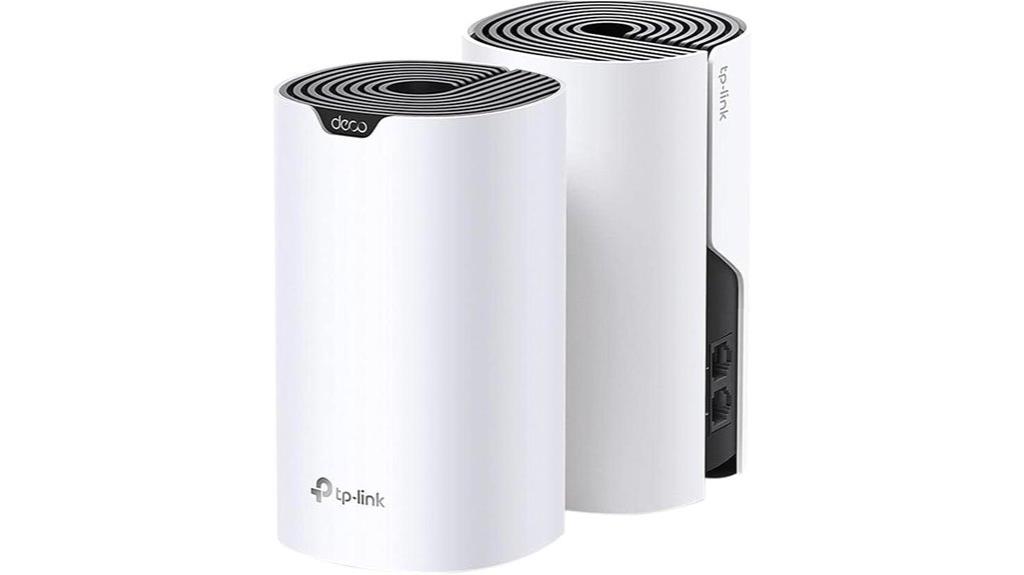
If you’re looking for a reliable mesh Wi-Fi system that covers large homes effortlessly, the TP-Link Deco S4 2-Pack stands out as an excellent choice. It easily covers up to 3,800 sq.ft. with seamless, stable WiFi thanks to Deco Mesh technology, which boosts speeds and eliminates dead zones. Supporting up to 75 devices with AC1900 speeds, these units create a single, unified network for smooth roaming. Setup is simple through the Deco app, and it offers flexible modes as a router or access point. With wired Ethernet backhaul and robust parental controls, the Deco S4 delivers strong performance and user-friendly features at an attractive price point.
Best For: homeowners with large properties seeking seamless, reliable WiFi coverage for multiple devices and family-friendly features.
Pros:
- Covers up to 3,800 sq.ft. with just two units, ideal for large homes
- Supports up to 75 devices with fast AC1900 WiFi speeds
- Easy to set up via the intuitive Deco app with flexible router or access point modes
Cons:
- Requires a modem from most major ISPs, which may add to initial setup
- Limited to a 2-pack, so additional units are needed for larger spaces
- Some users may find advanced settings less customizable compared to high-end mesh systems
TP-Link Deco BE67 Tri-Band WiFi 7 Mesh System (2-Pack)
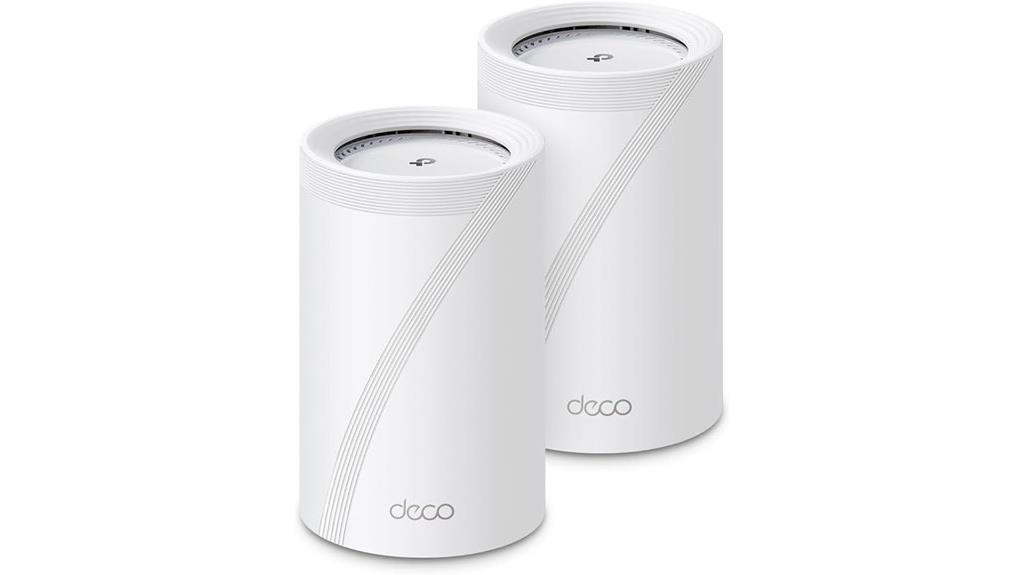
For those seeking cutting-edge Wi-Fi performance that can handle multiple devices and demanding applications, the TP-Link Deco BE67 Tri-Band WiFi 7 Mesh System (2-Pack) stands out. It leverages Wi-Fi 7 technology, delivering up to 14 Gbps total bandwidth with 8 streams, perfect for 4K/8K streaming, AR/VR gaming, and fast downloads. Covering up to 6,000 sq. ft. and supporting over 200 devices, it offers seamless AI-driven roaming and multi-gig wired ports. Easy to set up via the Deco app, it also features robust security with TP-Link HomeShield. This system is ideal for those wanting future-proof, high-capacity home networking.
Best For: power users and families seeking ultra-fast, reliable Wi-Fi coverage for multiple devices and high-bandwidth applications like streaming, gaming, and smart home devices.
Pros:
- Supports Wi-Fi 7 with up to 14 Gbps total bandwidth and advanced features like Multi-Link Operation and AI-Roaming for seamless connectivity.
- Covers up to 6,000 sq. ft. and supports over 200 devices simultaneously, ideal for large homes.
- Includes multi-gig wired ports (10 Gbps, 2.5 Gbps, 1 Gbps) and a USB 3.0 port for versatile wired and sharing options.
Cons:
- Premium price point compared to older Wi-Fi systems.
- First available in September 2025, so limited user reviews and long-term reliability data.
- Requires a modem for internet connection, adding an extra setup step for some users.
Tenda BE3600 Dual Band WiFi 7 Mesh WiFi System (3-Pack)

The Tenda BE3600 Dual Band WiFi 7 Mesh WiFi System (3-Pack) stands out for its cutting-edge Wi-Fi 7 technology, making it an excellent choice for large households or busy offices that need fast, reliable coverage across multiple rooms. It delivers dual-band speeds up to 3.6 Gbps, supporting over 160 devices simultaneously without slowdown. With mesh technology, it provides seamless coverage across 4-7 rooms, eliminating dead zones. Each node features high-gain antennas and advanced algorithms for quick device switching, ensuring smooth calls, streaming, and gaming. Easy to set up, it includes gigabit ports and supports secure VPN protocols, making it a versatile, future-proof solution.
Best For: households or offices that require high-speed, reliable Wi-Fi coverage across large areas with multiple devices and seamless connectivity.
Pros:
- Supports Wi-Fi 7 technology with speeds up to 3.6 Gbps for fast, high-quality streaming and gaming
- Capable of handling over 160 devices simultaneously without performance slowdown
- Easy plug-and-play setup with mesh coverage across 4-7 rooms, eliminating dead zones
Cons:
- Higher price point due to advanced technology and multiple nodes
- Requires firmware updates for full VPN protocol support like WireGuard
- Limited detailed customization options compared to traditional routers
Factors to Consider When Choosing Multi‑Room Wi‑Fi Mesh Systems

When choosing a multi-room Wi-Fi mesh system, I always consider my coverage needs, device compatibility, and internet speed requirements. Security features and the choice between wired and wireless backhaul also play a big role in my decision. By focusing on these points, I can find a system that fits my home and usage perfectly.
Coverage Area Needs
Choosing the right multi-room Wi-Fi mesh system starts with understanding your home’s coverage needs. I recommend measuring your total square footage to pick a system capable of covering that area reliably without dead zones. Consider the layout—how many rooms, floors, and outdoor spaces there are—since these affect signal reach. Check the maximum coverage the system offers, like up to 7,600 sq. ft., and see if it matches your current space and potential future expansion. Keep in mind that thick walls, large open areas, or outdoor zones can weaken signals, so a more powerful or extensive setup might be necessary. In conclusion, evaluate if the system supports additional nodes or extenders to grow with your needs seamlessly.
Device Compatibility
Ensuring your Wi-Fi mesh system works seamlessly with your devices is just as important as coverage. I always check that the system supports the latest Wi-Fi standards like Wi-Fi 6, Wi-Fi 6E, or Wi-Fi 7 to future-proof my network. Compatibility with my ISP and modem is vital to avoid connection hiccups. I also verify if the system supports smart home devices and IoT gadgets, especially those requiring protocols like Zigbee or Thread. It’s important that the system works well with both new dual/multi-band devices and older single-band ones to guarantee smooth connectivity across all gadgets. Lastly, I look for compatibility with voice assistants like Alexa, Google Assistant, or Apple HomeKit for integrated smart home control.
Internet Speed Demands
High internet speeds are essential for a smooth, lag-free experience, especially as more devices connect to your network. If you stream 4K or 8K content, play online games, or download large files, you’ll want a mesh system that supports at least 1 Gbps speeds to avoid buffering and lag. For activities requiring low latency, like video conferencing or real-time gaming, look for systems with Quality of Service (QoS) features that prioritize critical traffic. The number of connected devices also influences your speed needs; supporting over 100 devices demands higher bandwidth to keep everything running smoothly. If you’re planning future upgrades to multi-gig plans exceeding 2.5 Gbps, ensure your mesh system has multi-gig Ethernet ports and the latest Wi-Fi standards like Wi-Fi 6 or Wi-Fi 7 for excellent performance.
Security Features
Security features are essential when selecting a multi-room Wi-Fi mesh system because your network is the backbone of all your connected devices. You want to guarantee it’s protected against threats with features like WPA3 encryption, which offers stronger security than previous standards. Automatic firmware updates are indispensable—they keep your system patched against vulnerabilities without manual effort. Malware protection, parental controls, and IoT safeguards help manage device access and prevent smart home vulnerabilities. Support for VPN client and server functions allows secure remote access. Look for systems with built-in security services like TP-Link HomeShield or NETGEAR Armor for all-encompassing protection. Additionally, choosing systems that adhere to security standards like the CISA Secure-by-Design pledge adds an extra layer of trustworthiness.
Wired Vs Wireless Backhaul
When choosing a multi-room Wi-Fi mesh system, one of the key decisions revolves around how the nodes connect—either through wired or wireless backhaul. Wired backhaul uses Ethernet cables to link mesh nodes, offering a more stable, higher-bandwidth connection with lower latency and consistent speeds. This setup is especially beneficial for demanding activities like 4K streaming or gaming, and works well over long distances or in obstacle-rich environments. On the other hand, wireless backhaul relies on Wi-Fi signals to connect nodes, providing greater flexibility and easier setup since no physical cables are needed. However, wireless connections can suffer interference and bandwidth loss due to environmental factors, which can impact overall performance. Your choice depends on your home’s layout, internet demands, and preference for simplicity versus stability.
Ease of Setup
Choosing a multi-room Wi-Fi mesh system becomes much easier when you prioritize ease of setup. I look for systems that offer simple processes through intuitive mobile apps or guided instructions, saving time and effort. Features like one-touch mesh node addition or plug-and-play design help streamline deployment, making setup quick and hassle-free. Clear, step-by-step tutorials and minimal hardware configuration are also essential, especially if you’re not tech-savvy. I also consider whether the system has remote management via a mobile app, so adjustments and troubleshooting are easy without needing physical access. Additionally, automatic or guided network optimization, such as AI-driven self-learning or auto-configuration, ensures the system performs well with minimal user intervention. These factors make setting up a new mesh network straightforward and stress-free.
Frequently Asked Questions
How Does Mesh Wi-Fi Improve Internet Stability in Large Homes?
Mesh Wi-Fi improves internet stability in large homes by creating a unified network with multiple access points that communicate seamlessly. I’ve found that it reduces dead zones and buffering because the system intelligently routes data through the fastest, least congested nodes. This means I get a consistent, strong signal everywhere, whether I’m on the top floor or in the basement, making my online experience much smoother and more reliable.
Can Mesh Systems Support Multiple Devices Simultaneously Without Lag?
Yes, mesh systems can support multiple devices simultaneously without lag. I’ve experienced this firsthand, noticing smooth streaming, quick downloads, and responsive gaming even with several devices connected. Modern mesh systems use advanced technology to efficiently manage network traffic, prioritize devices, and reduce congestion. This means your entire household can stay connected at high speeds without interruptions, making mesh systems ideal for busy homes with multiple users.
Are Mesh Wi-Fi Systems Compatible With Smart Home Devices?
Absolutely, mesh Wi-Fi systems play nicely with smart home devices. Think of them as the conductor of an orchestra, ensuring all your gadgets—lights, thermostats, security cameras—perform in harmony without a hitch. I’ve seen how smoothly everything runs when your Wi-Fi is reliable. Compatibility is generally built-in, so you won’t have to worry about disconnects or lag disrupting your smart home experience.
What Is the Typical Setup Time for a Multi-Room Mesh Network?
Setting up a multi-room mesh network usually takes about 15 to 30 minutes. I find that it’s pretty straightforward—just connect the main node to your modem, follow the app instructions, and place the satellites around your home. I recommend testing your coverage once everything’s in place. With a bit of patience, you’ll have seamless Wi-Fi throughout your entire house in no time!
How Do Firmware Updates Affect Mesh Wi-Fi System Performance?
Firmware updates can feel like a gentle tune-up for your mesh Wi-Fi system, improving performance and fixing bugs. When I update mine, I notice smoother streaming, better device connections, and enhanced security. While updates might briefly cause a tiny hiccup in connectivity, they’re worth it for the long-term benefits of a more reliable, faster network. Staying current with firmware keeps your system running at its best without missing a beat.
Conclusion
Imagine a seamless web of strong, fast Wi-Fi threads weaving through your home, effortlessly connecting every device. With the right multi-room mesh system, you’ll enjoy smooth streaming, quick downloads, and reliable coverage from basement to attic. Whether you choose the sleek tri-band or robust Wi-Fi 7 options, you’ll create a digital sanctuary where connectivity flows as effortlessly as sunlight through your windows. It’s more than tech—it’s the foundation for your connected life.