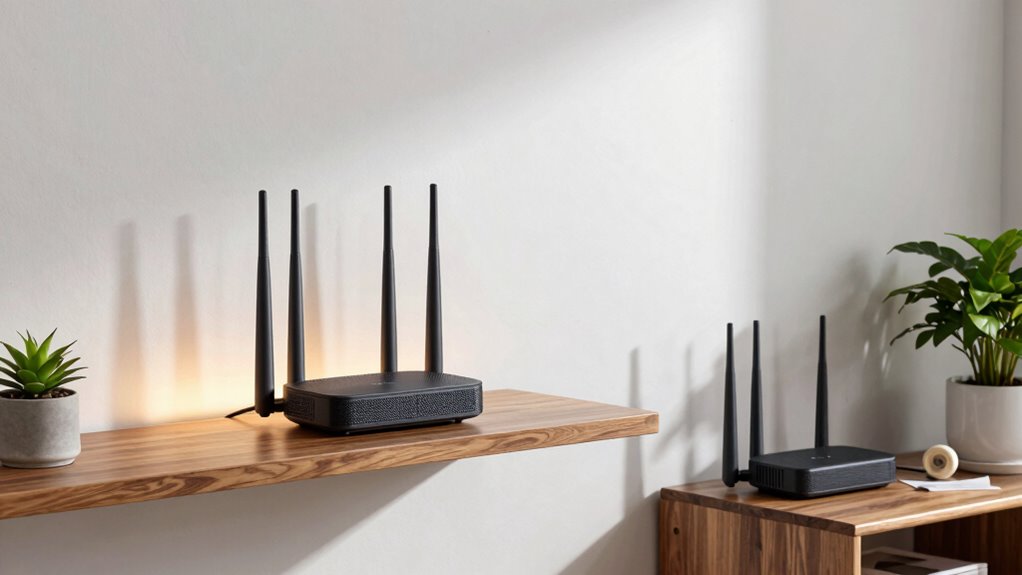

Improper placement of your mesh WiFi nodes is the biggest mistake that kills your internet speed and causes dead zones. If you place nodes haphazardly, signals weaken, and interference increases. Keep nodes in open, elevated spots, about 30-50 feet apart, and avoid obstacles like thick walls or metal objects. Moving nodes closer together or too far apart both harm performance. Want to learn how to position them perfectly for max coverage? Keep going for tips that will boost your network.

Get the little things that make your day delivered free with Prime
- Fast, free delivery on millions of items
- Prime Video, Amazon Music and more included
- Member-only deals all year
Key Takeaways
- Placing nodes too close causes signal interference, reducing overall network speed.
- Positioning nodes behind furniture or in corners blocks signals and diminishes coverage.
- Avoid placing nodes near interference sources like microwaves and cordless phones.
- Failing to elevate nodes limits their signal reach and strength.
- Overlooking optimal distances between nodes hampers seamless communication and network performance.

To get the most out of your mesh WiFi system, proper placement is vital. If you place your nodes haphazardly, you’ll notice slower speeds and weaker signals, defeating the purpose of having a mesh setup in the first place. One common mistake is overlooking the importance of updating your router firmware. Outdated firmware can cause connectivity issues, reduce performance, and make your network vulnerable to signal interference. Before you start positioning your nodes, confirm your router’s firmware is current. This simple step helps optimize performance and keeps your system running smoothly.
Next, consider the placement of your nodes carefully. The goal is to create a seamless, robust network that minimizes dead zones. Don’t think a node tucked away in a corner or behind furniture will work—it likely won’t. Instead, position your nodes in open spaces, elevated if possible, to maximize coverage. Keep them within a good distance of each other—generally, about 30 to 50 feet is ideal—so they can communicate without losing signal strength. If they’re too far apart, the connection weakens, resulting in slower speeds and frequent drops. Conversely, placing nodes too close together can cause overlapping signals, which might lead to signal interference, diminishing overall network efficiency.
Signal interference is a critical factor that can sabotage your mesh WiFi’s performance. Wireless devices like cordless phones, microwaves, Bluetooth gadgets, and even neighboring WiFi networks can interfere with your signals. To reduce this, avoid placing nodes near such devices. Also, set your WiFi to operate on less congested channels if your router firmware allows it. Changing channels can help you escape interference that’s common in densely populated areas. Additionally, updating your router firmware can help mitigate some interference issues by improving network stability and performance. Being aware of potential sources of signal interference and managing their placement can significantly boost your network’s reliability. Furthermore, considering the physical environment, such as avoiding areas with thick walls or large metal objects, can also help improve signal quality and coverage. Properly managing both the interference sources and physical obstacles is key to achieving optimal coverage and speed.
As an affiliate, we earn on qualifying purchases.
Frequently Asked Questions
How Do I Identify the Best Spots for My Mesh Nodes?
To find the best spots for your mesh nodes, start by placing them where signal overlap is minimal, avoiding device interference that weakens the connection. Use a WiFi analyzer app to identify areas with strong signals and check for interference from other electronics. Position nodes centrally and elevated, ensuring they’re not blocked by thick walls or furniture, to optimize coverage and maintain fast speeds throughout your space.
Can Too Many Nodes Slow Down My Network?
Yes, too many nodes can slow down your network. When you add excess nodes, bandwidth congestion occurs, making it harder for data to flow smoothly. Signal interference from overlapping channels can also reduce speed, especially if nodes are placed too close together. To optimize your network, limit nodes to necessary areas, and guarantee they are positioned to minimize interference, keeping your WiFi fast and reliable.
What Is the Ideal Distance Between Mesh Nodes?
You should place your mesh nodes about 30 to 50 feet apart for ideal mesh node placement. Keep them in open areas, away from thick walls or electronic devices, to reduce signal interference. Proper spacing guarantees a strong, seamless connection without overlaps that can cause congestion. Regularly check signal strength between nodes to maintain the best network performance, adjusting their placement if you notice any slowdowns or weak spots.
Do Walls and Furniture Affect Mesh Wifi Performance?
Walls and furniture act like barriers, blocking your WiFi signal much like a fortress walls off its treasures. These obstacles introduce interference sources and cause signal attenuation, weakening your mesh network’s strength. As a result, your devices struggle to maintain fast speeds and reliable connections. To keep your network swift, place nodes where walls and furniture are minimal, allowing the signal to flow freely, just like an open path.
How Often Should I Reposition My Mesh Nodes?
You should reposition your mesh nodes whenever you notice slow speeds or dead zones, especially during mesh troubleshooting. Aim to do this every few months or if your home layout changes. Make sure your nodes are compatible with your router, as incompatible devices can hinder performance. Keep nodes elevated and spaced evenly, avoiding walls and furniture that block signals. Regular adjustments optimize speed and maintain a strong, reliable mesh network.
Conclusion
Imagine trying to whisper a secret across a crowded room; if your voice is muffled or blocked, no one hears. Similarly, placing your mesh WiFi nodes poorly is like muffling your signal—your internet speed suffers. I once moved a node to a cluttered corner, and my speed dropped by half. Proper placement is key. Think of your network as a conversation—keep it clear and open for the best connection.
Halloween Picks
halloween
As an affiliate, we earn on qualifying purchases.