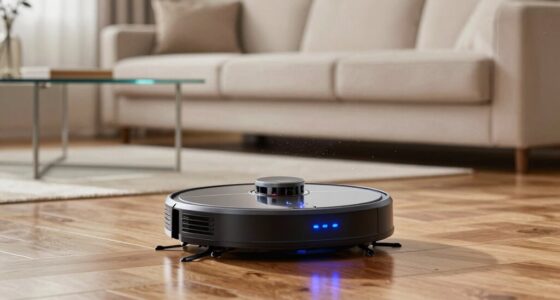
The lines on your robot vacuum’s map show its steering path and obstacle detection. Straight lines indicate areas where it moves directly without obstacles, while curved or zigzag lines show it maneuvering around furniture or clutter. Gaps might mean the robot missed some spots or faced obstacles it couldn’t detect. Overall, these lines reveal how well your vacuum understands your home and plans routes. If you want to get better at interpreting these signals, keep exploring what they mean.

Get the little things that make your day delivered free — and shop member deals
- Fast, free delivery on millions of items
- Access to Prime Big Deal Days deals on October 6–7
- Prime Video, Amazon Music and more included
Key Takeaways
- Straight lines indicate direct, obstacle-free paths; curved or zigzag lines show navigation around obstacles.
- Gaps or missing sections suggest mapping inaccuracies or sensor limitations.
- Well-defined lines reflect effective obstacle detection and high mapping accuracy.
- Lines reveal the robot’s route planning and environmental perception.
- Variations in line patterns help identify areas needing better sensor calibration or cleaning adjustments.

Obstacle detection is another essential aspect that influences these lines. As your robot moves around, it constantly scans its environment for furniture, walls, or even small objects on the floor. When it detects an obstacle, it adjusts its route accordingly—this is often visible on the map as lines that curve or change direction around a detected object. The better your robot’s obstacle detection capabilities, the more detailed and accurate the map becomes. It can identify obstacles in real-time, preventing collisions and making your cleaning sessions smoother. This also means the robot can maneuver through tight spaces or tricky corners more confidently, ensuring every inch of your home gets cleaned without the device getting stuck or bumping into things repeatedly. Understanding how sensors contribute to mapping accuracy can help you troubleshoot or improve your robot’s performance. Additionally, the placement and quality of sensors directly impact how well your robot detects and navigates around obstacles, which influences the overall navigation efficiency. Moreover, sensor placement plays a crucial role in how effectively your robot can interpret its environment and avoid blind spots. Proper sensor calibration and positioning are key to maintaining optimal mapping performance, especially in complex or cluttered spaces. Recognizing the sensor capabilities can also help you understand the limits of your robot’s navigation in certain environments. The lines on your map also reveal the robot’s thought process—how it perceives your space and plans its route. Straight lines usually indicate direct paths, while curved or zigzag lines show it navigating around obstacles or exploring areas. When you see gaps or missing sections, it might signal that the robot’s mapping accuracy needs improvement, possibly due to poor sensor performance or a cluttered environment. In contrast, a detailed, all-encompassing map with well-defined lines indicates effective obstacle detection and a high level of mapping accuracy.
Ultimately, understanding what those lines mean helps you optimize your robot vacuum’s performance. Clear, precise maps lead to more efficient cleaning, fewer missed spots, and less bumping into furniture. It also gives you peace of mind, knowing your device can adapt to your home’s layout and avoid obstacles intelligently. So, pay attention to how your robot maps your space—those lines are telling a story of its navigation skills and how well it understands your home’s unique layout.
robot vacuum obstacle detection sensors
As an affiliate, we earn on qualifying purchases.
As an affiliate, we earn on qualifying purchases.
Frequently Asked Questions
How Accurate Are Robot Vacuum Maps in Complex Home Layouts?
Robot vacuum maps are generally quite accurate in complex home layouts, but their mapping accuracy can vary based on your home’s design. In intricate layouts with many rooms or obstacles, the robot might miss some areas or struggle to create perfect maps. You can improve accuracy by ensuring good lighting, minimizing obstacles, and updating the map regularly. Overall, these maps are reliable but might need occasional adjustments for the best cleaning results.
Can I Modify or Delete Areas on the Map?
You can definitely modify or delete areas on your robot vacuum’s map. Most models offer map customization features, allowing you to draw boundaries or designate zones for cleaning. While tweaking maps, consider privacy considerations—avoid sharing sensitive areas. By customizing your map, you optimize cleaning efficiency and keep your home’s layout private and protected, making your cleaning routine more manageable and tailored to your needs.
Do Different Brands Use Similar Mapping Line Conventions?
Yes, different brands often use similar line conventions to indicate boundaries, obstacles, or restricted zones, but mapping accuracy varies. You’ll notice dashed or solid lines, with dashed often marking no-go zones or obstacles, and solid lines indicating walls or boundaries. While these conventions help you understand your robot’s map, remember that mapping accuracy can differ across brands, so some lines might be more precise or customizable depending on the device.
How Often Do Robot Vacuums Update Their Maps?
Robot vacuums typically update their maps during each cleaning cycle, but some models do it more frequently, like after every session, to improve mapping accuracy. This constant updating helps the device adapt to changes in your home layout. However, you should be mindful of privacy concerns, as frequent map updates may store sensitive information. Regular updates ensure better navigation and cleaning efficiency, but always check your device’s privacy settings.
Are There Privacy Concerns With Map Storage and Sharing?
You’re playing with fire if you ignore privacy concerns with map storage and sharing. While data encryption protects your information, it’s essential to set user permissions carefully. Be aware that sharing maps might expose sensitive details about your home layout. Always read privacy policies and control who accesses your data. Think of it as locking the door—trustworthy security measures keep your home’s information safe from prying eyes.
Conclusion
Now that you understand what those lines on your robot vacuum map mean, you’re practically a cleaning map whisperer. Those lines aren’t just random doodles—they’re your vacuum’s secret blueprint for conquering dirt and debris. With this knowledge, you can optimize your cleaning routine and turn your home into a spotless sanctuary. Think of your robot as a tiny, unstoppable cleaning superhero, wielding its map like a superpower that’s transforming your space faster than you can blink!
NFL season / tailgating Picks
team gear
As an affiliate, we earn on qualifying purchases.