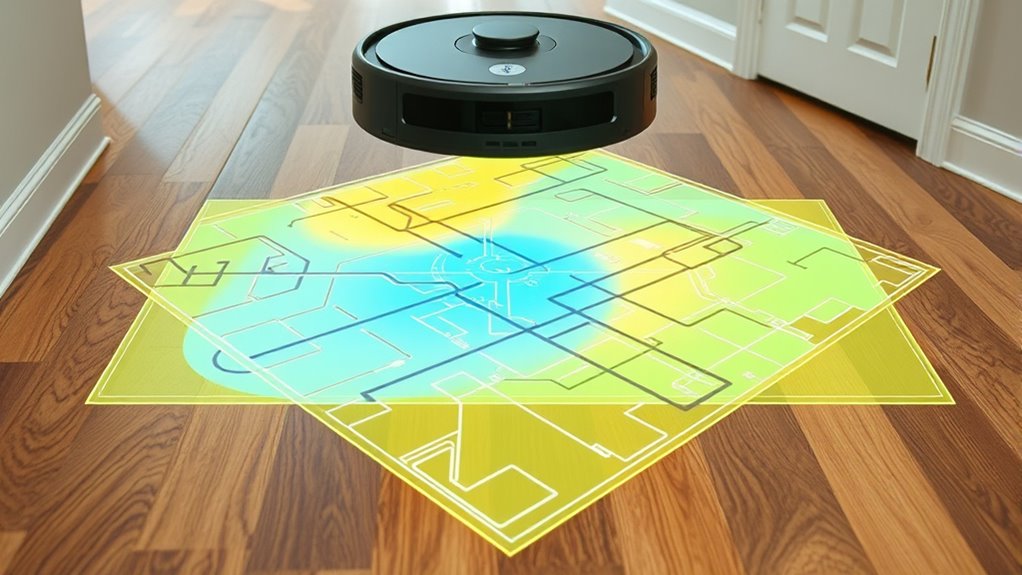

Robot vacuum mapping allows your device to create a detailed layout of your home for precise cleaning. You can set zones to focus cleaning on specific areas like the living room or kitchen, saving time and effort. No-go lines help you block off delicate or pet-sensitive spots, preventing the vacuum from entering. Combining these features makes your cleaning more efficient and tailored to your needs. Keep exploring to discover how to maximize your vacuum’s capabilities even further.
Key Takeaways
- Advanced mapping creates detailed floor plans to guide efficient cleaning routes and adapt to home changes in real-time.
- Zones are customized areas designated for focused cleaning, accessible via app for tailored coverage.
- No-go lines define restricted zones where the vacuum should avoid, protecting fragile or sensitive areas.
- Precise obstacle detection helps the vacuum navigate around furniture and objects, reducing collisions and reruns.
- Smartphone app integration allows users to view maps, set zones, and draw no-go lines for personalized cleaning control.
Robot vacuums have become smarter than ever, thanks to advanced mapping features that help them navigate your home efficiently. With improved mapping accuracy, these devices can create detailed floor plans that guide their cleaning routes. This accuracy isn’t just about knowing where everything is; it also guarantees the vacuum can plan the most efficient path, saving you time and energy. Better mapping also means fewer missed spots or repeated passes, resulting in a more thorough clean. To achieve this, manufacturers equip robots with sensors, cameras, or laser scanners that continuously scan and update the map as they move through your space. This real-time data allows the vacuum to adapt to changes, such as furniture movement or new obstacles, maintaining high mapping precision over time.
Obstacle avoidance is another critical feature that complements mapping accuracy. As your robot navigates, it detects obstacles like furniture, shoes, or pet toys, and adjusts its path to prevent collisions. This proactive obstacle avoidance isn’t just about protecting your belongings; it also helps the vacuum maintain its efficiency. When a device can identify and navigate around obstacles seamlessly, it spends less time getting stuck or rerunning the same area. Combined with precise mapping, obstacle avoidance ensures your entire home is cleaned without unnecessary interruptions, making the process smoother and more reliable.
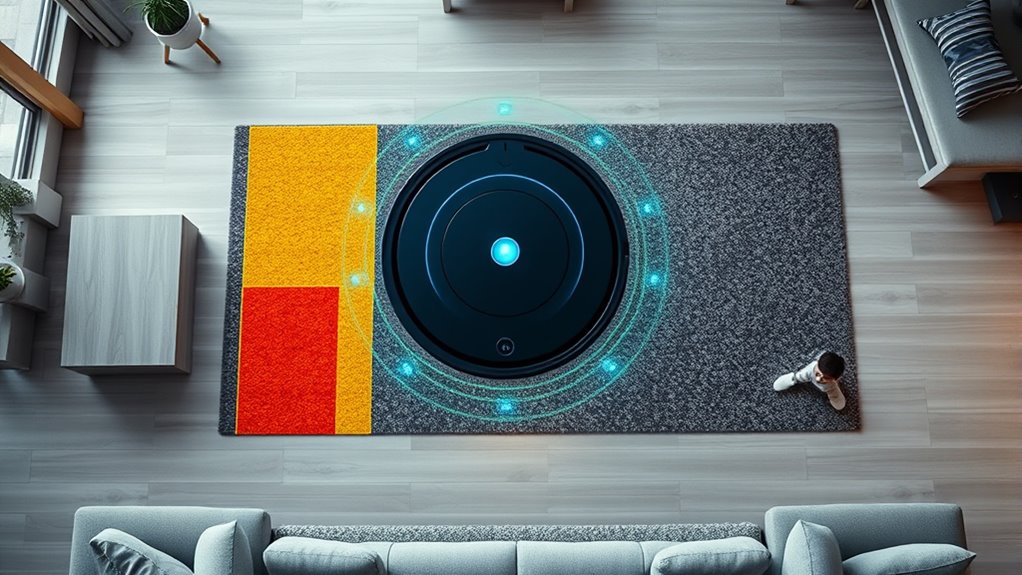
Many modern robot vacuums allow you to view and interact with the mapped layout via a smartphone app. You can see exactly where the vacuum has cleaned, identify problem areas, and even modify the map. For instance, you might want to add zones or create no-go lines to customize cleaning behavior. Zones let you specify particular areas for frequent cleaning—like the kitchen or living room—while no-go lines prevent the vacuum from entering sensitive areas such as pet bowls or delicate furniture. These features give you control over the cleaning process, making it adaptable to your household’s unique needs.
View and customize your robot vacuum’s map via app to enhance cleaning efficiency and control.
Setting up zones and no-go lines is straightforward with most apps. You simply draw boundaries on the map, and the vacuum respects these limitations during its cleaning cycle. This prevents the device from wasting time in areas that don’t require cleaning or from disturbing pets and fragile items. The combination of accurate mapping, obstacle avoidance, and customizable zones ensures your robot vacuum delivers a tailored cleaning experience. You can rely on its efficiency and precision, knowing it adapts to your environment and respects your preferences. Overall, these smart features make robot vacuums more effective, convenient, and user-friendly, transforming the way you keep your home clean. Additionally, understanding breed traits and behavior can help you optimize your pet’s interaction with smart home devices.
Frequently Asked Questions
How Accurate Are Robot Vacuum Maps Over Time?
Your robot vacuum’s mapping accuracy can stay quite high over time if it regularly updates its data. It uses obstacle detection to refine the map, ensuring it recognizes new objects or changes. However, clutter or furniture movement may cause minor inaccuracies. To maintain ideal mapping, keep the environment consistent and run updates periodically. This way, your vacuum can navigate efficiently and avoid missed spots or repeated areas.
Can I Customize Zone Cleaning Schedules?
Absolutely, you can tailor your cleaning routine with zone scheduling and customization options. With these features, you control exactly which areas get cleaned and when, fitting your schedule perfectly. By setting up specific zones and adjusting their cleaning times, you guarantee your home stays spotless without unnecessary overlap. It’s like giving your robot vacuum a personalized playlist—making cleaning more efficient and suited to your lifestyle.
What Happens if a Map Gets Corrupted?
If your map gets corrupted, it can cause issues with your robot’s navigation. You should start troubleshooting steps like resetting the robot, deleting and re-creating the map, or updating the firmware. Sometimes, a full restart or recalibration helps resolve map corruption. If problems persist, consult the user manual or contact customer support for further troubleshooting steps to restore proper mapping and guarantee your robot cleans efficiently.
Do No-Go Lines Affect Cleaning Efficiency?
Did you know that 80% of robot vacuum users notice improved cleaning with accurate mapping? No-go lines may slightly reduce cleaning efficiency because they limit the vacuum’s coverage, but they also improve mapping accuracy and obstacle detection. This prevents the vacuum from wasting time on unnecessary areas or getting stuck. So, while no-go lines might slow some areas, they ultimately help your robot clean smarter, not harder.
How Do Robot Vacuums Handle Dynamic Obstacles?
Robot vacuums handle dynamic obstacles through sensor integration and dynamic obstacle avoidance technology. When you encounter moving objects, like pets or people, the sensors detect them in real-time. The vacuum then adjusts its path automatically, slowing down or rerouting to prevent collisions. This responsive system guarantees efficient cleaning while avoiding obstacles, keeping your space clean without interruptions or damage.
Conclusion
Understanding how your robot vacuum maps, sets zones, and marks no-go lines isn’t just about smarter cleaning; it’s about creating a seamless harmony between your space and technology. As you fine-tune these features, you might find that the lines between convenience and control blur, almost as if your home subtly adapts itself. In this quiet coincidence, your vacuum becomes more than a device—it becomes a natural extension of your living environment, effortlessly keeping your home tidy.