Smart locks offer key features like keypad codes, auto-lock, and remote access for easier, more secure home entry. You can set unique PINs for family or guests, and the lock logs all entries for peace of mind. With auto-lock, your door secures itself after a set time, preventing accidental unlocks. Connecting your lock to Wi-Fi lets you control it from anywhere and get alerts. Keep exploring to discover how these features work together for smarter security.

Get the little things that make your day delivered free with Prime
- Fast, free delivery on millions of items
- Prime Video, Amazon Music and more included
- Member-only deals all year
Key Takeaways
- Keypad codes allow personalized access for multiple users, with easy updates and deactivation.
- Auto-lock secures the door automatically after a set time, reducing the risk of accidental unlocking.
- Real-life use includes remotely controlling locks, granting temporary access, and monitoring entry logs.
- Combining features like biometric, keypad, and auto-lock enhances overall home security.
- Smart locks eliminate the need for physical keys, offering convenient, secure, and customizable access management.
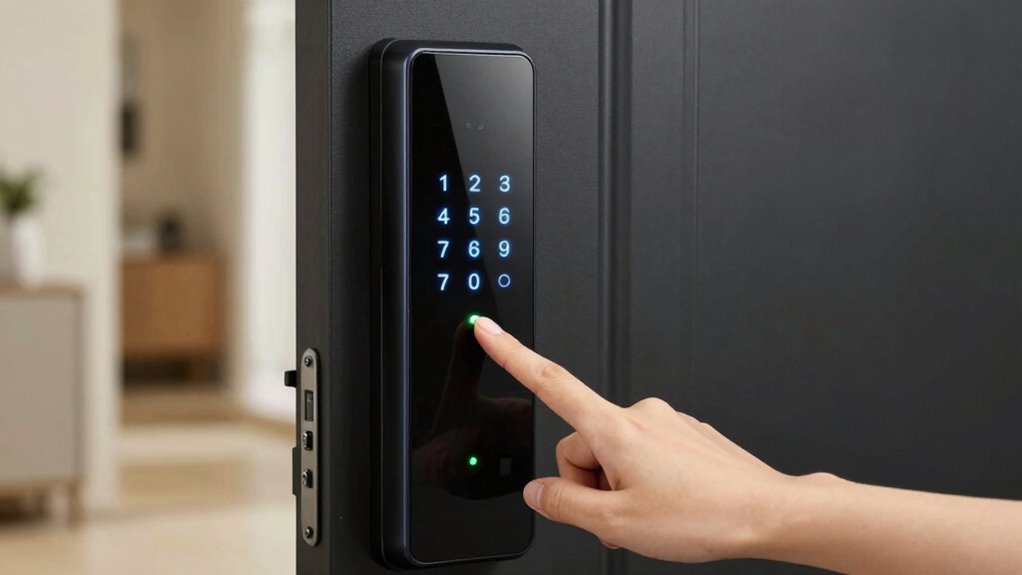
Have you ever wondered how smart locks can make your home more secure and convenient? One of the key features that sets them apart is biometric authentication. This technology allows you to access your door using your fingerprint or even facial recognition, eliminating the need for keys or keypad codes. It’s quick, secure, and highly personalized. With biometric authentication, your lock recognizes only you, reducing the risk of unauthorized access. You can gain entry to your door with just a touch or glance, making it ideal for busy mornings or when your hands are full. Plus, as biometric data is stored securely within the lock, it’s much harder for intruders to bypass than traditional locks. Biometric security is a rapidly advancing field that enhances overall home protection. In addition, these features often integrate with home security systems, providing comprehensive protection for your residence.
Another important aspect to take into account is Wi-Fi connectivity. Many smart locks now connect directly to your home Wi-Fi network, giving you remote access via smartphone apps. This means you can lock or gain access to your door from anywhere, whether you’re at work, on vacation, or running errands. Wi-Fi connectivity also enables real-time alerts, so you’ll be notified immediately if someone attempts to tamper with your lock or enters without permission. You can even grant temporary access to visitors or service providers, and revoke it whenever you need. The ability to control your lock remotely adds a layer of convenience that traditional locks simply can’t match.
Wi-Fi-enabled smart locks allow remote control, real-time alerts, and flexible access management from anywhere.
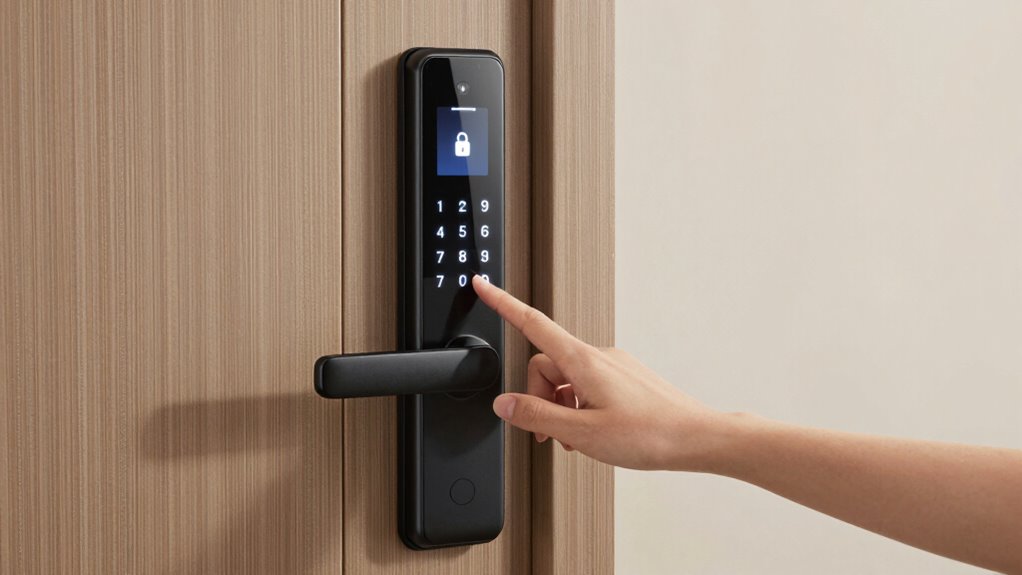
When it comes to keypad codes, smart locks let you set unique PINs for family members, friends, or delivery personnel. These codes can be easily changed or deactivated, giving you control over who can access your home. Plus, many models log each entry, so you can review when your door was opened and by whom. This feature is especially useful if you want to keep track of your children’s comings and goings or monitor service visits.
Auto-lock is another handy feature that enhances your home security. Once you’ve gained entry to your door, the lock automatically secures itself after a set period or when you walk away. This prevents accidental leaving of the door unlocked, which is a common vulnerability. You can usually customize the auto-lock timing to suit your routine, ensuring your home stays protected without extra effort.
In real-life use, these features combine to make home security more seamless. You no longer need to carry keys or remember complex combinations. Instead, biometric authentication, Wi-Fi connectivity, keypad codes, and auto-lock work together to give you peace of mind and greater control over who enters your home and when.
smart lock with keypad and auto-lock
As an affiliate, we earn on qualifying purchases.
As an affiliate, we earn on qualifying purchases.
Frequently Asked Questions
How Secure Are Smart Locks Against Hacking?
Smart locks can be reasonably secure if you choose models with strong encryption protocols. However, they aren’t completely immune to hacking vulnerabilities. Skilled hackers may exploit weak security features or outdated firmware. To stay protected, regularly update your lock’s software, use complex passcodes, and enable multi-factor authentication if available. While no system is foolproof, staying vigilant considerably reduces your chances of falling victim to a hack.
Can I Use a Smart Lock Without Wi-Fi?
Can you use a smart lock without Wi-Fi? Absolutely, it’s like having a secret door that opens with a code or key. Many smart locks offer alternative access methods like keypad codes or physical keys. Just remember, without Wi-Fi, you rely on battery management and local controls, so make certain your batteries stay charged and you have backup options. This setup keeps your lock functional even when offline.
What Happens During a Power Outage?
During a power outage, your smart lock continues to work thanks to a battery backup. If there’s a power failure, the lock switches to its backup power source, ensuring you can still access your home. However, if the batteries run out, you’ll need to use an alternative entry method, like a mechanical key. Regularly check your batteries to prevent unexpected lockouts during power failures.
Are Smart Locks Compatible With All Door Types?
Think of your door as a canvas—smart locks are like versatile brushes, but not all fit perfectly. Door compatibility varies, especially with thicker, uneven, or unconventional doors. Installation challenges can arise if your door isn’t standard, making some smart locks tricky or impossible to install. Before buying, check the lock’s compatibility with your door type to guarantee smooth, secure integration, turning your door into a smart, seamless gateway.
How Do I Reset My Smart Lock to Factory Settings?
To reset your smart lock to factory settings, start by locating the reset procedure in your user manual or on the lock itself. Typically, you’ll press and hold a specific button or combination of buttons for several seconds. This initiates the factory reset process, erasing all custom codes and settings. Follow the on-screen prompts or indicator lights to confirm the reset. Once completed, your lock will revert to its original factory state.
Conclusion
Now that you’ve got a clearer picture of smart locks, you’re like a vigilant guardian watching over your home’s delicate garden. With keypad codes, auto-lock features, and real-life applications, your security becomes a gentle breeze guiding you through daily routines. Think of it as a friendly handshake that keeps unwanted guests at bay while welcoming loved ones with a warm smile. Embrace these modern tools, and your home’s safety becomes a quiet, confident presence, always ready to serve.
Fall Picks
fall essentials
As an affiliate, we earn on qualifying purchases.