To avoid working in poor light, position your desk near a window so natural light fills your space without causing glare on your screens. Place your desk with the window to the side, not directly in front or behind, to prevent reflections and eye strain. Use blinds or curtains to control light levels when needed. Improving your lighting setup can boost comfort and productivity—if you explore more tips, you’ll find ways to optimize your workspace further.
Key Takeaways
- Position your desk perpendicular to windows to maximize natural light while avoiding screen glare.
- Use blinds or curtains to control light intensity and prevent harsh reflections on screens.
- Keep monitors at eye level to reduce neck strain and minimize eye fatigue from improper lighting.
- Incorporate task lighting that mimics daylight to supplement natural light during cloudy days or evenings.
- Avoid placing your desk directly in front of or facing windows to prevent glare and uneven lighting conditions.
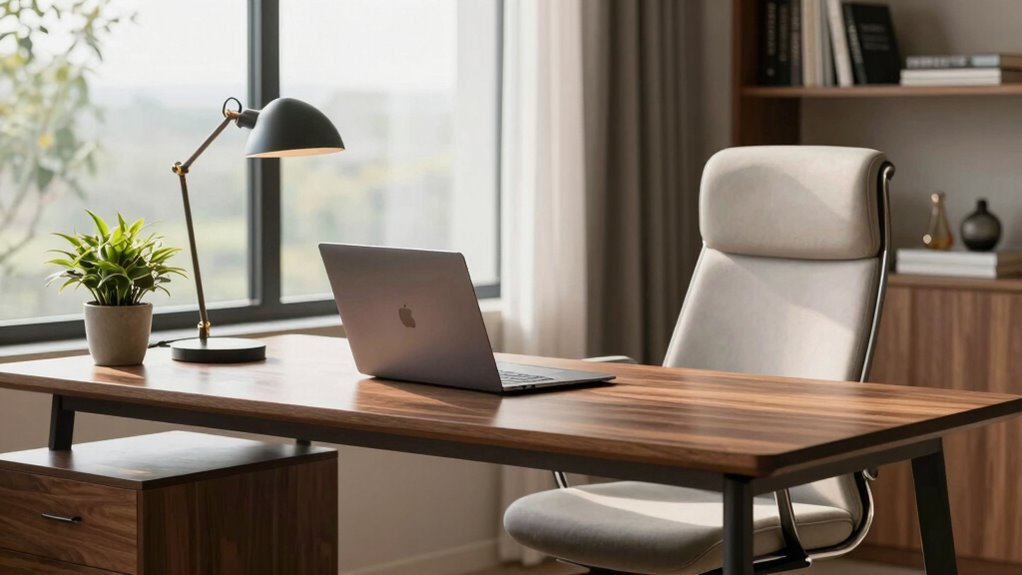
Your home office desk placement can considerably impact your productivity and comfort. One of the most important factors to consider is natural lighting. Positioning your desk near a window allows sunlight to fill your workspace, which can boost your mood and energy levels throughout the day. Natural light reduces eye strain and minimizes the need for harsh artificial lighting, creating a more inviting environment. However, be mindful of glare on your computer screen; facing the window directly might cause reflections that hinder your work. Instead, try to place your desk so that the window is to the side, allowing light to illuminate your workspace without causing reflections. This setup ensures you benefit from natural lighting while maintaining focus and clarity. Additionally, using window treatments like blinds or curtains can help control the amount of light and prevent glare when needed.
Position your desk near a side window to enjoy natural light without glare, boosting mood and focus.
Beyond lighting, desk ergonomics plays a crucial role in your comfort and efficiency. The placement of your desk should support proper posture, meaning your monitor should be at eye level to prevent neck strain. Your keyboard and mouse should be positioned so that your elbows stay close to your sides, forming a 90-degree angle, which reduces shoulder tension. When arranging your desk, think about the height of your chair and the surface itself. An adjustable desk or an ergonomic chair can make a significant difference, encouraging you to sit upright and avoid slouching. Keep frequently used items within easy reach to avoid unnecessary stretching or twisting, which can lead to discomfort or injury over time. Proper desk placement can also help improve filtration and airflow, ensuring a healthier workspace environment.
In addition, to consider the overall flow of your workspace. Your desk shouldn’t be cramped or cluttered, as that can impede your ability to work efficiently. Leave enough space behind your chair for comfortable movement, and organize cables to prevent tripping hazards. Placing your desk near a source of natural light not only improves your visual comfort but also helps regulate your circadian rhythm, keeping you alert during working hours and ready to unwind afterward. If natural light is limited, supplement it with well-placed task lighting that mimics daylight, so your workspace remains bright and inviting.
Ultimately, the goal is to create a workspace that maximizes natural lighting and aligns with ergonomic principles. When your desk is positioned thoughtfully, you’ll notice improvements in focus, comfort, and overall productivity. Small adjustments—like angling your desk toward the window or investing in ergonomic accessories—can make a profound difference, helping you work smarter and feel better in your home office.
Frequently Asked Questions
How Can I Optimize Natural Light in a Small Home Office?
To optimize natural light in your small home office, position your desk near a window to maximize daylight. Use lightweight window treatments like sheer curtains to let in more light while reducing glare. Adjust your desk lamp placement to complement natural light, avoiding shadows. Keep the space bright and inviting by strategically combining natural and artificial lighting, making your workspace more comfortable and productive throughout the day.
What Are the Best Artificial Lighting Options for Late-Night Work?
Did you know that 68% of people find LED bulbs more energy-efficient and longer-lasting? For late-night work, opt for LED bulbs with adjustable brightness and warm tones to reduce eye strain. Use task lighting, like a focused desk lamp, to illuminate your workspace without over-lighting the room. This setup keeps your eyes comfortable, boosts productivity, and saves energy during those late hours.
How Does Window Orientation Affect Workspace Lighting Quality?
Your window orientation greatly impacts your workspace lighting quality by influencing daylight patterns. If your window faces east, you get bright morning light, which energizes your mornings but may cause glare later. South-facing windows provide consistent daylight, reducing the need for artificial light during the day. North-facing windows offer softer, diffused light, ideal for reducing glare and eye strain. Adjust your workspace setup accordingly to maximize natural light benefits.
Can Mirror Placement Improve Lighting in a Home Office?
Think of your home office as a garden. Proper mirror placement acts like a loyal gardener, using reflective surfaces to bounce light and brighten dark corners. By strategically positioning mirrors, you can enhance natural light, making your workspace feel more inviting and less gloomy. Reflective surfaces amplify existing light, reducing eye strain and creating a balanced, well-lit environment. So, yes, mirrors can be powerful tools to improve your home office lighting.
What Are Common Lighting Mistakes to Avoid in Home Office Setup?
Avoid common lighting mistakes like creating overhead glare, which can cause eye strain. Make sure you use proper lighting with the right color temperature; too cool or warm light can be distracting. Also, steer clear of uneven lighting that causes shadows and discomfort. By adjusting your light sources to minimize glare, choosing bulbs with appropriate color temperature, and balancing ambient and task lighting, you’ll work more comfortably and efficiently.
Conclusion
To create a productive and comfortable home office, place your desk where natural light flows without creating glare. Think of your desk placement as the foundation of a sturdy house—it’s the base that supports everything else. When you optimize your lighting, you’ll find work becomes smoother and more enjoyable, like a well-conducted symphony. Don’t settle for poor lighting; instead, position your desk wisely and let your workspace shine as brightly as your potential.