
To prevent pain at your standing desk, set the height so your elbows form about a 90-degree or slightly greater angle when your arms are resting comfortably by your sides. Keep your forearms parallel or slightly angled downward, which helps reduce shoulder and neck strain. Maintaining this arm position promotes better posture and minimizes discomfort over time. If you want to discover more tips for a healthy workstation, keep going to learn helpful adjustments.
Key Takeaways
- Set your standing desk height so your elbows are at a 90-degree or slightly open angle for optimal arm support.
- Ensure forearms are parallel or slightly declined to maintain relaxed shoulders and prevent strain.
- Adjust the monitor to eye level, keeping the top at or just below eye height to avoid neck discomfort.
- Maintain neutral joint positions to reduce repetitive strain and promote long-term ergonomic health.
- Proper desk and monitor height support sustained comfort, reducing pain and increasing productivity during standing work.
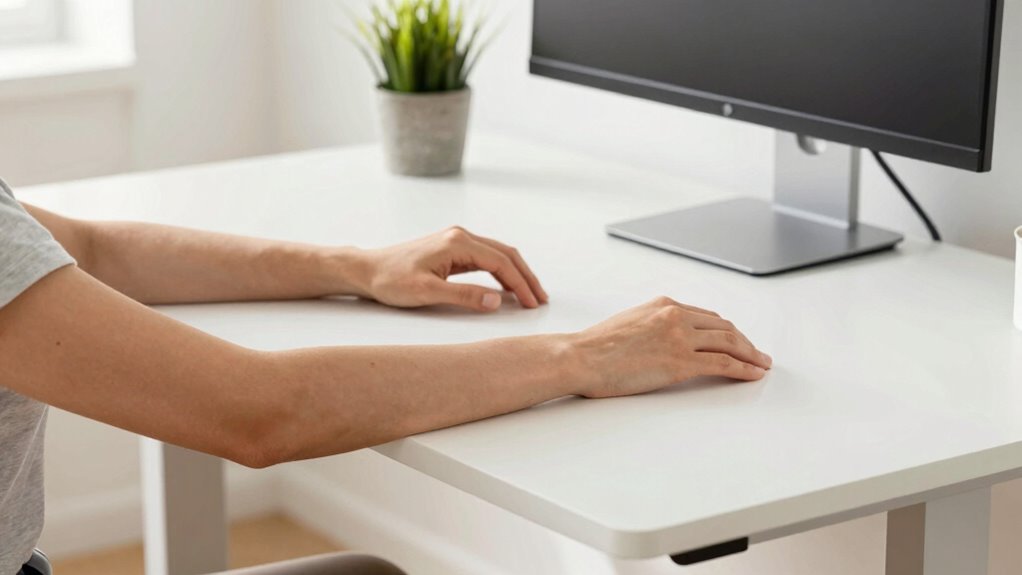
Ever wondered how to find the ideal standing desk height for your workspace? It’s a question many people overlook until discomfort or pain sets in. The key lies in making precise ergonomic adjustments to your desk and understanding the arm angle rule. When your desk is set correctly, your posture aligns naturally, reducing strain on your neck, shoulders, and back. Proper ergonomic adjustments help you maintain a neutral posture—where your joints are in a comfortable position—preventing fatigue and injury over time.
To achieve this, start by positioning your monitor at eye level. Your screen should be directly in front of you, with the top of the monitor at or just below eye height. This setup encourages proper posture alignment and minimizes neck strain. Your elbows should rest comfortably at a 90-degree angle or slightly more open when your hands are on the desk. This is where the arm angle rule comes into play: your forearms should be roughly parallel to the ground or slightly declined. When your arms are at this ideal angle, your shoulders stay relaxed, and you avoid hunching or shrugging, which can lead to pain. Additionally, adjusting your desk height to support ergonomic comfort can significantly reduce the risk of repetitive strain injuries. Ensuring your workspace is properly adjusted can also enhance your overall productivity and comfort throughout the day. Incorporating ergonomic principles into your workspace setup is essential for long-term health benefits. Being aware of proper desk height helps prevent poor posture habits before they develop, promoting better health over time.
As an affiliate, we earn on qualifying purchases.
Frequently Asked Questions
How Do I Adjust My Standing Desk for Different Tasks?
To adjust your standing desk for different tasks, use ergonomic accessories like adjustable monitor stands and keyboard trays. Refer to desk height charts to set your desk at the right height, ensuring your elbows form a 90-degree angle when typing or using a mouse. For reading or phone calls, lower or raise your desk slightly, maintaining comfort and reducing strain. Regularly adjust based on activity to stay ergonomic and pain-free.
Can Standing Desk Height Affect Overall Posture?
Yes, standing desk height can markedly affect your overall posture. When your desk is properly adjusted, it promotes good posture awareness, reducing strain on your neck, shoulders, and back. Consider ergonomic accessories like anti-fatigue mats or monitor risers to optimize comfort. By maintaining the right height, you’ll encourage better alignment, prevent pain, and support healthier habits during long work sessions.
What Tools Help Measure the Correct Desk Height?
You can’t underestimate the power of the right tools to find your perfect desk height. Ergonomic accessories like adjustable desk risers and height measurement tools such as laser rulers or digital calipers help you pinpoint that ideal level. These tools reveal the secret to comfort and productivity, ensuring your arms stay at a 90-degree angle. With just a little precision, you’re one step closer to a pain-free workspace—don’t miss out!
How Often Should I Change Standing Desk Positions?
You should change your standing desk position every 30 to 60 minutes to maintain good posture and reduce fatigue. Incorporate ergonomic accessories like adjustable keyboard trays and anti-fatigue mats to support posture awareness. Regular position shifts help prevent strain and discomfort, ensuring you stay comfortable and productive throughout the day. Listening to your body and adjusting accordingly can make a significant difference in long-term musculoskeletal health.
Is There an Ideal Height for Using a Computer Mouse?
An ergonomic mouse should be positioned so your wrist remains straight, typically at a height where your forearm is parallel to the ground. Coincidentally, this height often aligns with your elbow’s angle, reducing strain. You want to use wrist support if possible, and keep your hand relaxed to avoid tension. Adjust your mouse to guarantee comfort, as this small change can prevent pain and improve your overall posture during prolonged use.
Conclusion
By paying attention to your standing desk height and following the arm angle rule, you’ll set yourself up for a pain-free workday. Remember, it’s all about striking the right balance—don’t let your workspace become a thorn in your side. When you get it right, you’ll find yourself working comfortably and avoiding unnecessary aches. So, take the time to fine-tune your setup; it’s worth every effort to keep discomfort at bay and work like a well-oiled machine.