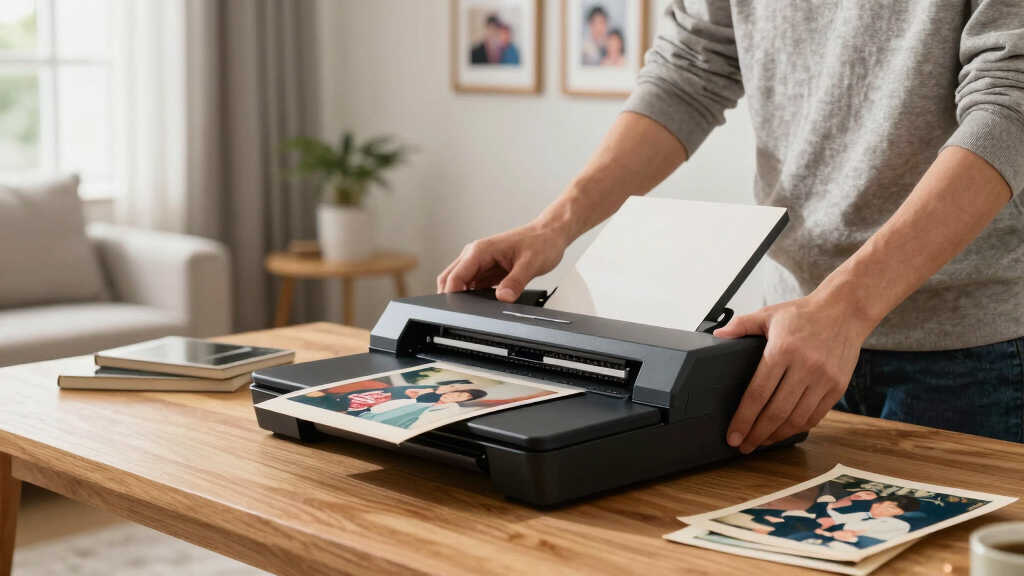
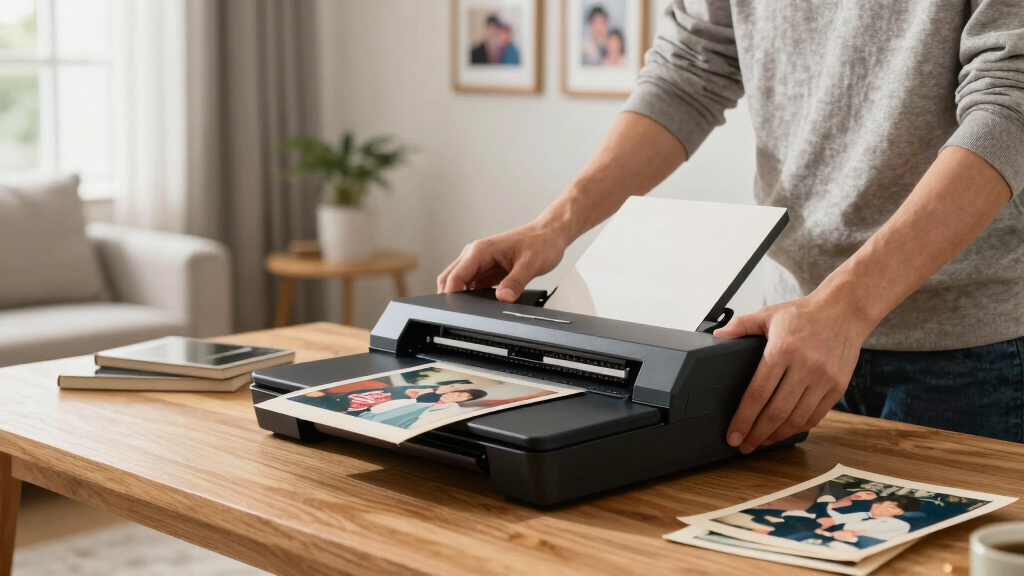
Finding the best photo scanner for old family photos involves balancing quality, ease of use, and compatibility. The Canon imageFORMULA RS40 stands out as the best overall choice for its versatility and reliable performance with various photo sizes. For portability, the Epson WorkForce ES-50 offers a compact, easy-to-use solution, perfect for quick scans on the go. The Plustek Photo Scanner ePhoto Z300 delivers fast, high-quality scans of 4×6 photos with automatic cropping. However, choosing the right scanner depends on your specific needs—whether you prioritize speed, resolution, or ease of use. Continue reading for a detailed breakdown of these options and more to help you preserve your family’s precious memories.
Key Takeaways
- The top scanners balance high resolution with ease of use, making it simple to preserve old photos without technical hassle.
- Portability is a key factor for those who want to scan on the go or in multiple locations, favoring compact models like the Epson ES-50.
- Speed matters when digitizing large collections; models like the Epson FastFoto FF-680W excel at high-volume scanning.
- Automatic features such as cropping, deskewing, and auto-detection significantly improve usability and scan quality.
- Price varies widely; investing in a higher-end model can be worthwhile if you want the best quality or faster processing, but budget options remain capable for casual users.


More Details on Our Top Picks
Canon imageFORMULA RS40 – Photo and Document Scanner, Auto Document Feeder, Windows and Mac, Scans Old and New Photos in Varying Sizes, USB Interface
The Canon imageFORMULA RS40 stands out for its ability to quickly scan both sides of photos and documents at up to 40 items per minute, making it ideal for digitizing large collections of family photos efficiently. Unlike the Plustek ePhoto Z300, which excels at high-resolution photo scans, the RS40 offers a broader range of media handling, including receipts, IDs, and various paper sizes, thanks to its automatic document feeder. Its bundled software with red-eye correction and enhancement tools helps improve old photos, but it doesn’t match the dedicated photo quality of the Z300. The broad compatibility with Windows and Mac and the inclusion of a TWAIN driver streamline integration into existing workflows. The tradeoff is that it’s bulkier and more expensive, which may not suit those with limited space or budget. Overall, this model makes the most sense for families or archivists needing fast, versatile scanning with editing features.
Pros:- High scanning speed of up to 40 pages per minute
- Handles multiple media types including photos, IDs, and receipts
- Bundled software for photo enhancement and red-eye correction
Cons:- Larger and heavier than portable options, less ideal for small spaces
- Higher price point compared to basic models
Best for: Families with large photo collections needing quick, multi-format scanning and editing capabilities.
Not ideal for: Users primarily scanning high-detail photographs for quality archiving, who might prefer dedicated photo scanners like the Plustek Z300.
- Scanner Type:Document and Photo Scanner
- Connection Type:USB
- Resolution:Up to 1200 dpi
- Sheet Capacity:Auto Document Feeder (up to 40 pages)
- Media Handling:Photos, documents, IDs, receipts
- Software Included:Photo enhancement, red-eye correction
Bottom line: Best for those seeking a fast, flexible scanner that can handle a wide array of old family photos and documents efficiently.
Epson WorkForce ES-50 Portable Sheet-Fed Document Scanner for PC and Mac
The Epson WorkForce ES-50 makes a compelling case for portability, scanning a single sheet in as little as 5.5 seconds, perfect for those who need to digitize old family photos during travel or in small spaces. Compared with the Plustek Z300, which is more dedicated to high-quality photo restoration, the ES-50’s strength lies in its lightweight, compact design and quick operation. Its ability to scan long pages up to 72 inches and handle different media types, like ID cards and receipts, adds to its versatility. However, its single-sheet feeding limits batch processing, making it less suitable for large collections of photos. Its compatibility with Windows and Mac and simple USB power make it ideal for busy families or individuals who want quick results without fuss. The tradeoff is that it sacrifices high-resolution photo quality for portability and speed.
Pros:- Extremely portable and lightweight
- Fast scanning speed of 5.5 seconds per page
- Long page handling up to 72 inches
Cons:- Limited to single-sheet scans, not suitable for bulk photo archiving
- Lower resolution (up to 600 dpi) compared to dedicated photo scanners
Best for: Traveling families or professionals who need quick, portable scanning of family photos and documents.
Not ideal for: Photographers or archivists requiring high-resolution scans of old photographs for detailed preservation or printing.
- Scanner Type:Portable Sheet-Fed Scanner
- Connection Type:USB
- Resolution:Up to 600 dpi
- Sheet Capacity:One sheet at a time
- Media Handling:Photos, long pages, IDs
- Scanning Speed:5.5 seconds per page
Bottom line: Ideal for families needing quick, mobile scanning during trips or small-scale digitization tasks.
Plustek Photo Scanner ePhoto Z300, Scans 4×6 inch Photos in 2 Seconds, Auto crop and deskew with CCD Sensor, Supports Mac and PC
The Plustek ePhoto Z300 excels at quickly scanning 4×6 inch photos in just 2 seconds with remarkable detail, making it suitable for restoring and archiving old family photos with high clarity. Its CCD sensor and 600 dpi resolution outperform many flatbed or cheaper portable scanners, providing sharp images that capture the essence of faded or damaged photos. Unlike the Canon RS40, which is more generalist, the Z300’s dedicated focus on photo quality makes it perfect for serious archiving or high-resolution digital copies. However, its limited media handling—mainly just 4×6 photos—and slower batch processing mean it’s less ideal for mixed media or large collections. It is best suited for users prioritizing photo detail over scanning speed or multi-format handling.
Pros:- Exceptional image quality with CCD sensor
- Fast 2-second scans for 4×6 photos
- Supports auto crop and deskew for perfect framing
Cons:- Limited media handling (mainly 4×6 photos only)
- Slower for batch processing compared to sheet-fed models
Best for: Photographers, collectors, or families wanting detailed, high-resolution scans of old photos.
Not ideal for: Those needing to scan a variety of media types or large volumes of photos quickly, who may prefer the Canon RS40 or Epson ES-50.
- Scanner Type:Photo Scanner
- Connection Type:USB
- Resolution:600 dpi
- Media Size:4×6 inches
- Scan Speed:2 seconds per photo
- Sensor Technology:CCD
Bottom line: Best for users seeking high-quality digital copies of old family photos with crisp detail.
Canon Canoscan Lide 300 Scanner (PDF, AUTOSCAN, Copy, Send)
The Canon Canoscan Lide 300 offers straightforward scanning with features like Auto Scan Mode that detects what’s being scanned, simplifying digitization of old photos and documents. Compared to the Epson V19 II, which is a flatbed scanner with higher resolution, the Lide 300’s auto detection and quick copy features make it more user-friendly for quick family photo scans. However, its resolution is limited to 2400 dpi, which is sufficient for most photo archiving but not for large-format prints or detailed restorations. The compact design and easy USB connectivity appeal to home users with limited space. The tradeoff is that it lacks the batch handling capacity of larger sheet-fed scanners, making it less ideal for extensive collections but excellent for occasional use.
Pros:- Auto detection for quick scanning
- Compact and easy to use
- USB powered for convenience
Cons:- Limited resolution compared to high-end photo scanners
- Not designed for bulk or high-volume scanning
Best for: Home users or small families needing a simple, reliable scanner for occasional old photo digitization.
Not ideal for: Archivists or photographers seeking high-resolution scans for large prints or detailed restoration work.
- Scanner Type:Flatbed Scanner
- Connection Type:USB
- Resolution:2400 dpi
- Media Size:A4, Letter
- Features:Auto Scan, Copy, Send
- Ease of Use:Plug and Play
Bottom line: Great for casual users who want easy, no-fuss digitization of family photos and documents.
HP Small USB Document & Photo Scanner for Portable 1-Sided Sheetfed Digital Scanning, Model HPPS100, for Home, Office & Business, PC and Mac Compatible, HP WorkScan Software Included
The HP HPPS100 excels in portability, offering reliable single-sided scanning at 15 pages per minute with a sleek, compact design that fits easily in a bag. Its versatility in handling documents, photos, and business cards makes it suitable for light family photo archiving on the move. Compared with the Epson ES-50, which is more of a general document scanner, the HPPS100’s focus on portability and affordable pricing makes it ideal for light, occasional photo scanning. Its resolution of 1200 dpi is sufficient for most family photo needs, but it doesn’t match high-end photo scanners for detail. The main tradeoff is its limited media handling and slower batch processing, making it less optimal for large collections. Perfect for travelers or families with small batches of photos to scan regularly.
Pros:- Highly portable and lightweight
- Fast 15 ppm scanning speed
- Versatile media handling including photos and business cards
Cons:- Limited to single-sided scans
- Lower resolution (1200 dpi) compared to high-end photo scanners
Best for: Travelers and busy families needing quick, portable scanning of photos and documents with decent quality.
Not ideal for: Photographers or archivists requiring detailed, high-resolution scans of old photos for preservation or printing.
- Scanner Type:Portable Sheet-Fed Scanner
- Connection Type:USB
- Resolution:1200 dpi
- Media Handling:Photos, documents, business cards
- Speed:15 ppm
- Features:Single-sided scanning
Bottom line: Ideal for on-the-go families who want quick, portable digitization of small batches of photos and documents.
ScanSnap iX2500 Photo Edition Wireless or USB High-Speed Cloud Enabled Photo, Document & Receipt Scanner with Large 5″ Touchscreen for Mac or PC, Black
This scanner stands out for its combination of high-speed batch scanning and intuitive touchscreen controls, making it ideal for digitizing large collections of old family photos and documents efficiently. Compared with the Epson Perfection V19 II, it offers faster throughput—up to 100 photos per minute—and seamless cloud integration. Its automatic image enhancements, including auto-rotation and color correction, reduce manual editing, although the interface can be cumbersome when setting specific folders and file names. The dedicated photo carrier sheets protect delicate prints, ensuring high resolution without damage. While it doesn’t support slide scanning or high-end archival features, the Wi-Fi 6 and USB-C connectivity ensure quick, stable transfers, making it a versatile choice for families with extensive collections. The tradeoff is that its software, while functional, requires some navigation, and its resolution—600 dpi—is suitable for most prints but not professional archival work.
Pros:- High-speed scanning up to 100 photos per minute
- Large 5″ touchscreen with customizable profiles
- Automatic image enhancement and cloud support
- Dedicated photo carrier sheets for delicate prints
Cons:- Software interface can be layered and less intuitive
- Limited resolution (600 dpi) not suitable for high-end archival quality
- No slide or negative scanning support
Best for: Families with large, varied photo collections needing fast, batch digitization with minimal manual editing.
Not ideal for: Individuals looking to scan slides or negatives, due to lack of support for these media and interface complexity.
- Scanner Type:Document, Photo, Receipt
- Connection Type:Wi-Fi, USB-C
- Resolution:600 dpi
- Sheet Capacity:100
- Color Depth:24-bit
- Dimensions:6.26″D x 11.5″W x 6.34″H
- Weight:7.7 pounds
Bottom line: This pick makes the most sense for large families or archives needing quick, reliable batch scanning with minimal fuss.
KODAK Slide N SCAN Film & Slide Scanner Digitizer with 5” LCD Screen, Quickly Convert Negatives & Slides to Digital 22MP JPEG Photos, Compatible with 135, 126 and 110 Film & Slides
This scanner excels at digitizing old slides and negatives, especially with its built-in 5″ LCD display for instant preview and editing, making it perfect for family memories stored on film. Unlike the ScanSnap iX2500, it lacks high-speed batch processing but compensates with direct visual control, which is invaluable when working with fragile or varied media. Its ability to convert color negatives accurately—by selecting ‘Color Negative’ mode—addresses a common pain point that software inversion struggles with. The fast feed tray and single-button operation simplify the process, though it’s limited to 22MP JPEG outputs, which may be less detailed than professional archiving scanners. It supports SD cards up to 32GB, but the resolution—about 4320 x 2880 pixels—is sufficient for casual viewing and sharing, not high-end archival. Its main tradeoff is the slower, frame-by-frame process compared to batch scanners like the ScanSnap.
Pros:- Built-in 5″ LCD preview screen for instant editing
- Supports multiple film formats and negatives
- Easy single-touch operation and direct viewing
- Addresses color negative inversion issues
Cons:- Limited to about 22MP JPEG output, less detailed for large prints
- Slower frame-by-frame scanning process
- No automatic batch or high-resolution scanning
Best for: Families wanting to digitize and view old slides and negatives directly from the device, with easy editing and sharing.
Not ideal for: Users with thousands of photos looking for rapid batch processing or professional-quality scans.
- Resolution:22MP
- Display:5-inch LCD
- Media Type:Negatives, Slides
- Supports SD/SDHC:up to 32GB
- Connection:USB
- Dimensions:6.69″D x 5.35″W x 4.45″H
- Weight:1 pound
Bottom line: Ideal for casual family users who want to view and convert old slides and negatives with visual control, not mass digitization.
Kodak Slide N Scan Max Digital Film Slide Scanner, Black/Yellow (RODFS70)
This model provides a notable step up in resolution, with 13/22MP options, and a larger 7″ LCD screen for easy preview and editing, making it suitable for family archives with extensive slide collections. Unlike the smaller Kodak RODFS70, it offers more detailed images—up to 4320 x 2880 pixels—ideal for larger prints or detailed viewing. Its quick-loading tray and straightforward single-button operation streamline digitizing multiple slides, although it’s still frame-based, not batch-capable. It supports a variety of film formats and supports SD cards up to 32GB, making it versatile for diverse collections. The main tradeoff is its slower process compared to high-speed scanners like the ScanSnap, and its resolution, while good, still isn’t suitable for professional archival quality. Its built-in editing features help correct exposure and color, but maximum resolution and the frame-by-frame process limit efficiency for large projects.
Pros:- High-resolution 13/22MP images for detailed output
- Large 7″ LCD preview with editing capabilities
- Supports multiple film formats and SD cards up to 32GB
- Simple, frame-by-frame operation
Cons:- Slower than batch scanners for large collections
- Limited to JPEG output, not raw or professional archive quality
- Frame cropping sometimes cuts edges of images
Best for: Families with a significant collection of slides and negatives seeking high-resolution, easy viewing, and basic editing.
Not ideal for: Those needing rapid batch processing of thousands of photos or professional-grade archives.
- Resolution:13/22MP
- Display:7-inch LCD
- Media Type:Negatives, Slides
- SD Card Support:up to 32GB
- Connection:USB
- Dimensions:8″D x 7″W x 6″H
- Weight:38 oz
Bottom line: Best suited for family archivists with moderate to large slide collections who prioritize resolution and ease of viewing over rapid batch processing.
Epson Perfection V19 II Color Photo and Document Flatbed Scanner with 4800 dpi Optical Resolution USB Power, High-Rise, Removable Lid
This scanner excels at general photo, document, and artwork digitization, offering a high 4800 dpi resolution with a compact, flatbed design—making it suitable for families with mixed collections of old photos, documents, and rare artwork. Unlike dedicated slide or film scanners, it provides a flexible surface for scanning larger or irregular items, including entire photo albums or scrapbook pages, although it requires more manual cropping and isn’t optimized for negatives or slides. Its one-touch buttons and Epson ScanSmart software simplify operation, and the ability to generate searchable PDFs or editable Office files makes it highly versatile. While it doesn’t match the speed or resolution of batch photo scanners like the ScanSnap or dedicated film devices, it’s perfect for those needing a multi-purpose scanner for various media types. The main tradeoff is its slower speed—about 10 seconds for a letter-sized scan—and it’s not ideal for mass archiving of negatives or slides.
Pros:- High 4800 dpi resolution for detailed scans
- Flatbed design accommodates albums, artwork, and odd-sized items
- Generates searchable PDFs and editable files easily
- USB powered, space-saving design
Cons:- Not optimized for negatives or slides
- Slower than dedicated photo or film scanners
- Requires manual cropping for irregular items
Best for: Families seeking a versatile, all-in-one scanner for photos, documents, and artwork, with occasional slide or negative use.
Not ideal for: Users with large slide or negative archives wanting high-speed batch scanning or professional quality output.
- Scanner Type:Flatbed
- Resolution:4800 dpi
- Connection Type:USB
- Removable Lid:Yes
- Dimensions:9.9″D x 9.9″W x 1.5″H
- Weight:3.1 pounds
Bottom line: A flexible choice for families needing a multipurpose scanner for diverse media types, but not for rapid slide or negative archiving.
HP FilmScan Touch Screen Film & Slide Scanner Digitizer with 5” LCD Screen, Quickly Convert Negatives & Slides to Digital 22MP JPEG Photos
This HP FilmScan stands out for its user-friendly 5″ touch screen, which makes viewing, editing, and converting negatives and slides straightforward, especially for novices. Its quick-feed tray allows continuous import of strips and mounted slides, making it ideal for digitizing large collections without fuss. Compared to the ScanSnap iX2400 or ScanSnap iX1300, this scanner is more specialized for film and slides, offering dedicated film adapters and an easy interface, but it lacks the speed for large document batches. The automatic cropping, color adjustments, and manual override simplify the process, though it requires strips of film—individual negatives are incompatible. The main tradeoff is the limited resolution of 22MP JPEGs, which may not suffice for large-format prints. Overall, this pick makes the most sense for users prioritizing ease and dedicated film handling over high-volume scanning or higher DPI options.
Pros:- Large, easy-to-navigate 5″ touch screen for quick previews and edits
- Quick continuous feed for strips and mounted slides
- Effortless color and brightness adjustments with manual override
Cons:- Limited to 22MP JPEG resolution, not ideal for large prints
- Requires negatives in strips; not suitable for individual negatives or loose film
Best for: Amateur photographers and family historians who want a simple, dedicated device to digitize old slides and negatives without steep learning curves.
Not ideal for: Power users requiring high-resolution scans or bulk document digitization, as it specializes in film and slide conversion rather than high-volume paper scanning.
- Resolution:2889 dpi
- Color Depth:24 Bits
- Media Type:SD Card
- Scanner Type:Film
- Connection Type:USB
- Item Dimensions:4.66″D x 5.7″W x 3.54″H
Bottom line: This scanner is perfect for casual users seeking an intuitive, dedicated solution for old slide and negative digitization.
ScanSnap iX2400 High-Speed Simple One-Touch Button Color Document, Photo & Receipt Scanner with 100 Page Auto Document Feeder for Mac or PC, Black
The ScanSnap iX2400 excels at rapid, high-volume scanning of documents and photos, making it ideal for busy offices or archival projects. Its 45 pages per minute duplex speed and 100-page automatic feeder significantly outperform the slower FastFoto FF-680W in handling large batches of paper and photos. Compared with the HP FilmScan, it’s less specialized for film but offers the convenience of wireless connectivity and extensive software integration via ScanSnap Home for managing diverse media types. Its ability to automatically detect page size, remove blanks, and straighten images minimizes post-scan editing, but it handles only standard paper and flat photos, not negatives or slides. The main tradeoff is that it lacks the higher DPI options of dedicated photo scanners, so it may not produce the same quality for large enlargements. This pick is best for users needing a versatile, fast, all-in-one scanner for mixed media but not for high-res photo enlargements.
Pros:- Blazing-fast 45 ppm duplex scanning speed
- Large 100-sheet auto feeder reduces manual intervention
- Wireless and USB connectivity for versatile placement
Cons:- Limited to 600 dpi resolution, less suited for high-quality enlargements
- Does not support negatives or slides
Best for: Small business owners or family archivists who need quick, reliable batch scanning of documents, receipts, and standard photos.
Not ideal for: Photographers or collectors wanting detailed scans of negatives or slides, as it’s optimized for paper and flat photos at 600 dpi rather than high-res film scans.
- Resolution:600 dpi
- Sheet Capacity:100 sheets
- Connection Type:USB & Wi-Fi
- Scan Speed:45 ppm
- Media Type:Documents, Photos
- Item Dimensions:11.5″W x 6.34″D x 6.26″H
Bottom line: This scanner is ideal for high-volume document and photo batch processing where speed and convenience matter most.
AMBIR Technology Photo Scanner with PICTURESTUDIO
The AMBIR Photo Scanner with PICTURESTUDIO offers a compelling blend of speed and advanced editing. It can scan 4″x6″ photos in just 3 seconds at 300 dpi, making it excellent for digitizing entire albums quickly. Its AI-powered features automatically enhance, colorize black-and-white photos, and restore faded images, which is a major advantage over traditional flatbed scanners like the Canon CanoScan Lide 300. Compared to the HP FilmScan, it supports a broader range of photo sizes, including panoramics, but it doesn’t process negatives or slides. Its ability to batch scan and automatically adjust brightness, contrast, and color offers convenience, though the user reviews indicate that some advanced manual controls are limited. Its main drawback is its relatively low rating and mixed reviews on consistency, but for large collections of photos needing quick, attractive results, it’s a strong choice.
Pros:- Rapid 3-second scans for 4×6 photos
- AI-powered auto-enhancement and colorization
- Supports a wide range of photo sizes, up to 12″ panoramics
Cons:- Mixed user reviews on consistency and manual controls
- Limited to 300 dpi for fast scans; not suitable for large-format prints
Best for: Family historians and casual photographers with large photo collections who want fast, AI-enhanced digitization and easy organization.
Not ideal for: Professionals or collectors seeking high-resolution scans for enlargements or negatives, as it is optimized for quick photo uploads at 300 dpi and not for detailed archival quality.
- Resolution:300 dpi
- Scan Speed:3 seconds per photo
- Supported Media Sizes:1″x1″ to 8″x10″, panoramic up to 12″
- Connection Type:USB
- Color Depth:24-bit
- Item Weight:8.2 pounds
Bottom line: This scanner is best suited for large, casual photo collections where speed and AI enhancements are valued over high-resolution detail.
ScanSnap iX1300 Compact Wireless or USB Double-Sided Color Document, Photo & Receipt Scanner with Auto Document Feeder and Manual Feeder for Mac or PC
The ScanSnap iX1300 impresses with its compact design, making it ideal for small spaces while still providing fast, duplex scanning at up to 30 pages per minute. It handles a variety of media, including documents, receipts, and photos, with minimal setup and automatic de-skewing, color optimization, and blank page removal. Compared with the FastFoto FF-680W, it’s less specialized for high-volume photo scanning but excels in versatility, especially with its wireless capability and easy integration with cloud services via ScanSnap Home. Its maximum resolution of 600 dpi is sufficient for most everyday needs but not for large-format printing. The main tradeoff is that it’s not built for negatives or slides, focusing instead on flat media. This makes it perfect for users who want a reliable, space-efficient scanner for mixed media, especially in a home or small office setting.
Pros:- Compact, space-saving design suitable for small desks
- Fast duplex scanning at 30 ppm
- Wireless and USB connectivity for flexible use
Cons:- Limited to 600 dpi resolution, not suited for high-quality enlargements
- No support for negatives or slides
Best for: Home users or small offices needing a reliable, space-efficient scanner for documents, receipts, and standard photos with fast turnaround.
Not ideal for: Photographers or archivists wanting high-resolution scans of negatives or slides, since this device is optimized for flat media at 600 dpi.
- Resolution:600 dpi
- Sheet Capacity:50 sheets
- Connection Type:USB & Wi-Fi
- Scan Speed:30 ppm
- Media Type:Documents, Photos
- Item Dimensions:11.7″W x 4.5″D x 3.3″H
Bottom line: This scanner is ideal for space-constrained environments needing a versatile, fast, and reliable device for everyday document and photo scanning.
Epson FastFoto FF-680W Wireless High-Speed Photo and Document Scanning System, Black
The Epson FastFoto FF-680W is designed for speed and large collections, capable of scanning thousands of photos at up to 1 second per image at 300 dpi. Its high-speed batch processing and automatic features such as red-eye reduction, color restoration, and de-skewing make it excellent for family photo archiving. Compared to the Ambir PICTURESTUDIO, it’s more suited for very large collections, but it’s less portable and more expensive. Its ability to handle multiple sizes and formats, including panoramas and postcards, makes it versatile for old photos. However, the high power consumption (680W) and occasional software glitches, as mentioned by some users, are drawbacks. Despite that, for high-volume photo digitization, this model remains a top pick, especially for those wanting fast, detailed results for preservation and sharing.
Pros:- Scans thousands of photos at 1 per second
- Auto enhancement, color restoration, and red-eye reduction
- Supports multiple sizes and formats, including panoramas
Cons:- High power consumption at 680W
- Some users report occasional software reliability issues
Best for: Families or professional archivists with thousands of photos seeking the fastest, most efficient way to digitize large collections with automatic enhancement.
Not ideal for: Users with limited space or seeking high-res scans for large prints, as it’s optimized for speed over maximum resolution and size flexibility.
- Resolution:600 dpi
- Scan Speed:1 second per photo
- Supported Media:Photos, Polaroids, panoramas
- Connection Type:Wireless
- Light Source:LED
- Item Dimensions:10″D x 14″W x 11″H
Bottom line: This scanner is best for large-scale photo archiving where speed and automation are the highest priorities over high-resolution enlargements.
How We Picked
These scanners were selected based on a combination of performance, usability, build quality, and value. Priority was given to devices that handle old photos of varying sizes, especially 4×6 prints and negatives, with high resolution for quality preservation. Ease of setup and operation was also critical, ensuring even beginners could use them effectively. Additional factors included scanning speed, automatic features, and compatibility with both Windows and Mac systems. The ranking reflects a balance between cost and functionality, aiming to identify options suitable for casual family archivists as well as more dedicated digitizers.Factors to Consider When Choosing Best Photo Scanner For Old Family Photos
Choosing the best photo scanner for old family photos requires understanding key features and potential pitfalls. Beyond specs, consider how the scanner will fit your workflow, the types of media you need to digitize, and your budget. A good scanner should balance quality with ease of use, especially for non-technical users. Being aware of common mistakes, like neglecting resolution or not considering software compatibility, can help you make smarter choices and avoid costly regrets.Resolution and Image Quality
High resolution is essential for preserving the details in old family photos, especially if you plan to enlarge or print them later. Look for scanners with at least 300 dpi, but 600 dpi or higher offers better clarity for fragile or detailed images. Keep in mind that higher resolution scans produce larger files, so ensure your storage setup can handle the volume. Cheaper scanners with lower resolution may save money upfront but compromise the detail and longevity of your digital archives.
Media Compatibility and Size Handling
Old family photos come in various sizes, from small negatives to large prints. Select a scanner that can accommodate the largest formats you own, or consider dedicated negative or slide scanners if negatives are part of your collection. Flatbed scanners excel at handling different sizes, while sheet-fed models are faster but limited to specific media types. Compatibility with negatives, slides, and different print sizes ensures you won’t need multiple devices, saving space and money.
Ease of Use and Automation
Many older family photos require minimal handling, so a scanner with automatic cropping, deskewing, and color correction can save hours of manual editing. Touchscreen interfaces, one-touch scanning, and bundled software that simplifies file management make the process more accessible for users without technical skills. However, overly automated models might lack customization options, so consider your comfort level with manual adjustments if you prefer fine control.
Speed and Volume Capacity
If you have a large collection of photos, speed becomes a critical factor. High-speed scanners like the Epson FastFoto FF-680W are designed to process hundreds of images quickly, reducing the time spent digitizing. Conversely, slower models might be suitable for small batches or occasional use. Be realistic about your volume; investing in a faster scanner can be worthwhile if you plan to digitize many photos in one sitting or over time.
Budget and Long-term Value
While budget options may seem appealing, they often sacrifice features like resolution, automation, or durability. Consider how much you value preserving your family’s history; investing in a slightly higher-priced model with better quality and features can pay off over time. Also, factor in ongoing costs such as replacement bulbs, maintenance, or software updates. Balancing upfront costs with long-term usability helps ensure your investment remains worthwhile.
Frequently Asked Questions
Can I scan negatives and slides with a photo scanner?
While some flatbed scanners can handle negatives and slides with adapters or special transparency units, many photo scanners are limited to prints and documents. Dedicated negative and slide scanners typically offer higher resolution and better color accuracy for negatives, making them a better choice if preserving film is a priority. Consider your collection’s media types and choose a scanner that supports them for best results.
Is a high-resolution scanner necessary for old family photos?
Yes, a higher resolution—preferably 600 dpi or more—is advisable for old photos, especially if you want to enlarge or restore them later. Lower resolutions may save space but can result in loss of detail, which is critical for preserving the integrity of fragile or detailed images. Balancing resolution with file size and storage capacity is key to effective digitization.
How important is automatic cropping and deskewing?
Automatic cropping and deskewing significantly reduce manual editing, saving you time and effort. For old family photos that can be uneven or slightly tilted, these features help produce cleaner, more professional-looking digital copies. If you prefer more control over every scan, choose a model that allows manual adjustments, but for most family archiving, automation improves overall usability.
Should I buy a portable scanner or a flatbed for old photos?
Portable scanners are convenient for quick scans and limited space, but they may lack the resolution and media compatibility needed for older photos. Flatbed scanners, despite their size, typically handle various photo sizes and negatives better, offering higher quality results. For a dedicated photo archive, a flatbed model tends to be the smarter investment, especially for preserving delicate, older images.
Is it worth paying more for a professional-grade scanner?
Investing in a higher-end scanner can be worthwhile if you have a large collection or valuable images that require the best quality. Professional-grade models offer higher resolution, better color accuracy, and advanced features like multi-exposure scanning. However, for casual users or smaller collections, mid-range scanners often provide excellent results without the high price tag, making them a more practical choice.
Conclusion
For most families, the Canon imageFORMULA RS40 offers the best overall balance of quality, versatility, and ease of use, making it ideal for those who want reliable results with minimal fuss. If you’re looking for the best value, models like the Plustek ePhoto Z300 provide quick, high-quality scans at a lower price point. For dedicated enthusiasts or those with extensive collections, the Epson FastFoto FF-680W delivers lightning-fast volume processing. Beginners will appreciate simple, automated options like the HP Small USB Scanner, while advanced users may prefer specialized film scanners for negatives and slides. Tailor your choice to your collection size, budget, and how much effort you want to invest in preserving your family’s history.