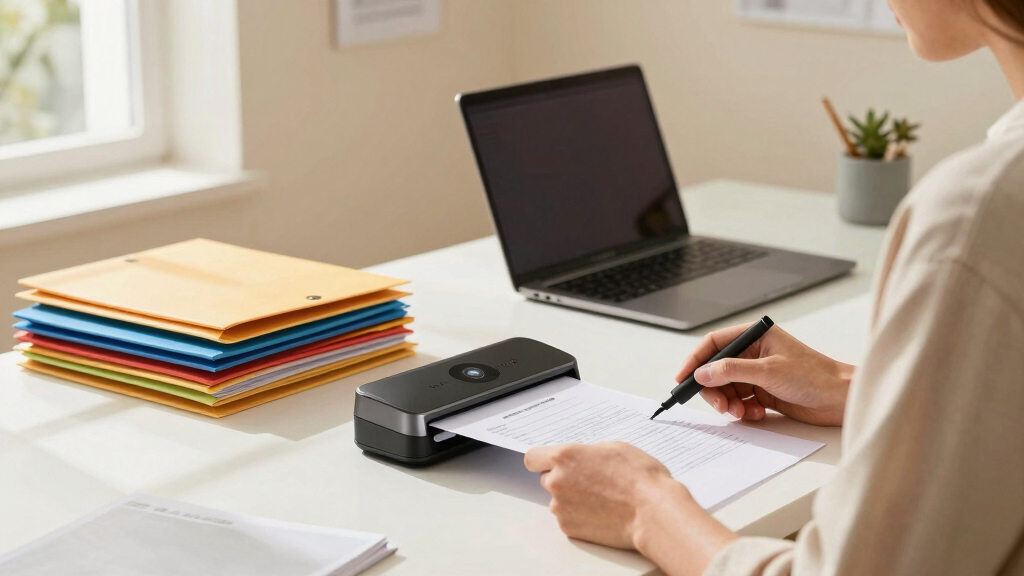
Finding the best document scanner for home paperwork involves balancing speed, ease of use, and portability. The Epson WorkForce ES-580W stands out for its fast duplex scanning and large touchscreen, making it ideal for busy households. The Doxie Go SE offers portability with a rechargeable battery, perfect for scanning on the go. However, many models trade off features like speed or size for affordability or compact design. Continue reading to see a detailed breakdown of the top options and what makes each one a good fit for different needs.
Key Takeaways
- The best overall scanner combines speed, reliability, and ease of use, with the Epson WorkForce ES-580W leading this category.
- Portability is a key feature for home users who also need to scan on the go, with options like Doxie Go SE and Canon R10 excelling here.
- Auto feeders and duplex scanning are essential for efficiently handling large volumes of paperwork, favored by models like ScanSnap iX2400 and Epson ES-580W.
- Price varies widely; the most affordable options often have fewer features but are suitable for light or occasional use.
- Software compatibility and connectivity options, including wireless and cloud integration, are increasingly important for seamless workflows.


More Details on Our Top Picks
Epson WorkForce ES-50 Portable Sheet-Fed Document Scanner for PC and Mac
This compact, lightweight scanner stands out for its portability and quick single-page scans, making it ideal for those who need to digitize papers while moving around the house or from different locations. Compared to larger desktop models like the Epson ES-580W, the ES-50 sacrifices speed and duplex scanning but excels in ease of transport and simple use. Its ability to scan ID cards, receipts, and long pages in as little as 5.5 seconds makes it perfect for quick organization of scattered paperwork or receipts. However, the lack of duplex scanning means it’s less suited for bulk document archiving, requiring more manual effort for double-sided pages. It also relies solely on USB power, which means it’s best for quick tasks rather than continuous high-volume use. This pick makes the most sense for individuals who prioritize portability and quick, occasional scans over high-volume capacity or advanced features.
Pros:- Extremely portable and lightweight, ideal for on-the-go scanning
- Fast scan speed of 5.5 seconds per sheet
- USB powered — no external power supply needed
Cons:- Limited to single-sided scanning; no duplex capability
- Not suitable for large-volume or continuous scanning tasks
- Lacks advanced features like OCR or cloud connectivity
Best for: Home users who need a portable, quick solution to scan receipts, ID cards, or sporadic documents while moving around different rooms or locations.
Not ideal for: People who require high-volume scanning or duplex features for regular home paperwork archiving, as this model handles only one sheet at a time and is less efficient for bulk jobs.
- Scan Speed:5.5 seconds per page
- Connectivity:USB powered
- Paper Handling:Scans documents up to 8.5 x 72 inches
- Compatibility:Windows and Mac
- Additional Features:ID cards, receipts, long pages
- Power Source:USB cable
Bottom line: This scanner is perfect for home users who need a portable, fast device for quick, occasional scans of receipts and IDs without bulk requirements.
Epson Workforce ES-580W Wireless Color Duplex Tax Receipt & Desktop Document Scanner for PC and Mac with 100-sheet Auto Feeder (ADF), Intuitive 4.3′ Touchscreen
This model makes a significant leap for home paperwork with its large 100-sheet auto feeder and duplex scanning, making it suitable for bulk archiving of receipts, bills, and documents. Compared to the portable Epson ES-50, the ES-580W offers much higher capacity, fast speeds of up to 35 pages per minute, and wireless scanning to multiple devices, which streamlines home office workflows. Its 4.3-inch touchscreen simplifies operation for users seeking an intuitive interface. However, its size and higher price point make it less ideal for those who need quick, portable scans or only occasional document handling. The high resolution (up to 1200 dpi) ensures quality scans, and the ability to scan directly to cloud or USB makes it versatile. This pick is best for families or individuals managing large volumes of paperwork regularly at home and needing reliable, fast, and wireless operation.
Pros:- High capacity with 100-sheet auto feeder for bulk scanning
- Wireless connectivity for multiple devices
- Fast scanning speeds of up to 35 pages per minute
Cons:- Larger footprint not suitable for small desks or portable use
- Higher price compared to basic models like the ES-50
- Complex setup may be overwhelming for casual users
Best for: Home users with frequent large-volume scanning needs, who want reliable, duplex, and wireless features for organizing family documents and receipts.
Not ideal for: Those seeking a compact, budget-friendly, or portable scanner, as this model is larger and more suited to regular high-capacity use rather than sporadic tasks.
- Scan Speed:Up to 35 ppm
- Sheet Capacity:100 sheets
- Connectivity:Wireless, USB
- Resolution:Up to 1200 dpi
- Display:4.3-inch touchscreen
- Media Type:Various paper sizes
Bottom line: This scanner is best for home users who need a reliable, high-capacity device with duplex and wireless features for frequent bulk document handling.
Doxie Go SE – The Intuitive Portable Document Scanner with Rechargeable Battery and Easy Software for Home, Office, or Work from Home

Best Portable Scanner for Home Users Focused on Old Photos and Light Document Management
View Latest PriceThis small, battery-powered scanner excels at portability, making it ideal for digitizing old photos, receipts, and light documents without needing a computer. Compared to larger desktop scanners like the Epson ES-580W, the Doxie Go SE offers true portability and the convenience of wireless operation. It scans full-color pages at up to 600 dpi in about 8 seconds, with an internal battery that can handle up to 400 pages per charge. Its software, based on ABBYY OCR technology, creates searchable PDFs and organizes scans efficiently. However, its limited sheet capacity (around 8,000 pages before needing sync) and slower speed on high-resolution scans make it less suited for large-scale document archiving. It’s best for individuals who want a simple, portable device to quickly capture photos, receipts, or small batches of documents at home or on the move.
Pros:- Highly portable and battery-powered for on-the-go scanning
- Fast, full-color scans at 600 dpi in about 8 seconds
- OCR software creates searchable PDFs
Cons:- Limited sheet capacity for continuous scanning
- Slower on high-resolution scans compared to larger desktop models
- Requires sync to a computer for storage and organization
Best for: Home users who want a portable, easy-to-use scanner for photos, receipts, and occasional documents without the need for high-volume processing.
Not ideal for: People with large or high-volume document archiving needs, as the Doxie Go SE is best suited for small batches and light use.
- Scan Resolution:600 dpi
- Sheet Capacity:Up to 8,000 pages
- Power:Rechargeable battery
- Connectivity:Wireless, USB
- Scan Speed:8 seconds per page
- Software:ABBYY OCR
Bottom line: This scanner is ideal for home users who prioritize portability and quick scans of photos and receipts over high-volume or duplex document handling.
Epson FastFoto FF-680W Wireless High-Speed Photo and Document Scanning System, Black

Best High-Speed Photo and Document Scanner for Preserving Old Photos and Light Documents
View Latest PriceThis top-tier scanner specializes in rapid photo digitization, capable of scanning thousands of photos at a rate of one per second, which makes it perfect for families wanting to preserve old memories. Compared to the other models, the FF-680W handles both photos and documents with high resolution (up to 600 dpi) and offers auto enhancement, color restoration, and red-eye reduction, bringing new life to vintage photos. Its ability to scan multiple formats and batch process large quantities makes it ideal for extensive photo collections. The wireless connectivity and cloud sharing features add convenience for home use. However, the high price and large size mean it’s less suitable for casual, infrequent scanning or small home spaces. It’s best for those with a large collection of photos or light documents to digitize efficiently while maintaining excellent quality.
Pros:- Scans photos at an incredible rate of 1 per second
- Auto enhancement and color restoration features
- Batch scanning of multiple photo formats
Cons:- Expensive compared to standard document scanners
- Large footprint not suitable for small desks
- Primarily designed for photos, less ideal for heavy document archiving
Best for: Home users wanting to rapidly digitize and restore a large collection of old photos and occasional documents in a home environment.
Not ideal for: Users with limited space or those needing a budget-friendly, simple document-only scanner, as this model is larger and more specialized.
- Scan Speed:1 photo/sec
- Resolution:600 dpi
- Media Types:Photos, documents
- Connectivity:Wireless, USB
- Auto Features:Color restoration, de-skew
- Batch Processing:Yes
Bottom line: This is best for families or individuals with large photo archives who want fast, high-quality digitization and restoration for memories and light documents.
ScanSnap iX2400 High-Speed Simple One-Touch Button Color Document, Photo & Receipt Scanner with 100 Page Auto Document Feeder for Mac or PC, Black
The ScanSnap iX2400 offers a balanced mix of speed, simplicity, and versatility, ideal for home users with moderate document, photo, and receipt scanning needs. Its one-touch operation allows users to scan up to 45 pages per minute with a 100-sheet auto feeder, making bulk jobs quick and effortless. Compared to the larger ES-580W, it’s more compact yet still handles duplex scanning efficiently, and its reliable USB connection ensures consistent performance. The software suite simplifies organizing, editing, and managing a variety of media types. Its main drawback is that it doesn’t have wireless connectivity, so it’s less flexible for multiple device use. Still, for users wanting a speedy, straightforward scanner that handles diverse paper types with ease, this is an excellent choice for home or light home-office workflows.
Pros:- Fast scanning speed up to 45 pages per minute
- User-friendly one-touch operation
- Handles a mix of documents, photos, and receipts
Cons:- No wireless connectivity; relies on USB only
- Limited to 100-sheet auto feeder
- Less suitable for very high-volume bulk jobs
Best for: Home users seeking a fast, reliable, easy-to-use scanner for documents, receipts, and photos with minimal setup and maintenance.
Not ideal for: Those needing wireless or multi-device connectivity, or very high-volume scanning, as this model is designed for speed and simplicity over extensive capacity.
- Scan Speed:Up to 45 ppm
- Sheet Capacity:100 pages
- Connectivity:USB only
- Resolution:600 dpi
- Media Types:Documents, photos, receipts
- Operation:One-touch button
Bottom line: This scanner is perfect for home users who want fast, simple, and reliable document and photo scanning with minimal fuss and setup.
ScanSnap iX2500 Wireless or USB High-Speed Cloud Enabled Document, Photo & Receipt Scanner with Large 5″ Touchscreen and 100 Page Auto Document Feeder for Mac or PC, Black
The ScanSnap iX2500 earns its top spot thanks to its combination of speed, ease of use, and cloud integration, making it ideal for those managing large volumes of documents at home. Compared with the ScanSnap iX1300, it offers a larger touchscreen and a more robust 100-sheet feeder, which is better suited for heavy home paperwork loads, though it’s slightly bulkier and more expensive. Its double-sided scanning at 45ppm ensures quick turnaround for stacks of papers, and the cloud support simplifies storage without needing a computer. However, the scanner’s more complex setup and slightly fragile output tray are tradeoffs for its high capacity and speed. This model is perfect for busy households or small home offices that need dependable, high-volume scanning with minimal fuss.
Pros:- High-speed double-sided scanning at 45ppm
- Large 100-sheet auto document feeder
- Wireless and USB-C connectivity for flexible placement
- Customizable profiles and quick menu for ease of use
Cons:- Heavier and larger than more compact models, less ideal for small spaces
- Output tray is thinner and more fragile, requiring careful handling
- Setup can be complex, especially for wireless configuration
Best for: Home users with frequent, large document batches, like tax papers or family records
Not ideal for: Casual users with occasional scanning needs, as the higher price and size may be unnecessary
- Scanner Type:Business Document Scanner
- Connection Type:Wi-Fi, USB-C
- Resolution:600 dpi
- Sheet Capacity:100 sheets
- Color Depth:24-bit
- Dimensions:6.26″D x 11.5″W x 6.34″H
- Weight:7.7 pounds
Bottom line: This pick makes the most sense for households with frequent, high-volume scanning needs and space for a robust device.
Canon imageFORMULA P-215II Mobile Document Scanner, Black, 1.6″ x 11″ x 3.7″
The Canon P-215II shines as a portable option ideal for users who need to scan documents on the move without sacrificing decent speed or quality. Unlike the ScanSnap iX1300, which is more compact and designed for desk use, the P-215II easily slips into a bag, making it perfect for remote work, travel, or quick home setups. It handles a variety of document types, including business cards and long receipts, and can scan both sides simultaneously at 15ppm, which is slower but still efficient for light use. Its bundled software simplifies organizing scans, though its small size limits its capacity and may struggle with larger batches. This device is best suited for individuals with minimal daily volume who prioritize portability and convenience over high capacity or speed.
Pros:- Compact, lightweight, easy to carry
- Handles various document types including business cards
- Double-sided scanning in one pass
- Compatible with cloud services like Dropbox and Google Drive
Cons:- Slower at 15ppm compared to desktop models
- Limited sheet capacity (20 sheets)
- Small form factor can be tricky for larger documents
Best for: Frequent travelers or remote workers needing lightweight, portable scanning
Not ideal for: Home office users with large document stacks, due to slower speed and smaller capacity
- Scanner Type:Mobile Document Scanner
- Connection Type:USB
- Resolution:600 dpi
- Sheet Capacity:20 sheets
- Color Depth:48-bit
- Dimensions:1.6″x11″x3.7″
- Weight:1.6 pounds
Bottom line: This scanner is ideal for those who need mobility and light-duty scanning without a bulky device.
Canon Canoscan Lide 300 Scanner (PDF, AUTOSCAN, Copy, Send)
The Canon Canoscan Lide 300 is a straightforward, budget-friendly flatbed scanner perfect for occasional use at home, especially when high volume isn’t necessary. Unlike the ScanSnap iX2500 or portable options, this model lacks an automatic document feeder but excels at scanning delicate or fragile items like photos and artwork with high-quality results. Its Auto Scan mode detects document type and optimizes settings, making it user-friendly for infrequent users. The main tradeoff is its slower scanning speed and inability to handle large stacks quickly, making it less suited for regular bulk processing. This device makes sense for users who need occasional digitization of photos, artwork, or a few documents without the clutter of extra features.
Pros:- Affordable and easy to use
- High-resolution scans suitable for photos and artwork
- Auto Scan feature for quick setup
- Compact and space-saving design
Cons:- No automatic document feeder, slow for bulk tasks
- Limited to flatbed scanning, less versatile for large stacks
- Slower throughput compared to multi-sheet feeders
Best for: Home hobbyists or families scanning infrequent documents or photos
Not ideal for: Busy households needing rapid, high-volume document processing
- Scanner Type:Flatbed Scanner
- Connection Type:USB
- Resolution:600 dpi
- Sheet Capacity:N/A
- Color Depth:48-bit
- Dimensions:3.7″ x 11″ x 1.6″
- Weight:3.3 pounds
Bottom line: This flatbed scanner fits light, occasional use for families or hobbyists who prioritize simplicity and quality.
Epson Workforce ES-400 II Color Duplex Desktop Document Scanner for PC and Mac with Auto Doc Feeder (ADF), Image Adjustment Tools
The Epson Workforce ES-400 II is a robust desktop scanner designed for high-speed, duplex document processing, making it a strong choice for home offices that handle substantial paperwork. Unlike the ScanSnap iX1300, which emphasizes compactness, the ES-400 II offers a 50-sheet ADF and fast scanning speeds, ideal for bulk receipts, reports, or tax documents. Its software includes image adjustment tools and OCR, facilitating efficient organization and conversion to searchable PDFs. The downsides include its larger size compared to portable scanners and a higher price point, which might be excessive for casual users. This device is best for home users who want professional-grade speed and features without the expense of dedicated office equipment.
Pros:- Fast scanning with 50-sheet auto feeder
- Duplex scanning for both sides simultaneously
- Image adjustment tools and OCR included
- Compatible with PC and Mac
Cons:- Larger footprint, less portable
- Higher cost compared to basic models
- No wireless connectivity
Best for: Home users managing frequent, large batches of documents needing fast processing
Not ideal for: Users with limited space or infrequent scanning needs, due to size and cost
- Scanner Type:Color Duplex Desktop Scanner
- Connection Type:USB
- Resolution:600 dpi
- Sheet Capacity:50 sheets
- Color Depth:48-bit
- Dimensions:11.7″W x 4.5″D x 3.3″H
- Weight:4.4 pounds
Bottom line: This scanner offers professional-speed processing ideal for busy households with consistent large-volume needs.
ScanSnap iX1300 Compact Wireless or USB Double-Sided Color Document, Photo & Receipt Scanner with Auto Document Feeder and Manual Feeder for Mac or PC, Black
The ScanSnap iX1300 combines compact design with fast duplex scanning, making it perfect for home users with limited space who still want reliable performance. Unlike the iX2500, which targets high-volume needs, the iX1300 is more suitable for casual daily scanning of receipts, photos, and documents, with up to 30ppm speed and an auto feeder that simplifies workflow. Its small footprint and wireless capability allow flexible placement, though it offers a lower sheet capacity (50 sheets) and slightly slower speed than larger models. The intuitive software and one-touch operation make it ideal for users who want quick, easy digitization without cluttering their desk.
Pros:- Compact, space-saving design
- Wireless and USB connectivity
- Fast duplex scanning at 30ppm
- Easy one-touch operation
Cons:- Lower sheet capacity (50 sheets)
- Less suitable for high-volume tasks
- No advanced image adjustment features
Best for: Home users seeking a space-efficient, easy-to-use scanner for moderate daily tasks
Not ideal for: Households with large batches of documents needing rapid processing
- Scanner Type:Color Document Scanner
- Connection Type:Wi-Fi, USB
- Resolution:600 dpi
- Sheet Capacity:50 sheets
- Color Depth:48-bit
- Dimensions:4.5″D x 11.7″W x 3.3″H
- Weight:4.4 pounds
Bottom line: Ideal for small spaces, this scanner provides quick, reliable scans for everyday household needs without bulk.
Canon imageFORMULA R10 – Portable Document Scanner, USB Powered, Duplex Scanning, Document Feeder, Easy Setup, Convenient, Perfect for Mobile Users, White
This compact, lightweight scanner excels at turning paper documents into digital files quickly, making it ideal for those who need portability without sacrificing speed. Compared with the Epson Workforce ES-C220, the Canon R10 offers duplex scanning in a more portable form factor, though it has a slightly lower page-per-minute rate. Its automatic duplex feature and 20-sheet feeder make batch scanning effortless, especially on the go. The high-resolution imaging (600 dpi) and built-in software facilitate crisp, searchable PDFs and image edits without extra fuss. However, its reliance on USB power and limited capacity (suggested 500 scans daily) mean it’s best for light to moderate use rather than high-volume scanning. Overall, this model makes the most sense for mobile professionals or remote workers needing reliable, high-quality scans anywhere.
Pros:- Lightweight and small, perfect for mobile use
- Automatic duplex scanning saves time on both sides
- Built-in software requires no installation
Cons:- Limited daily volume capacity (around 500 scans)
- No Ethernet or Wi-Fi connectivity, reliant on USB
- Slightly slower than some desktop models with 12 ppm speed
Best for: Freelancers or remote workers who need a portable scanner with duplex capability and easy setup.
Not ideal for: High-volume office environments requiring continuous scanning, as it’s designed for portability over capacity.
- Scanner Type:Portable document scanner
- Connection Type:USB
- Resolution:600 dpi
- Sheet Capacity:20 sheets
- Color Depth:24-bit
- Media Size:Up to 8.5 x 14 inches
- Wattage:2.5W
- Weight:998 grams
Bottom line: Ideal for mobile professionals who value portability and decent speed for moderate scanning needs.
Brother DS-640 Compact Mobile Document Scanner, (Model: DS640)
The Brother DS-640 stands out for its impressive speed—scanning up to 16 pages per minute in both color and black-and-white modes—making it highly efficient for quick document digitization. It’s notably more affordable than the Doxie Pro, yet still offers duplex scanning and a 20-page auto feeder, which makes batch processing simple. Its ultra-compact size allows it to slip into a bag or pocket, perfect for on-the-go scanning. Supported across Windows, Mac, and Linux, it offers versatile software options, including OCR. Its main tradeoff is that it lacks higher resolutions or advanced image editing features found in larger desktop scanners. This pick makes the most sense for students, travelers, or small business owners needing rapid, portable scans without breaking the bank.
Pros:- Fast scanning speed of 16 ppm in color and B&W
- Ultra-compact and portable design
- Supports multiple operating systems with versatile software
Cons:- Limited resolution at 300 dpi, not ideal for photo quality
- No wireless or Bluetooth connectivity
- Basic build without advanced image correction features
Best for: Students or small business owners needing a portable, affordable scanner that handles large batches quickly.
Not ideal for: High-resolution needs or delicate photo scans, as it’s optimized for speed over detailed image quality.
- Scanner Type:Mobile document scanner
- Connection Type:USB 3.0
- Speed:16 ppm
- Resolution:300 dpi
- Sheet Capacity:20 sheets
- Media Size:Up to 8.5 inches wide
- Color Depth:Supports color
- Weight:Approx. 1.5 lbs
Bottom line: A highly portable, fast scanner perfect for quick batch runs on the move with minimal fuss.
Doxie Pro – Duplex Document Scanner and Receipt Scanner for Home and Office with Amazing Software for Mac and PC
The Doxie Pro excels at versatile, high-quality scanning with a focus on duplex, crisp images, and straightforward software. It’s an excellent choice for users who need to scan various media—receipts, reports, photos, and even delicate documents—without fuss. Its auto-cropping, straightening, and contrast boost features streamline workflow, and the 600 dpi resolution ensures legible, detailed digital files. Compared to the Canon R10, the Doxie Pro offers more advanced image correction and handles a wider range of media types, though it’s slightly bulkier and pricier at full retail. Its collapsible feed and direct slot allow for delicate or thicker papers to be scanned with ease. This makes it perfect for home office users or creative professionals seeking quality over portability.
Pros:- High-resolution 600 dpi scans for detailed images
- Auto-cropping, straightening, and contrast enhancement
- Supports a wide range of media types, including delicate papers
Cons:- Relatively higher price point, especially new
- Bulkier than ultra-portable models
- Requires connection to a power source, not battery operated
Best for: Home office users or small business owners who want high-quality, multi-media scanning with easy-to-use software.
Not ideal for: Users needing ultra-portable scanners or those with extremely tight budgets, as it’s priced higher with a larger footprint.
- Scanner Type:Duplex document scanner
- Resolution:600 dpi
- Media Handling:20 sheets auto feeder
- Connectivity:USB
- Weight:3 pounds
- Supports:Photos, receipts, reports
- Software Features:Auto cropping, contrast, rotation
- Model Number:DX400
Bottom line: Best suited for users who prioritize image quality and media versatility in a home or small office environment.
Doxie Pro – Duplex Document Scanner and Receipt Scanner for Home and Office with Amazing Software for Mac and PC
The Doxie Pro stands out for its ability to produce high-quality, crisp images with minimal setup, making it ideal for home or small office environments that handle a variety of documents. Its auto-cropping, straightening, and contrast features reduce editing time, and the 600 dpi resolution captures fine details. While it’s more expensive than simple portable options like the Canon R10, the Doxie Pro’s software is highly intuitive, supporting direct uploads to cloud services and OCR. Its collapsible design and direct feed slot enable delicate or thick papers to be scanned easily. The main tradeoff is its size—less portable than smaller models—and price, which might be prohibitive for infrequent users. It’s perfect for those wanting reliable, high-quality scans across diverse media types at home or in a small office.
Pros:- 600 dpi high-resolution imaging
- Automatic cropping, straightening, and contrast boost
- Supports a wide range of media including delicate papers
Cons:- Higher price compared to basic portable scanners
- Bulkier size limits portability
- Requires external power source
Best for: Home or small office users who need versatile, high-resolution scans with automatic editing features.
Not ideal for: Travelers or those needing a highly portable device, due to its larger size and higher cost.
- Scanner Type:Duplex document and receipt scanner
- Resolution:600 dpi
- Media Capacity:20 sheets
- Connectivity:USB
- Weight:3 pounds
- Features:Auto-cropping, contrast, OCR
- Model Series:DX400
- Supports:Photos, receipts, documents
Bottom line: A smart choice for users prioritizing high-quality, versatile scanning with minimal editing effort at home or in a small office.
Brother DS-740D Duplex Compact Mobile Document Scanner
The Brother DS-740D is a compact, space-efficient scanner that offers reliable duplex scanning at an affordable price. Its one-pass, 16 ppm speed for both color and black-and-white documents makes it suitable for quick batch processing, especially for mobile users or those with limited desk space. Designed for portability, its small size—less than a foot—fits easily into bags and has a convenient micro USB 3.0 power connection, making it usable anywhere without outlets. Supported across multiple OS platforms with OCR and image enhancement features, it’s ideal for simple, everyday document scanning. The main tradeoff is its resolution—at 300 dpi—suitable for general documents but not ideal for detailed images or photos. This model makes sense for travelers, students, or busy professionals needing quick scans without extra bulk or expense.
Pros:- Fast duplex scanning at 16 ppm
- Extremely compact and lightweight
- Powered via USB—no need for outlet
Cons:- Limited resolution at 300 dpi
- No wireless connectivity
- Basic build with fewer advanced features
Best for: Travelers or students who need a compact, fast scanner for everyday documents and receipts.
Not ideal for: High-resolution photo scans or detailed image work, due to its 300 dpi resolution.
- Scanner Type:Duplex mobile scanner
- Speed:16 ppm
- Resolution:300 dpi
- Media Size:Up to 8.5 inches wide
- Connectivity:USB 3.0
- Weight:Less than 1 foot in size
- Color Support:Color and B&W
- Power:USB powered
Bottom line: Ideal for portable, quick scanning of everyday documents where space is limited and high resolution isn’t critical.
How We Picked
This lineup was assembled based on a combination of performance, ease of use, build quality, and value. I prioritized products with reliable scanning speeds, user-friendly interfaces, and features like duplex scanning or auto feeders that significantly improve efficiency. Portability was a key criterion for mobile models, while connectivity options such as Wi-Fi and cloud integration were important for home office flexibility. To rank these options, I considered user reviews, feature sets relative to price, and how well each model balances everyday usability with long-term durability.Factors to Consider When Choosing Best Document Scanner For Home Paperwork
Choosing the best document scanner for home paperwork involves understanding your specific needs and the tradeoffs involved. Critical factors include speed, portability, connectivity, and ease of use. A scanner with an auto feeder can save hours when digitizing large stacks, but may be overkill for occasional use. Conversely, portable models excel for on-the-go scanning but may lack high-speed features or large paper capacity. Being clear on your volume, space, and connectivity preferences will help narrow your options and prevent costly mistakes.Scanning Speed and Volume
If you frequently need to digitize large batches of documents, prioritize models with auto feeders and high pages-per-minute ratings. For occasional use, slower, simpler scanners may suffice, saving you money. Overestimating your volume can lead to frustration, while underestimating can mean replacing a less capable model prematurely. Consider your typical workload to choose a device that balances speed and affordability effectively.
Portability and Size
Deciding between a desktop scanner and a portable one depends on your space and mobility needs. Compact, lightweight models like the Canon R10 are ideal for small spaces or mobile scanning, while larger units with auto feeders suit a dedicated home office. Keep in mind that smaller scanners may compromise on features like document capacity or scanning speed, so align your choice with your primary use cases.
Connectivity and Software
Wireless scanning and cloud integration are increasingly important for seamless workflows. Look for models with Wi-Fi or Bluetooth if you want to scan directly to cloud services or mobile devices. Compatibility with popular apps like Dropbox, Evernote, or Google Drive can streamline your organization. Be cautious of models that require complex setups or limited app support, as these can hinder your efficiency over time.
Ease of Use and Maintenance
Intuitive controls, clear display screens, and straightforward software are vital for avoiding frustration. Features like automatic image correction and easy paper feeding reduce setup time and errors. Maintenance factors, such as how often you need to clean rollers or replace parts, should also influence your choice—more complex models may require more upkeep, which can be a hassle for casual users.
Price and Long-term Value
Budget models can be appealing but often lack advanced features or durability for heavy use. Investing a bit more can yield higher speeds, better build quality, and longer-lasting performance—especially important if you plan to scan often. Consider your long-term needs versus your initial budget to find a balance that offers the best value for your home setup.
Frequently Asked Questions
Do I need a duplex scanner for home paperwork?
While duplex scanners can significantly speed up the process by scanning both sides of a document simultaneously, they are not essential for light or infrequent use. If your primary need is occasional scanning of single-sided documents, a simpler model may suffice. However, for larger volumes or if you want to save time, a duplex scanner offers notable efficiency benefits.
Is wireless connectivity necessary for a home document scanner?
Wireless connectivity adds convenience by allowing you to scan directly to your devices or cloud services without cables. If your home setup involves multiple devices or you prefer a clutter-free workspace, wireless models are advantageous. However, wired scanners tend to be more reliable and sometimes faster, so consider your workflow preferences and technical comfort level.
How often should I clean or maintain my scanner?
Regular cleaning, especially of the rollers and glass surfaces, helps maintain scan quality and prolongs the device’s lifespan. For light use, a monthly cleaning or whenever you notice streaks or jams is sufficient. If you scan daily or handle high volumes, more frequent maintenance may be necessary to prevent issues and ensure consistent performance.
Can I use a home scanner for photo scanning as well?
Many document scanners can handle basic photo scanning, but they are often optimized for text and document quality. If you intend to scan high-resolution photos regularly, a dedicated photo scanner or a model with higher optical resolution may be better. For occasional photo scans, a versatile document scanner like the ScanSnap or Epson models can suffice.
What is the typical lifespan of a home document scanner?
With proper care, most home scanners last between 3 to 5 years, depending on usage and build quality. Regular maintenance, careful handling, and avoiding overloading the paper feed can extend their lifespan. Investing in a higher-quality model with replaceable parts often results in better long-term durability, especially if you plan to scan frequently.
Conclusion
For general home use, the Epson WorkForce ES-580W makes the most sense as the best overall choice, offering a good balance of speed, features, and user-friendly design. Budget-conscious users or those with light needs may prefer the Canon Canoscan Lide 300 or Brother DS-640 for affordability and simplicity. If portability is a priority, the Canon R10 or Brother DS-740D suit mobile workflows well. For tech-savvy users wanting advanced features and faster throughput, the ScanSnap iX2400 or Epson ES-580W are excellent premium options. Your choice ultimately depends on your volume, space, and connectivity preferences—consider these factors carefully before making a decision.