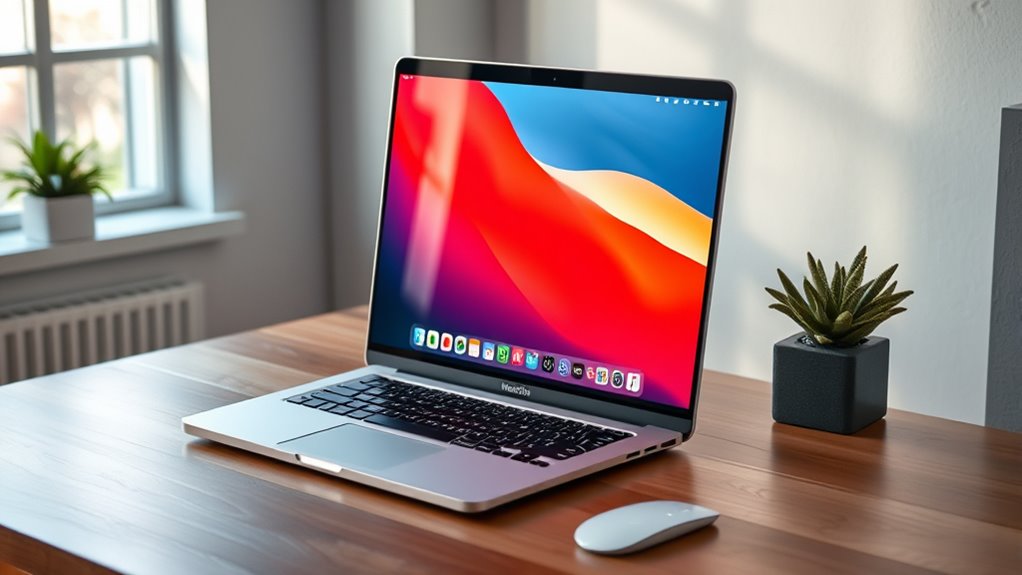

If you’re looking for the best 5K monitors for your MacBook Pro in 2025, I’ve got you covered with top options like Apple’s Studio Display and Pro Display XDR. These models offer stunning resolution, superb color accuracy, and flexible ergonomic features. They’re perfect for creative work and professional workflows. Stick around and I’ll guide you through the key features and what to weigh up to find the perfect match for your needs.
Key Takeaways
- Highlights top-tier 5K monitors with high resolution, color accuracy, HDR support, and professional features tailored for MacBook Pro users.
- Emphasizes ergonomic design, adjustable stands, VESA compatibility, and premium build quality for long-term comfort and durability.
- Details connectivity options like Thunderbolt 3, USB-C, and power delivery to ensure seamless MacBook Pro integration.
- Offers insights on display tech, including P3 wide color gamut, 10-bit color, Nano-Texture Glass, and high brightness levels for vibrant visuals.
- Guides selecting monitors based on usage needs, workspace constraints, and features like HDR, color accuracy, and ergonomic flexibility.
Apple Studio Display with Adjustable Stand
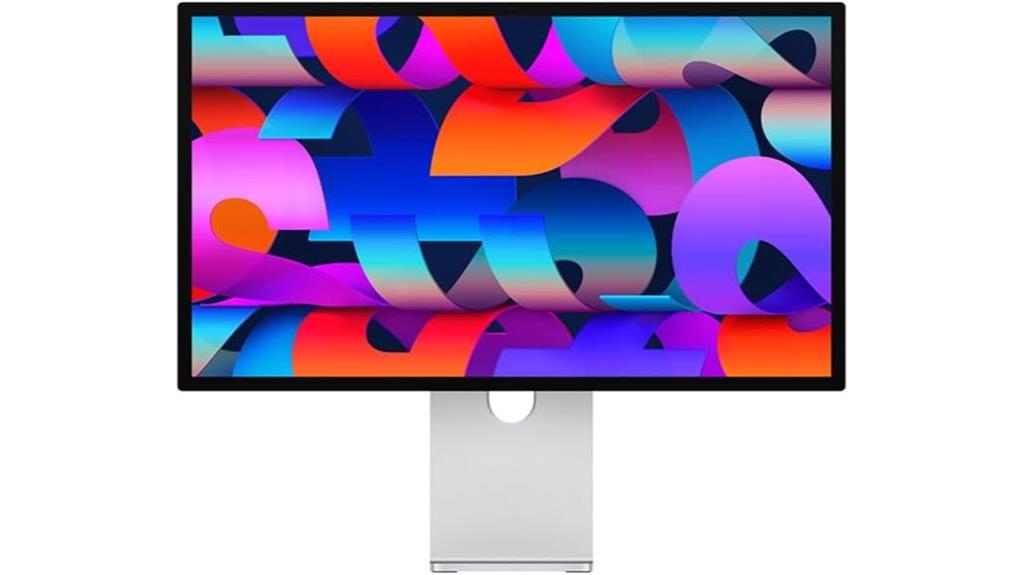
If you’re looking for a monitor that combines stunning visuals with flexible ergonomic adjustments, the Apple Studio Display with adjustable stand is an excellent choice. Its 27-inch 5K Retina display delivers sharp images, vibrant colors, and supports a billion colors with P3 wide color. The nano-texture glass option adds versatility for different lighting conditions. The tilt- and height-adjustable stand lets you customize your viewing angle for maximum comfort. It features a 12MP Ultra Wide camera with Center Stage, studio-quality microphones, and a six-speaker system with Spatial Audio for a premium audiovisual experience. Plus, with Thunderbolt 3 and USB-C ports, it offers versatile connectivity.
Best For: creative professionals, designers, and remote workers who need a high-resolution display with flexible ergonomic adjustments and premium audiovisual features.
Pros:
- Stunning 27-inch 5K Retina display with vibrant colors and Nano-texture glass option for versatile lighting conditions
- Adjustable tilt and height stand for customized ergonomic comfort
- High-quality audio and video with a 12MP Ultra Wide camera, studio microphones, and Spatial Audio
Cons:
- Limited to one Thunderbolt 3 and three USB-C ports, which may require additional hubs for extensive connectivity
- Premium price point may be a consideration for budget-conscious users
- The display size and features are tailored for specific professional use cases, possibly overkill for casual users
Apple Studio Display with Nano-Texture Glass and Tilt-Adjustable Stand
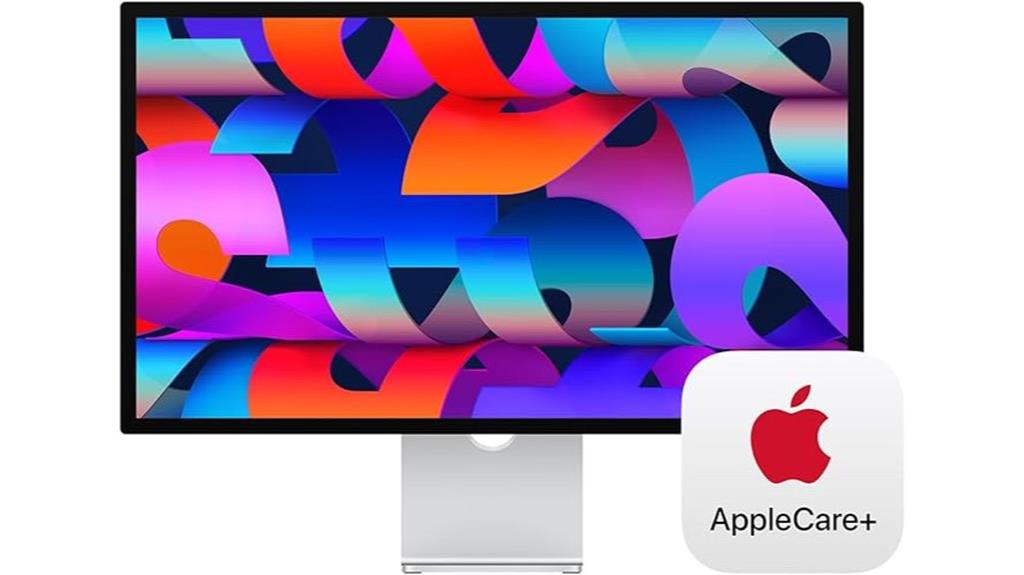
The Apple Studio Display with Nano-Texture Glass and a tilt-adjustable stand is ideal for creative professionals and power users who demand stunning image quality and flexible ergonomics. Its 27-inch 5K Retina display supports a billion colors and P3 wide color, delivering vibrant, accurate visuals. The Nano-Texture Glass minimizes glare and enhances detail, perfect for detailed work. The tilt-adjustable stand offers personalized comfort, while the 12MP Ultra Wide camera with Center Stage and studio-quality microphones ensure crisp video calls. With six-speaker Spatial Audio and USB-C ports, it provides immersive sound and versatile connectivity, all seamlessly integrated with Mac devices for a premium user experience.
Best For: creative professionals and power users seeking a stunning high-resolution display with flexible ergonomics and advanced video conferencing features.
Pros:
- Exceptional 27-inch 5K Retina display with Nano-Texture Glass for vibrant and detailed visuals
- Tilt-adjustable stand and seamless Mac integration for personalized comfort and ease of use
- Studio-quality microphones and Ultra Wide camera with Center Stage for professional video calls
Cons:
- Premium price point may be prohibitive for some users
- Limited to Mac-compatible devices, reducing versatility with other platforms
- Fixed stand tilt adjustment offers limited ergonomic flexibility compared to fully adjustable stands
Apple Studio Display – Standard Glass – VESA Mount Adapter

For professionals who demand top-tier visual quality and seamless compatibility with their MacBook Pro, the Apple Studio Display with Standard Glass and VESA Mount Adapter is an excellent choice. Its 27-inch 5K Retina display delivers stunning images with one billion colors and P3 wide color support, all at 600 nits brightness. The nano-texture glass option provides an optional matte finish for reduced glare. Equipped with a 12MP Ultra Wide camera, studio-quality microphones, and a six-speaker system with Spatial Audio, it offers impressive audio-visual performance. With a single Thunderbolt 3 port, three USB-C ports, and 96W power delivery, it’s designed for professional workflows and versatile mounting options.
Best For: professionals and creatives who need a high-quality, versatile display with seamless Mac compatibility and stunning visual and audio features.
Pros:
- 27-inch 5K Retina display with support for one billion colors and P3 wide color for vibrant visuals
- Advanced audio-visual features including a 12MP Ultra Wide camera, studio-quality microphones, and Spatial Audio
- Multiple ports (Thunderbolt 3 and USB-C) with 96W power delivery for versatile connectivity and device charging
Cons:
- Premium price point may be a barrier for budget-conscious buyers
- Limited stand options may restrict customization for certain workspace setups
- First available in March 2025, potentially delaying immediate purchase for some users
Apple Studio Display – Standard Glass – Tilt-Adjustable Stand

Designed with creative professionals in mind, the Apple Studio Display with Standard Glass and a tilt-adjustable stand offers a stunning 27-inch 5K Retina display that delivers exceptional image clarity and color accuracy. With support for one billion colors, P3 wide color, and 600 nits brightness, it guarantees vibrant visuals perfect for detailed work. The tilt-adjustable stand allows for comfortable positioning, while connectivity options include one Thunderbolt 3 port, three USB-C ports, and 96W power delivery, making it ideal for MacBook Pro users. Its sleek dimensions and lightweight design also make it a stylish, functional addition to any workspace.
Best For: creative professionals and Mac users seeking a high-resolution, color-accurate display with versatile connectivity and adjustable stand options.
Pros:
- Stunning 27-inch 5K Retina display with support for one billion colors and P3 wide color
- Tilt-adjustable stand for customized ergonomic positioning
- Multiple connectivity options including Thunderbolt 3 and USB-C ports with 96W power delivery
Cons:
- Premium price point may be prohibitive for some users
- Limited to Mac compatibility for optimal performance
- Larger footprint may require dedicated workspace planning
Apple Pro Display XDR – Nano-Texture Glass

If you’re looking for a monitor that delivers ultimate color accuracy and stunning visual clarity, the Apple Pro Display XDR with Nano-Texture Glass is an excellent choice for professionals. Its 32-inch 6K Retina display offers a resolution of 6016 x 3384 pixels, ensuring razor-sharp images. The Nano-Texture Glass reduces glare while maintaining vibrant colors, making it ideal for detailed work. With Extreme Dynamic Range (XDR), 1000 nits sustained brightness, and a contrast ratio of 1,000,000:1, it provides exceptional visual depth. Designed for high-end professional use, it’s perfect for editing, color grading, and any task demanding precision.
Best For: professionals who require the highest level of color accuracy, visual clarity, and dynamic range for tasks like editing, color grading, and detailed design work.
Pros:
- Exceptional 6K resolution with razor-sharp image quality
- Premium Nano-Texture Glass reduces glare while maintaining vibrant colors
- High contrast ratio of 1,000,000:1 and XDR support for stunning visual depth
Cons:
- Large size and weight may require a dedicated workspace and sturdy mounting solutions
- Stand and VESA Mount Adapter sold separately, increasing overall cost
- Premium pricing may not be suitable for casual or non-professional users
Apple Pro Display XDR – Standard Glass

The Apple Pro Display XDR – Standard Glass stands out as the top choice for professionals demanding uncompromising visual quality. This 32-inch LCD offers a stunning Retina 6K resolution (6016 x 3384 pixels) with Extreme Dynamic Range (XDR), delivering high brightness (up to 1600 nits peak) and contrast (1,000,000:1). Its P3 wide color gamut and 10-bit color depth ensure vibrant, accurate colors from any angle. Weighing 30.4 pounds and measuring 1.1 x 28.3 x 25.7 inches, it’s compatible with Apple’s Pro Stand and VESA mount. It’s a powerhouse designed for demanding creative work, available since March 2025.
Best For: Creative professionals and visual artists who require ultra-high resolution, accurate color reproduction, and superior contrast for demanding multimedia and design work.
Pros:
- Exceptional 6K Retina display with stunning clarity and detail
- High brightness and contrast ratio for dynamic visuals and HDR content
- Wide color gamut and 10-bit color depth ensure vibrant, true-to-life colors from any angle
Cons:
- Heavy weight (30.4 pounds) and large size may require sturdy mounting solutions
- Premium price point may be prohibitive for casual or hobbyist users
- Compatibility limited to specific stands and VESA mounts, possibly requiring additional purchases
Apple Studio Display – Nano-Texture Glass – VESA Mount Adapter

For professionals seeking the highest image fidelity and minimal glare, the Apple Studio Display with Nano-Texture Glass and VESA Mount Adapter offers an exceptional solution. Its 27-inch 5K Retina display delivers 600 nits brightness and support for a billion colors, ensuring stunning, accurate visuals. The Nano-texture glass option reduces reflections, making it ideal for bright environments. Equipped with a 12MP Ultra Wide camera, studio-quality microphones, and a six-speaker system with Spatial Audio, it provides excellent video and audio quality. With versatile connectivity—including Thunderbolt 3 and USB-C ports—and a VESA mount adapter, it’s perfect for professional setups demanding superb image quality and flexible mounting options.
Best For: professionals and creatives who prioritize exceptional image fidelity, accurate color reproduction, and minimal glare in their workspace.
Pros:
- Stunning 5K Retina display with support for a billion colors and high brightness of 600 nits
- Nano-texture glass option reduces reflections, ideal for bright environments
- Comprehensive audio and video features including Ultra Wide camera, studio-quality microphones, and Spatial Audio
Cons:
- Premium price point may be considered expensive for some users
- Not optimized for high refresh rates or gaming performance due to slow response times
- Lacks the latest display technologies like OLED or microLED, limiting contrast and deep blacks
Apple Studio Display with Nano-Texture Glass and Adjustable Stand
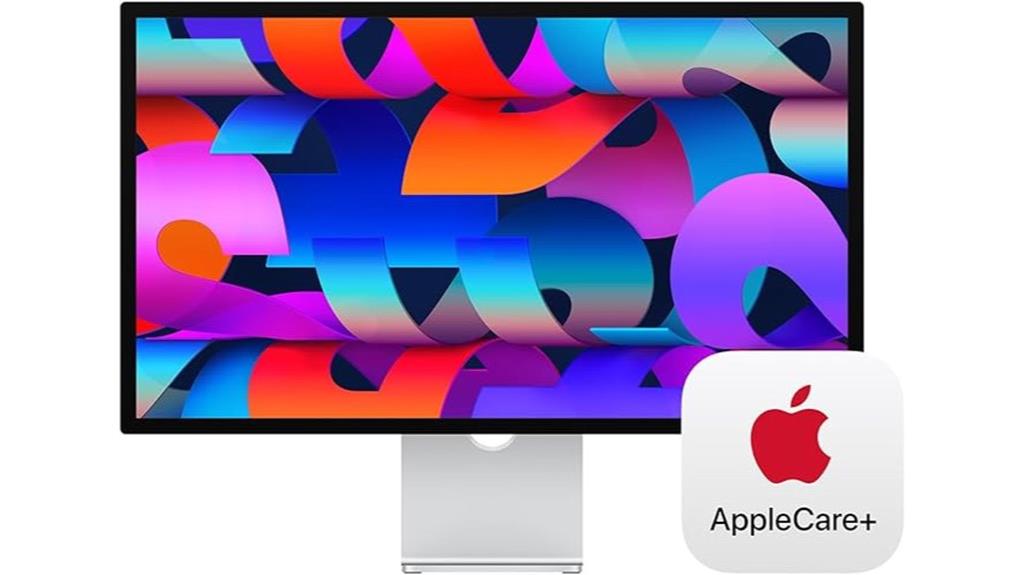
The Apple Studio Display with Nano-Texture Glass and an adjustable stand stands out as an ideal choice for professionals seeking a premium, customizable viewing experience. Its immersive 27-inch 5K Retina display offers stunning clarity, supporting a billion colors and P3 wide color for vivid visuals. The Nano-Texture Glass minimizes glare, enhancing image quality in bright environments. The tilt- and height-adjustable stand ensures ergonomic comfort, while the built-in 12MP Ultra Wide camera with Center Stage keeps you engaged during video calls. With studio-quality microphones, spatial audio, and versatile connectivity options, this display combines superb visuals and sound with flexibility and durability, backed by AppleCare+ for peace of mind.
Best For: professionals and creatives seeking a high-quality, customizable display with superb visuals, sound, and versatile connectivity for demanding work and multimedia use.
Pros:
- Stunning 27-inch 5K Retina display with support for one billion colors and P3 wide color for vibrant visuals
- Nano-Texture Glass minimizes glare, enhancing image quality in bright environments
- Adjustable tilt and height stand for ergonomic comfort during extended use
Cons:
- Premium price point may be a barrier for some users
- Limited to a single Thunderbolt 3 port and three USB-C ports, which may require additional hubs for extensive connectivity
- Larger physical footprint might not suit all workspace sizes
Factors to Consider When Choosing 5K Monitors for Macbook Pro

When selecting a 5K monitor for my MacBook Pro, I focus on key factors like resolution, size, and color accuracy to guarantee sharp visuals and true-to-life images. I also consider stand adjustability and connectivity options to make setup easy and compatible with my workflow. Finally, brightness and HDR support matter for vibrant displays, especially when working with high-quality media.
Display Resolution and Size
Choosing a 5K monitor for your MacBook Pro means paying close attention to both resolution and size, as these factors directly impact your viewing experience and workflow. A 5K display typically boasts 5120 x 2880 pixels, delivering ultra-sharp images, text, and graphics—ideal for detailed work like photo and video editing. Screen size varies from 27 inches to larger formats, balancing workspace and pixel density. Larger screens enhance productivity but require more desk space and stronger GPU performance. The high pixel density guarantees crisp visuals, but it’s essential to select a size that fits comfortably in your workspace and suits your tasks. Matching resolution and size helps prevent eye strain and maximizes your overall efficiency with the MacBook Pro.
Color Accuracy and Gamut
Color accuracy and gamut considerably influence the visual quality of a 5K monitor for your MacBook Pro. A wider color gamut, like P3, delivers more vibrant, true-to-life colors, vital for creative work. Support for 10-bit color depth smooths gradients, reducing banding and improving image quality in photos and videos. Monitors supporting one billion colors provide a more detailed, realistic view, especially essential for professional color grading. High color accuracy is often measured by Delta E values; lower numbers mean more precise color reproduction. Additionally, Nano-Texture Glass options can boost color fidelity by minimizing glare and reflections, making certain of consistent color perception across lighting conditions. Prioritizing these factors guarantees your monitor delivers accurate, vibrant visuals that meet professional standards.
Stand Adjustability Options
Optimizing your workspace with the right stand adjustability options can considerably improve comfort and productivity when using a 5K monitor with your MacBook Pro. Tilt adjustments allow you to angle the screen forward or backward, reducing neck strain during long sessions. Height-adjustable stands enable you to raise or lower the monitor to align with your eye level, promoting better posture. Some stands also offer swivel or pivot features, giving you more flexibility to customize your setup. Quick-release mechanisms make adjustments quick and hassle-free. Choosing a monitor with multiple adjustability options ensures you can find the most ergonomic position, minimizing fatigue during extended work or creative tasks. Investing in versatile stand features enhances usability and creates a more comfortable, efficient workspace.
Connectivity Compatibility
When selecting a 5K monitor for your MacBook Pro, guaranteeing compatibility with the right ports is essential for a seamless setup. Look for monitors with Thunderbolt 3 or USB-C ports, as these are standard on MacBook Pros and allow for straightforward connectivity. It’s also important that the monitor supports Power Delivery (PD), ideally at least 96W, so your MacBook stays charged during use. Additionally, check if the monitor’s firmware and drivers are optimized for macOS to ensure full functionality, including color calibration and display scaling. Confirm that the monitor’s resolution and refresh rate align with your MacBook Pro’s graphics capabilities to avoid compatibility issues. In conclusion, consider models with multiple connectivity options, like extra USB-C or Thunderbolt ports, to connect peripherals without extra hubs.
Brightness and HDR Support
Choosing a monitor with the right brightness and HDR support can considerably enhance your viewing experience, especially for creative work or multimedia consumption on your MacBook Pro. Look for monitors with a high brightness level, ideally around 600 nits or more, to guarantee vivid visuals and strong HDR performance. HDR support should include standards like HDR10 or Dolby Vision, which deliver accurate contrast, color depth, and dynamic range. A display with high peak brightness, such as 1000 nits, further improves HDR content by increasing contrast between bright and dark areas. Always check that the monitor explicitly states HDR compatibility in its specifications to assure proper rendering. Combining high brightness with robust HDR support results in more lifelike images, essential for professional editing and immersive multimedia experiences.
Build Quality and Design
A monitor’s build quality and design play a essential role in ensuring durability and seamless integration with your MacBook Pro setup. I look for monitors with sturdy, premium materials like aluminum or reinforced glass, which feel premium and last longer. The design should be sleek and minimalistic, matching the MacBook’s aesthetic and keeping my workspace organized. A well-constructed stand with reliable tilt, height, and swivel adjustments is indispensable for ergonomic comfort during long work sessions. Connectivity options like Thunderbolt 3 or USB-C are indispensable for smooth integration with my MacBook Pro, reducing clutter and ensuring fast data transfer. Additionally, effective heat dissipation and a solid chassis help prevent flexing or damage over time, making the monitor both functional and durable for daily use.
Price and Value
Evaluating price and value is essential when selecting a 5K monitor for your MacBook Pro because higher costs often reflect better build quality, more accurate colors, and advanced features. While budget-friendly options may seem appealing, they often lack premium materials, extensive connectivity, or support, which can reduce their overall value. I recommend comparing features like brightness, color support, and adjustability against the price to determine the best cost-to-performance ratio. Investing in a monitor with a longer warranty or AppleCare+ coverage can also add value by minimizing long-term repair costs. Premium 5K monitors with features like Nano-Texture Glass or adjustable stands tend to justify their higher prices through improved visual fidelity and ergonomic flexibility, making them worthwhile for professional use in the long run.
Additional Features
When selecting a 5K monitor for your MacBook Pro, considering additional features can make a significant difference in your overall experience. Features like Nano-Texture Glass improve visual clarity and reduce glare, ensuring sharper images and less eye strain. Support for immersive audio systems, such as six-speaker setups with Spatial Audio, creates a richer multimedia environment. Multiple connectivity options, including Thunderbolt 3 and USB-C ports, make device integration seamless and versatile. Power delivery capabilities, like 96W charging, allow your monitor to double as a power hub, simplifying your workspace. Adjustable stands with tilt and height options, along with VESA compatibility, enhance ergonomic comfort and mounting flexibility. These features collectively elevate your setup, making your MacBook Pro work and entertainment more enjoyable.
Frequently Asked Questions
How Do 5K Monitors Impact Macbook Pro Battery Life?
5K monitors can slightly impact my MacBook Pro’s battery life because they demand more power to run the high-resolution display. I notice it drains faster when I use these monitors for extended periods, especially during intensive tasks. However, with energy-saving settings and efficient use, I can still enjoy the stunning visuals without significant battery loss. It’s a trade-off I accept for better display quality.
Are 5K Monitors Compatible With Older Macbook Pro Models?
Yes, 5K monitors can be compatible with older MacBook Pro models, but it depends on the specific ports and graphics capabilities. I’ve found that models with Thunderbolt 3 or USB-C ports usually work well, but you might need adapters for some connections. Keep in mind that older Macs might not fully support the monitor’s resolution or features, so check compatibility before investing.
What Color Accuracy Features Are Essential in a 5K Monitor?
When choosing a 5K monitor, I look for excellent color accuracy features like wide color gamuts such as DCI-P3 or Adobe RGB, which guarantee vibrant and true-to-life colors. Factory calibration is a must, as it guarantees consistent color out of the box. Additionally, I prioritize monitors with high bit-depth (10-bit preferred) for smoother gradations and minimal banding, which is vital for professional photo and video editing.
How Do I Optimize 5K Monitor Settings for Creative Work?
To optimize your 5K monitor for creative work, fine-tune the settings for flawless focus. First, calibrate the color with professional calibration tools, ensuring precision and purity. Adjust brightness and contrast for a perfect picture, then enable any factory presets designed for creative clarity. Finally, keep your software updated and regularly recalibrate to maintain accuracy. This way, your workspace stays wonderful, warm, and wonderfully accurate.
What Is the Typical Lifespan of a 5K Monitor for Macbook Pro Users?
A 5K monitor for MacBook Pro users typically lasts around 5 to 8 years with proper care. I’ve found that regular cleaning, avoiding power surges, and keeping the firmware updated help extend its lifespan. Of course, factors like usage intensity and technological advances can affect this. I recommend monitoring for signs of aging, like decreased image quality or connectivity issues, to decide when it’s time for an upgrade.
Conclusion
So, there you have it—my top picks for 5K monitors that’ll perfectly complement your MacBook Pro in 2025. Whether you go for the sleek Apple Studio Display or the impressive Pro Display XDR, each offers something unique. Remember, it’s not just about the specs but how well it fits your needs. At the end of the day, choose what feels right—you don’t want to put all your eggs in one basket!