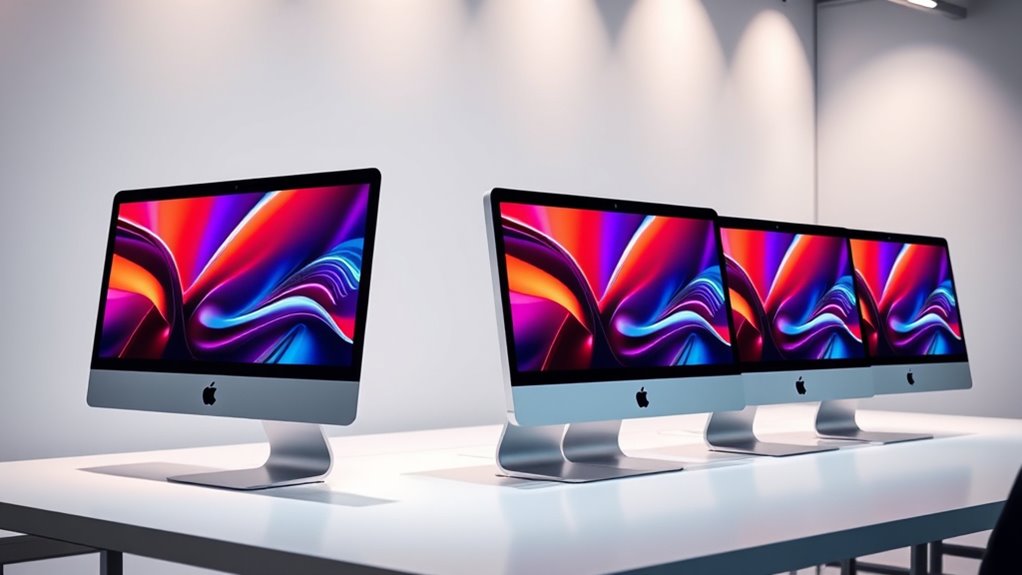

Among these renewed iMac desktops, I rank the 2021 24-inch M1 iMac with 512GB SSD as the best overall: it pairs Apple silicon with the largest solid-state drive in the M1 group. The 27-inch Retina 5K iMac is the standout for a large, detailed screen, while the older 21.5-inch models can suit buyers focused on basic tasks and lower hardware demands. The main tradeoffs are newer M1 performance versus older Intel compatibility, and fast SSD storage versus larger but slower Fusion or hard-drive storage. Renewal condition, included accessories, and return terms also vary by seller, so check the specific listing rather than relying on the model name alone. Read on for the full breakdown and buying advice for choosing the right renewed iMac.

Get the little things that make your day delivered free with Prime
- Fast, free delivery on millions of items
- Prime Video, Amazon Music and more included
- Member-only deals all year
Key Takeaways
- The 2021 M1 models lead this group for everyday responsiveness. The 512GB version ranks ahead of the two 256GB versions because it offers more room before external storage becomes necessary.
- The 27-inch Retina 5K model is the screen-first choice. Its larger, high-resolution display suits spacious workflows, but its Intel processor and Fusion Drive make it less compelling for buyers who prioritize newer hardware and fast storage.
- Storage type matters as much as capacity. The 2017 model’s 1TB hard drive and the 27-inch model’s 1TB Fusion Drive offer more built-in space than some SSD configurations, but they do not provide the same quick feel as an SSD.
- The two 21.5-inch Intel options serve different compromises. One includes a 1TB hard drive, while the other has a 256GB SSD; buyers should decide whether they value capacity or faster everyday access more.
- All six listings specify 8GB of RAM. Since memory is fixed in these configurations, buyers should match the iMac to their workload instead of assuming they can add RAM later.


| renewed imac desktop | Display | Processor | Graphics | Memory |
|---|---|---|---|---|
| Apple 2017 iMac 21.5-inch | 21.5-inch, 1920 × 1080 | 2.3GHz dual-core Intel Core i5-7360U | Intel Iris Plus Graphics 640 | 8GB DDR4 2133MHz |
| Apple 2021 24-inch iMac with M | 24-inch 4.5K Retina, 4480 × 2520 | Apple M1, 8-core CPU | Integrated 8-core GPU | 8GB |
| Apple 2021 24-inch iMac with M | 24-inch 4.5K Retina, 4480 × 2520 | Apple M1, 8-core CPU | Integrated 7-core GPU | 8GB |
| Apple iMac 21.5-Inch All-in-On | 21.5-inch, 1920 × 1080 | 2.7GHz Intel Core i5 | Integrated Intel graphics | 8GB DDR3 SDRAM, maximum 8GB |
| Apple iMac 27-Inch Retina 5K D | 27-inch Retina 5K | 3.2GHz quad-core Intel Core i5 | AMD Radeon R9 M390 | 8GB |
| Apple iMac 24-inch with M1 Chi | 24-inch 4.5K Retina, 4480 × 2520 pixels | Apple M1, 8-core CPU | Integrated 7-core GPU | 8GB RAM |
More Details on Our Top Picks
Apple 2017 iMac 21.5-inch, Intel Core i5, 8GB RAM, 1TB HDD, Silver (Renewed)
This 2017 iMac makes the most sense for buyers who want a roomy desktop setup and 1TB of built-in storage without relying on external drives for everyday files. Its 21.5-inch Full HD screen is larger than a laptop display, while the wired keyboard and mouse mean the essentials are included. Compared with the newer 2021 M1 24-inch iMac, though, this model has a slower dual-core processor, a less detailed display, and a mechanical hard drive that can make startup and file access feel less responsive. The 8GB of memory also narrows its role to basic browsing, documents, and media. I’d choose it for simple home or office use where capacity matters more than speed, but skip it for demanding creative work. The 90-day limited warranty is another reason to weigh condition carefully.
Pros:- 1TB hard drive provides ample built-in space for everyday files
- 21.5-inch Full HD display offers more workspace than a typical laptop
- Includes a wired keyboard and mouse
- USB 3.0, Thunderbolt, Ethernet, Wi-Fi, and Bluetooth provide varied connections
Cons:- Dual-core processor and 8GB of memory limit demanding multitasking
- Mechanical hard drive is slower than the SSDs in the 2021 M1 models
- 90-day limited warranty offers a short coverage period
Best for: Home and small-office users who keep many documents or media files locally and mainly handle browsing, email, and basic productivity.
Not ideal for: Buyers editing large photos or video, running demanding apps, or expecting quick startup and file transfers from an SSD.
- Model year:2017
- Display:21.5-inch, 1920 × 1080
- Processor:2.3GHz dual-core Intel Core i5-7360U
- Graphics:Intel Iris Plus Graphics 640
- Memory:8GB DDR4 2133MHz
- Storage:1TB HDD
- Operating system:macOS Sierra
- Ports:4 × USB 3.0, 2 × Thunderbolt, RJ-45, headphone/microphone combo
- Warranty:90-day limited warranty
Our verdict“Choose this 2017 iMac for basic desktop tasks and plentiful built-in storage, not for speed or demanding workloads.”
Apple 2021 24-inch iMac with M1 8-Core CPU, 8GB RAM, 512GB SSD, Silver (Renewed)
Among these renewed iMacs, this is my strongest all-around pick for buyers who want a modern everyday desktop. The M1 chip and 512GB SSD make it a more responsive, balanced choice than the older Intel models, while its 24-inch 4.5K Retina display gives text, photos, and video a sharp presentation. It also has a 1080p camera and six-speaker audio, useful upgrades for video calls and streaming without extra equipment. Compared with the blue 2021 M1 iMac in this lineup, this silver configuration doubles the storage and has an 8-core GPU rather than a 7-core GPU, making it the more flexible option for apps and files. Its limits are still real: 8GB of memory may constrain heavier creative workloads, and the port selection is sparse. The 90-day warranty also means renewed condition remains part of the decision.
Pros:- M1 8-core CPU and SSD support responsive everyday use
- 24-inch 4.5K Retina display provides sharp detail and wide-color support
- 512GB SSD offers twice the storage of the blue 2021 M1 model listed here
- 1080p camera and six-speaker system suit calls and entertainment
Cons:- 8GB of memory can limit heavy multitasking and professional creative apps
- Two Thunderbolt/USB 4 ports leave a limited connection selection
- Renewed unit has a 90-day limited warranty
Best for: Remote workers, students, and households seeking a sharp-screened all-in-one for everyday productivity, video calls, and media.
Not ideal for: Buyers who need extensive built-in ports, more than 8GB of memory, or a long warranty for demanding professional workloads.
- Year:2021
- Display:24-inch 4.5K Retina, 4480 × 2520
- Processor:Apple M1, 8-core CPU
- Graphics:Integrated 8-core GPU
- Memory:8GB
- Storage:512GB SSD
- Camera and audio:1080p FaceTime HD camera; six-speaker system
- Wireless:Wi-Fi 6, Bluetooth 5.0
- Warranty:90-day limited warranty
Our verdict“Pick this silver M1 iMac for the best balance of display, everyday speed, storage, and built-in call features in this group.”
Apple 2021 24-inch iMac with M1 Chip, 8-Core CPU, 8GB RAM, 256GB SSD, Blue (Renewed)
This blue 2021 iMac brings the newer M1 platform and a high-resolution 24-inch display to buyers who can work within 256GB of storage. Its 4.5K screen, 1080p camera, and six-speaker audio make it a capable centerpiece for study, calls, and everyday media. It shares the same 8-core CPU and screen resolution as the silver M1 model, but its 7-core GPU and smaller SSD make it the less flexible of the two for graphics-heavy tasks and growing file libraries. For basic workflows, the difference matters less than the responsive SSD and contemporary chip; larger photo collections or creative project files may call for external storage. Compared with the older 21.5-inch Intel iMacs here, it offers a sharper display and newer processing platform, but has fewer convenient legacy ports and only 8GB of memory. I’d favor it when the blue finish and compact storage needs are a good fit.
Pros:- M1 8-core CPU offers a newer platform than the older Intel iMacs in this group
- 24-inch 4.5K Retina display provides detailed workspace
- 1080p camera and six-speaker audio support calls and media
- SSD storage supports faster everyday access than the older HDD models
Cons:- 256GB SSD fills sooner than the 512GB drive in the silver M1 model
- 7-core GPU is a step below that silver model’s 8-core GPU
- 8GB of memory and a 90-day limited warranty may not suit demanding long-term use
Best for: Students and home users who want a modern M1 all-in-one for web work, documents, video calls, and streaming, with most files stored in the cloud.
Not ideal for: Photographers, video editors, or large-file collectors who need generous local storage or stronger graphics capacity.
- Year:2021
- Display:24-inch 4.5K Retina, 4480 × 2520
- Processor:Apple M1, 8-core CPU
- Graphics:Integrated 7-core GPU
- Memory:8GB
- Storage:256GB SSD
- Camera and audio:1080p FaceTime HD camera; six-speaker system
- Ports:Two Thunderbolt/USB 4 ports; up to two USB 3 ports
- Warranty:90-day limited warranty
Our verdict“Choose this blue M1 iMac for everyday tasks and a sharp display if 256GB of storage is enough for your files.”
Apple iMac 21.5-Inch All-in-One Desktop, 2.7 GHz Core i5, 8 GB RAM, 256 GB SSD (Renewed)
This 21.5-inch Intel iMac is a practical middle ground for buyers who want a traditional desktop with SSD storage but do not need the newer M1 platform. Its 256GB drive should feel more responsive for startup and everyday file access than the 1TB hard drive in the 2017 iMac listed here. The tradeoff is capacity: that older model offers much more internal space, while the 2021 M1 iMacs bring a sharper 4.5K screen, newer processors, and stronger built-in cameras. This model’s Full HD display and 8GB maximum memory keep its role modest, suited to basic office and browsing tasks rather than demanding workloads. It also runs macOS Sierra, so buyers should check that its supplied operating system supports the apps they need. I’d choose it over the HDD-based 2017 model for responsiveness, not for modern features.
Pros:- 256GB SSD offers faster everyday access than the 2017 model’s hard drive
- 21.5-inch Full HD display suits basic desktop work
- Includes Wi-Fi, Ethernet, Thunderbolt, USB 3.0, and Bluetooth connectivity
- Supplier-backed warranty has a minimum 90-day term
Cons:- Memory is limited to 8GB, with no higher maximum listed
- macOS Sierra is an older operating system and may not support every current app
- Display resolution and processing platform trail the 2021 M1 iMacs
Best for: Budget-conscious users with basic office or browsing needs who prefer SSD responsiveness and a conventional 21.5-inch display.
Not ideal for: Buyers who need a high-resolution screen, substantial local storage, more than 8GB of memory, or a newer macOS environment.
- Display:21.5-inch, 1920 × 1080
- Processor:2.7GHz Intel Core i5
- Memory:8GB DDR3 SDRAM, maximum 8GB
- Storage:256GB SSD
- Graphics:Integrated Intel graphics
- Operating system:macOS 10.12 Sierra
- Connectivity:Wi-Fi, Ethernet, Thunderbolt, USB 3.0, Bluetooth 4.0
- Warranty:Minimum 90-day supplier-backed warranty
Our verdict“This is the older Intel option to choose for basic tasks when SSD responsiveness matters more than a modern display or platform.”
Apple iMac 27-Inch Retina 5K Desktop (3.2 GHz Intel Core i5, 8GB RAM, 1TB Fusion Drive, Renewed)
The defining reason to choose this renewed iMac is its 27-inch Retina 5K display: it gives photo editors, spreadsheet-heavy users, and multitaskers substantially more screen area than the 21.5-inch Intel models here. A 3.2GHz quad-core Core i5 and AMD Radeon R9 M390 graphics also set it apart from the dual-core 2017 iMac, giving it a more capable basis for graphics-oriented work. Its 1TB Fusion Drive offers far more capacity than the 256GB SSD in the 21.5-inch SSD model, though it is not equivalent to a full SSD and may feel less responsive. The newer 24-inch M1 iMacs have a more modern chip and built-in features, but their screens are smaller and their listed storage is lower. The key compromise is age: 8GB of memory and an unspecified Mac OS X version limit confidence for current, demanding software.
Pros:- 27-inch Retina 5K display provides the largest and highest-resolution workspace in this group
- Quad-core Core i5 is a step up from the dual-core processor in the 2017 21.5-inch iMac
- 1TB Fusion Drive provides more capacity than the smaller SSD configurations
- Dedicated AMD Radeon R9 M390 graphics distinguish it from integrated-graphics models
Cons:- 8GB of memory may restrict demanding creative applications and heavy multitasking
- Fusion Drive is not a full SSD and may feel slower than the M1 models’ SSD storage
- Renewed listing does not specify a warranty or exact Mac OS X version
Best for: Users who prioritize a large, detailed workspace for spreadsheets, photo viewing, and multiwindow desktop work.
Not ideal for: Buyers who need a modern processor platform, SSD-level responsiveness, more than 8GB of memory, or a clearly specified current operating system.
- Display:27-inch Retina 5K
- Processor:3.2GHz quad-core Intel Core i5
- Memory:8GB
- Storage:1TB Fusion Drive
- Graphics:AMD Radeon R9 M390
- Operating system:Mac OS X
- Condition:Renewed
Our verdict“Choose this renewed 27-inch iMac for its expansive 5K workspace and dedicated graphics, while accepting older hardware and less certain software support.”
Apple iMac 24-inch with M1 Chip, 8-Core CPU, 8GB RAM, 256GB SSD (2021, Silver, Renewed)
This renewed silver iMac pairs the M1’s 8-core CPU with a sharp 24-inch 4.5K Retina display, making it a strong fit for everyday work, video calls, and media viewing without the older Intel hardware in the 2017 21.5-inch iMac. Its silver finish offers a restrained alternative to the blue 256GB M1 model in this roundup, while the 256GB SSD keeps startup and app loading brisk but leaves less room for large photo or video libraries than the silver 512GB version. The 1080p camera and six-speaker system also make this an appealing all-in-one for calls and entertainment. The tradeoffs are 8GB of RAM, two Thunderbolt/USB 4 ports, and a 90-day limited warranty on a renewed machine; buyers needing more storage or longer warranty coverage should compare other options carefully.
Pros:- 4.5K Retina display with P3 wide color offers a detailed, color-rich workspace
- M1 8-core CPU handles common productivity and home tasks
- 1080p FaceTime HD camera and six-speaker audio suit calls and media
- Includes a keyboard and mouse for a ready-to-use desktop setup
Cons:- 256GB SSD can fill quickly with large photo, video, or project files
- 8GB RAM limits headroom for intensive multitasking and demanding creative apps
- Renewed condition is backed by only a 90-day limited warranty
Best for: Home-office users who want a silver all-in-one with a high-resolution screen, capable video-call hardware, and enough storage for everyday apps and documents.
Not ideal for: People who keep large media libraries locally, need substantial memory for demanding creative workloads, or want a longer warranty period.
- Model year:2021
- Processor:Apple M1, 8-core CPU
- Graphics:Integrated 7-core GPU
- Memory:8GB RAM
- Storage:256GB SSD
- Display:24-inch 4.5K Retina, 4480 × 2520 pixels
- Connectivity:Wi-Fi 6, Bluetooth 5.0
- Camera and audio:1080p FaceTime HD camera; six-speaker system; three-mic array
- Warranty:90-day limited warranty
Our verdict“Choose this silver M1 iMac for a polished everyday desktop and sharp display, but pick the 512GB M1 model if you need more built-in storage.”

How We Picked
I ranked these renewed iMacs by how well their listed specifications fit common buyer needs: responsive everyday performance, display size and detail, storage speed and capacity, and the age of the platform. The 2021 M1 models place highest because Apple silicon and SSD storage make them the strongest general-purpose choices in this lineup; the 512GB configuration gets the lead over the 256GB models for its extra built-in space. I then weighed the 27-inch 5K Intel model for buyers who value a large, sharp screen, followed by the older 21.5-inch options, which offer narrower advantages around storage capacity or SSD speed.
Because these are renewed products, I also treated seller-specific condition, included accessories, return coverage, and listing accuracy as part of the buying decision rather than assuming every unit is alike. The supplied configurations do not state battery or upgrade details, and these desktop models should not be ranked by unlisted condition claims. This ordering reflects the stated hardware and likely use cases; a buyer who needs a particular Intel-era app or a larger display may reasonably favor a lower-ranked model.
| renewed imac desktop | Graphics | Operating system |
|---|---|---|
| Apple 2017 iMac 21.5-inch | Intel Iris Plus Graphics 640 | macOS Sierra |
| Apple 2021 24-inch iMac with M | Integrated 8-core GPU | — |
| Apple 2021 24-inch iMac with M | Integrated 7-core GPU | — |
| Apple iMac 21.5-Inch All-in-On | Integrated Intel graphics | macOS 10.12 Sierra |
| Apple iMac 27-Inch Retina 5K D | AMD Radeon R9 M390 | Mac OS X |
| Apple iMac 24-inch with M1 Chi | Integrated 7-core GPU | — |
Factors to Consider When Choosing Renewed Imac Desktops
Choosing a renewed iMac calls for more than comparing screen sizes or storage numbers. I would start with the work you expect it to handle, then check which parts are difficult or impossible to change later and how much uncertainty the renewed listing leaves.
Match the processor generation to your apps
The M1 models are the clearest fit for buyers who want a newer macOS desktop for daily browsing, office work, calls, and many creative tasks. An older Intel iMac can make sense when a required app, peripheral, or workflow depends on Intel-era compatibility, but check the software maker’s current requirements before buying. Do not assume that every older Mac supports the latest operating system indefinitely; confirm the model’s supported macOS versions and security-update status. For shared household use, the M1 generation is the simpler default when no legacy requirement is involved. Pay for an older Intel model only when its larger display, storage configuration, or app compatibility solves a real need.
Choose storage by speed and working habits
A listed capacity does not tell the whole story: an SSD generally makes startup, app launches, and file access feel quicker than a traditional hard drive. The 1TB HDD and 1TB Fusion Drive configurations offer more internal space, but their storage technology differs from the SSDs in the M1 options and the 21.5-inch SSD model. If most files live in cloud storage or on an external drive, a smaller SSD can be a sensible trade. If you keep large photo libraries, video files, or project archives on the computer, estimate your space needs before choosing. Avoid paying for capacity you will not use, but do not assume an external drive will replace the convenience of fast internal storage for active projects.
Treat 8GB of RAM as a workload limit
Every configuration here lists 8GB of RAM, so memory does not separate these picks. That amount can suit common home and office tasks, but many open apps, large creative projects, and demanding browser sessions can put more pressure on memory. Check whether the exact model permits a memory upgrade before purchase; upgrade options differ across iMac generations and sizes. If you already know your work regularly involves intensive video editing, large datasets, or virtual machines, these configurations may be a poor fit even if the processor seems capable. For lighter use, keeping fewer heavy apps open and using cloud or external storage can help, but it cannot turn 8GB into a larger memory configuration.
Prioritize the display you will use every day
The 21.5-inch models take up less desk space, while the 24-inch M1 iMacs offer a middle ground for everyday work. The 27-inch Retina 5K model stands apart for buyers who need more screen area and fine detail, such as those who arrange several windows side by side. A larger display is not automatically better if your desk is shallow or you sit close to the screen. Before choosing, measure the space available and think about whether you would rather have one integrated display or connect a separate monitor to a smaller iMac. For photo and design work, also verify the exact display specifications for the listing rather than relying only on the product title.
Inspect the renewed listing, not just the model
Renewed units of the same iMac can arrive with different cosmetic condition, accessories, packaging, and seller support. Read the listing’s condition description and check whether the power cable, keyboard, and mouse are included; do not assume a complete original set. Review the return window and warranty terms before ordering, especially if the computer will be used for work. Ask how the seller handles faults and whether the listing identifies the exact model year and configuration. A favorable specification is less useful if the unit’s condition or support terms do not meet your needs.
Check ports, connections, and upgrade limits
Older and newer iMac generations can differ in ports and wireless features, so compare the exact model against the devices you plan to connect. List any external drives, displays, wired network gear, audio equipment, or older accessories you rely on, then confirm the required connections are present or can be handled with an adapter. Adapters add cost and clutter, and they may not support every display or data speed you expect. Also check which components can be upgraded after purchase; a low initial storage configuration can be harder to work around if internal changes are limited. This check can make a less powerful but better-connected model the more practical choice for a specific desk setup.
Frequently Asked Questions
Is the 512GB M1 iMac worth choosing over a 256GB version?
I would choose the 512GB configuration if you keep a sizable photo library, install many apps, or prefer not to depend on external storage. The processor generation and 8GB of RAM are the same as the listed 256GB M1 options, so the extra capacity is the main stated advantage. For browser, office, and streaming use, 256GB may be enough if you store files in the cloud or on an external drive. Check how much space your current computer uses before deciding. That gives you a more useful answer than choosing by capacity alone.
Should I pick the 27-inch Intel iMac over a 24-inch M1 model?
Choose the 27-inch model when its larger Retina 5K screen is central to your work, such as viewing detailed images or keeping several windows open. The 24-inch M1 models are the stronger general-purpose picks in this roundup for buyers who favor Apple silicon and SSD storage. The 27-inch listing pairs an Intel processor with a 1TB Fusion Drive, so its screen advantage comes with a different performance and storage tradeoff. Check compatibility with your essential apps and accessories before choosing the older platform. If you do not need the extra screen area, the M1 options are the more straightforward fit for everyday use.
Can I upgrade the RAM or storage after buying a renewed iMac?
Upgrade possibilities depend on the exact iMac generation and configuration, so I would verify the model identifier and consult Apple’s specifications or a qualified repair source before ordering. The listings in this roundup all state 8GB of RAM, but that does not tell you whether a particular unit can accept a memory upgrade. Storage expansion may be possible through external drives, which can work well for archives and backups but may be less convenient for active files. Do not buy on the assumption that an internal component can be changed later. If your current workload already needs more memory or storage, select a configuration that fits from the outset.
What should I check before ordering a renewed iMac?
Confirm the exact year, screen size, processor, memory, and storage type against the listing, since similar product names can describe quite different machines. Read the seller’s condition notes and find out whether a keyboard, mouse, and power cable are included. Check the return period, warranty coverage, and process for handling a defective unit. Also compare the computer’s ports and supported software with your existing accessories and work needs. These checks reduce the chance of choosing a technically sound model that does not fit your setup.
Is an older renewed Intel iMac a sensible choice for a basic home computer?
It can be sensible when the intended use is light and the configuration meets your storage and app needs. The 21.5-inch SSD model favors quicker file access, while the 2017 1TB HDD model offers more listed capacity but uses slower storage. Before buying either, check current macOS support and whether your browser, security tools, and key apps still receive updates on that model. A newer M1 iMac is the safer choice for buyers who want a more current platform and do not need Intel compatibility. For an older model, seller support and a clear return policy matter especially much.
Conclusion
For most buyers, I recommend the 2021 24-inch M1 iMac with 512GB SSD as the best overall, since it combines the newer chip generation in this lineup with more internal SSD space than the other M1 configurations. The best value depends on the listing and your priorities: choose a 256GB M1 model for everyday work if cloud or external storage suits you, or the 21.5-inch SSD iMac if you need an older, compact setup and have checked software support. The best premium screen choice is the 27-inch Retina 5K Intel model for buyers who put display size and detail first. For beginners, I would favor a 24-inch M1 model for a straightforward home or school computer; for Intel-specific apps or a smaller budget, compare the older models carefully against your software needs. Check renewed condition, included accessories, return terms, and exact specifications before making the final choice.
Halloween Picks
halloween
As an affiliate, we earn on qualifying purchases.