To troubleshoot common robotic pool cleaner issues, start by inspecting and cleaning the filter to prevent clogging and guarantee proper water flow. Check the motor and electrical connections for signs of damage or debris that could cause stalls. Make sure the device is plugged in or batteries are charged. Regular maintenance like filter replacement and inspecting for obstructions can keep your cleaner running smoothly. Continuing will reveal more tips to keep your cleaner performing at its best.

Get the little things that make your day delivered free with Prime
- Fast, free delivery on millions of items
- Prime Video, Amazon Music and more included
- Member-only deals all year
Key Takeaways
- Regularly clean and replace filters to maintain water flow and debris collection efficiency.
- Check power supply, connections, and battery charge to resolve motor or electrical issues.
- Inspect and clear any blockages or debris around the motor and brushes to prevent stalls.
- Open the device housing carefully to examine motor wear, damage, or electrical faults.
- Perform routine electrical and filter maintenance to extend device lifespan and optimize performance.
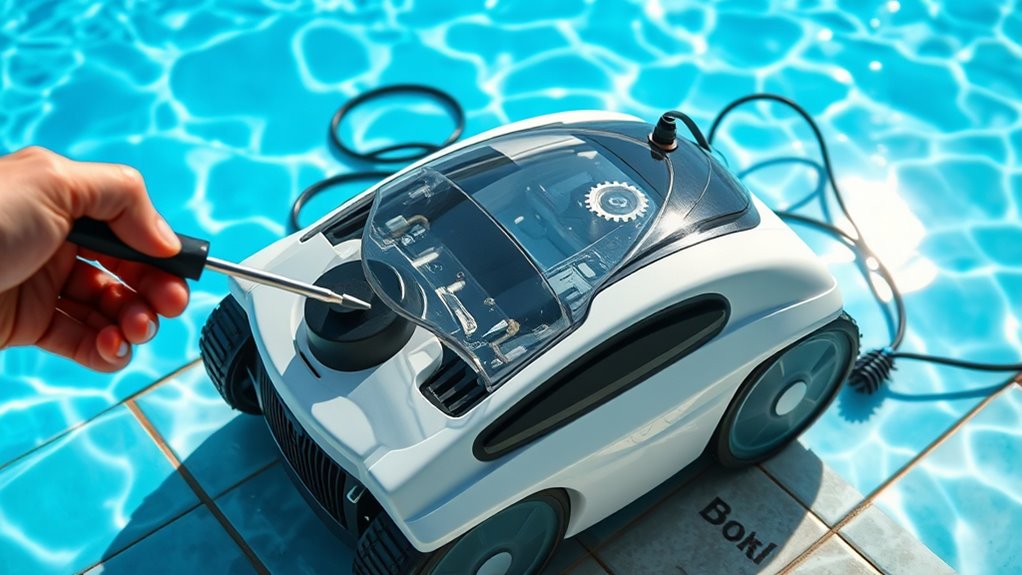
Robotic pool cleaners are convenient devices that can save you time and effort, but they can sometimes encounter problems that prevent them from working effectively. One common issue involves the filter system. If your cleaner isn’t picking up debris as it should, the first step is to check the filter. Over time, filters can become clogged with dirt, leaves, and other debris, reducing suction power and cleaning efficiency. Regular filter replacement or cleaning is essential to keep your robot functioning properly. Remove the filter according to your model’s instructions, rinse it thoroughly with water, and replace it if it’s worn out or damaged. A clean filter guarantees ideal water flow and debris collection, preventing the device from stalling or working inefficiently. Additionally, the type of filter can influence how well your cleaner performs, so choosing the right one is important. Proper filter maintenance extends the lifespan of your robotic pool cleaner and ensures optimal performance. Regularly inspecting and replacing filters also minimizes the risk of clogged filters, which can impair operation.
Another frequent problem relates to motor troubleshooting. If your robotic cleaner isn’t moving, spinning, or operating as expected, the motor might be the culprit. First, verify that the power supply is active and that the robot is properly connected or charged. If it’s a corded model, check for any damage or loose connections. For battery-operated units, ensure the battery is charged and seated correctly. If the device still isn’t functioning, you might need to inspect the motor itself. Sometimes, debris or dirt can jam the motor or its gears, causing it to stall. Carefully open the housing, following your user manual, and look for obstructions or signs of wear. If the motor is overheated or making strange noises, it might be a sign of internal damage or electrical issues. In such cases, you may need to replace the motor or seek professional repair. Understanding the filter system and how it impacts operation can help you maintain your device’s components and troubleshoot more effectively. Regularly inspecting all electrical connections can prevent many common motor issues. Moreover, staying informed about heat management techniques can help extend the lifespan of your motor components and prevent overheating.
Frequently Asked Questions
How Often Should I Replace the Robotic Pool Cleaner’s Brushes?
You should replace your robotic pool cleaner’s brushes every six months to guarantee effective cleaning. Regular brush replacement is essential for maintaining ideal cleaning performance and preventing buildup. Depending on your pool’s usage and debris levels, you might need to do brush replacement more frequently. Keep an eye on the brushes’ wear and tear, and perform a thorough cleaning regularly to extend their lifespan and maintain proper cleaning frequency.
Can Robotic Pool Cleaners Work in Saltwater Pools?
Imagine your robotic pool cleaner as a trusted friend, ready to help in any environment. Yes, most robotic cleaners are saltwater compatible, thanks to durable materials and corrosion resistance. Saltwater compatibility extends your cleaner’s lifespan, but keep in mind that salt can influence battery lifespan over time. Regular maintenance and choosing models designed for saltwater pools ensure your device continues to work smoothly, just like your loyal friend.
What’S the Ideal Storage Method for Robotic Pool Cleaners During Winter?
For winter storage, you should clean your robotic pool cleaner thoroughly and remove any debris. Store it in a dry, cool place away from direct outdoor exposure. During winter, outdoor protection is essential; consider using a protective cover or storing it indoors to prevent damage from freezing temperatures and moisture. Proper winter storage guarantees your cleaner remains in good condition and is ready to use when swimming season returns.
How Do I Reset My Robotic Pool Cleaner if It Malfunctions?
If your robotic pool cleaner malfunctions, start with a manual reset. Turn off the power, then unplug the device. Wait for about 10 minutes before plugging it back in. Press and hold the reset button, usually located on the unit or control panel, for a few seconds. Follow these troubleshooting steps to reset your cleaner and restore its proper function, ensuring it operates smoothly again.
Are There Compatibility Issues With Certain Pool Types and Robotic Cleaners?
Did you know over 80% of pool owners face compatibility issues with robotic cleaners? When choosing a cleaner, you need to take into account pool surface compatibility, as some models work better on certain surfaces like tile or vinyl. Also, be aware of cleaner model limitations; not all are designed for all pool types. Always check the manufacturer’s guidelines to ensure your robotic cleaner fits your pool’s unique surface and size.
Conclusion
So, next time your robotic cleaner throws a tantrum, remember it’s probably just having a bad day—like us all. With a little patience and these tips, you’ll have it back in action faster than it takes to finish your favorite snack. Who knew troubleshooting could be almost fun? Just don’t forget to thank your tiny pool robot for its endless dedication, even if it occasionally forgets where the dirt is. Happy cleaning!
NFL season / tailgating Picks
team gear
As an affiliate, we earn on qualifying purchases.